

Looking for dropshipping tools? You probably do not need as many as you think.
A store platform, a sourcing or fulfillment setup, and a way to validate product ideas cover most of the early work.
Email and reviews become more useful later. The same is true for analytics, support, and creative tools. Add them when they solve a problem you actually have.
We narrowed this guide to 18 tools that cover the jobs a dropshipping store is most likely to need.
The tools are grouped by the job they help with. The numbering keeps the list easy to follow; it is not a ranking from best to worst.
Best Dropshipping Tools Shortlist
Here's our shortlist of the top dropshipping tools in 2026:
- Best for Hosted Ecommerce Store: Shopify - A hosted ecommerce setup keeps hosting and checkout in one place, while a large app ecosystem covers most additional store needs.
- Best for WordPress Store Control: WooCommerce - Open-source WordPress control gives sellers more flexibility over hosting, extensions, and store code, but requires more technical setup and separate hosting.
- Best for Managed Sourcing and Fulfillment: Zendrop - Managed sourcing, fulfillment, and store automation support a broader workflow than an AliExpress-only setup, with billing that can vary by account and usage.
- Best for AliExpress Order Workflows: DSers - AliExpress-focused workflows streamline bulk ordering, supplier mapping, and order management, making this the most direct fit for an AliExpress-first sourcing model.
- Best for Supplier Catalog Automation: Syncee - A broad supplier marketplace supports catalog discovery, while paid plans add product importing plus product data and order syncing.
- Best for Service-Led Sourcing Support: HyperSKU - Service-led sourcing combines product sourcing, quality control, store connections, and fulfillment in a more agent-like setup than a self-serve marketplace.
- Best for Custom Print on Demand: Printful - Made-to-order fulfillment turns custom designs into print on demand products, with broad store integrations and optional branding.
- Best for Product and Competitor Research: Sell The Trend - One paid workspace combines product discovery, trend research, and competitor research, bringing several dropshipping research jobs into one place.
- Best for Search Interest and Seasonality: Google Trends - Free search-interest data helps compare seasonality, related ideas, and regional demand without treating search interest as proof of sales.
- Best for Competitor Traffic Research: Similarweb - Directional traffic and channel estimates help compare competitor acquisition patterns, while modeled figures make the data better for research than exact measurement.
Let's go more in-depth now!
How we picked these tools
We compared the tools in this guide around one question: does this solve a real ecommerce problem well enough to justify another app, account, or monthly bill?
We used official product and pricing information, plus DD's existing reviews where hands-on testing was available.
- The problem each tool solves
- Cost to reach useful features
- Platform fit and setup burden
- Free plan or trial availability
- Ongoing work the tool can remove
- Whether a beginner needs it now
Our decision: The final 18 each solve a clear job or fit a specific situation. We left out overlapping tools when another option gave most readers a clearer reason to choose it.

The best dropshipping tools: An overview
Here is the full list. Use the "Best for" column to jump to the job you need to solve instead of treating this as a shopping list:
| # | Tool | Best for | Free option | Main thing to know | Links |
|---|---|---|---|---|---|
| 1 |
 Shopify
Hosted platform
Shopify
Hosted platform
|
Hosted ecommerce store Hosting, checkout, and a large app ecosystem are handled within one platform | Trial / intro offer | Subscription platform App costs can add up | |
| 2 |
 WooCommerce
WordPress control
WooCommerce
WordPress control
|
More control with WordPress Store owners control hosting, extensions, and more of the underlying setup | Yes, core plugin | Free core Hosting and extensions cost extra | |
| 3 |
 Zendrop
Managed sourcing
Zendrop
Managed sourcing
|
Managed sourcing and fulfillment Product sourcing, fulfillment, and store automation without relying only on AliExpress | Limited free tier | Billing can vary Pricing depends on signup route and usage | |
| 4 |
 DSers
AliExpress workflow
DSers
AliExpress workflow
|
AliExpress order workflows Bulk ordering, supplier mapping, and order management for AliExpress-focused stores | Yes | Free core plan Paid tiers add scale and features | |
| 5 |
 Syncee
Supplier marketplace
Syncee
Supplier marketplace
|
Supplier catalog automation Browse a large supplier marketplace and automate product data and order syncing | Browse free | Discovery is free Importing and live catalog automation require a paid plan | |
| 6 |
 HyperSKU
Service-led sourcing
HyperSKU
Service-led sourcing
|
Sourcing and fulfillment support Sourcing assistance, quality control, store connections, and fulfillment support | Yes | No standard subscription Products and fulfillment still cost money | |
| 7 |
 Printful
Print on demand
Printful
Print on demand
|
Print on demand Custom products, store integrations, fulfillment, and optional branding | Yes | Free plan Product and fulfillment costs are charged per order | |
| 8 |
 Sell The Trend
Research suite
Sell The Trend
Research suite
|
Product and competitor research Product discovery, trend research, and store intelligence in one workspace | Free trial | Paid after the trial Research signals still need independent validation | |
| 9 |
 Google Trends
Free trend data
Google Trends
Free trend data
|
Search interest and seasonality Compare relative search interest across time, markets, and related ideas | Yes | Free research tool Search interest is not sales data | |
| 10 |
 Similarweb
Traffic estimates
Similarweb
Traffic estimates
|
Competitor traffic research Directional traffic and channel data help compare competing stores | Limited | Free access is limited Traffic figures are third-party estimates | |
| 11 |
 PagePilot
AI page drafts
PagePilot
AI page drafts
|
Fast Shopify product-page drafts Turns existing product URLs into editable Shopify product-page drafts | Trial / try free | Built around Shopify Publishing plans are paid, and generated claims need checking | |
| 12 |
 Canva
Creative design
Canva
Creative design
|
Store and social creatives Product graphics, social posts, banners, and simple ad creative | Yes | Useful free plan Premium content and advanced features require a paid plan | |
| 13 |
 Klaviyo
Email automation
Klaviyo
Email automation
|
Email automation Combines ecommerce email flows, segmentation, and customer data | Yes | Best once traffic exists Cost grows as profiles and sending needs grow | |
| 14 |
 Tidio
Support suite
Tidio
Support suite
|
Live chat and support Live chat, ticketing, and lightweight support automation in one interface | Yes | Limited free usage Most useful once customer questions create real support volume | |
| 15 |
 Google Analytics
Ecommerce analytics
Google Analytics
Ecommerce analytics
|
Traffic and ecommerce measurement Measures acquisition, visitor behavior, and ecommerce activity | Yes | Free standard version Accurate reporting still depends on correct tracking setup | |
| 16 |
 Microsoft Clarity
Behavior analytics
Microsoft Clarity
Behavior analytics
|
Heatmaps and session recordings Shows how visitors interact with pages through recordings and heatmaps | Yes | Free behavior analytics Not a replacement for acquisition, attribution, or revenue reporting | |
| 17 |
 PageSpeed Insights
Speed diagnostics
PageSpeed Insights
Speed diagnostics
|
Store speed diagnosis Checks mobile and desktop performance and highlights speed improvement opportunities | Yes | Free diagnostic tool Not a continuous monitoring platform | |
| 18 |
 Loox
Visual reviews
Loox
Visual reviews
|
Shopify reviews Automated review requests and visual review widgets for Shopify stores | Yes | Shopify-focused Paid tiers add advanced review, referral, and syndication features |
Best dropshipping tools for building your store
You only need one ecommerce platform. The real choice is whether you want a hosted system that handles more of the technical work or a WordPress setup that gives you more control.
1. Shopify
Best for: Sellers who want a hosted ecommerce platform with hosting, checkout, and a large app ecosystem handled in one place.
Not for: Sellers who want full control over their hosting stack and WordPress-level customization.

Shopify is the first platform I would compare if you want the simplest route from an empty account to a working ecommerce store.
Hosting and checkout are built in. Its app ecosystem also covers most of the extra jobs in this guide.
That convenience is also the tradeoff. Shopify is a subscription platform, and several paid apps can push the monthly cost higher.
Before installing an app, check whether Shopify already does the job or whether a free alternative is enough.
Shopify currently lists Basic at $39 per month on month-to-month billing or $29 per month when billed yearly in the US.
Useful links:
- Check Shopify's business name generator
- See our Shopify pricing guide
- Check Shopify pricing
- Try Shopify
2. WooCommerce
Best for: Sellers who already use WordPress or want more control over hosting, extensions, and store code.
Not for: Sellers who want hosting, security, and platform maintenance handled by one provider.
WooCommerce is the main alternative here if you prefer WordPress. The core ecommerce plugin is open source and has no monthly platform subscription.
But "free plugin" is not the same as "free store." You still need hosting, a domain, and any paid extensions or services you choose.
You are also responsible for more of the technical setup than you would be with Shopify.
That makes WooCommerce a better fit when control matters enough to justify the extra maintenance. If you only want to launch a store without managing a WordPress stack, Shopify is usually easier to understand.
Useful links:
Best dropshipping tools for sourcing and fulfillment
Your platform gives you a storefront. A supplier or fulfillment tool connects that storefront to actual products and orders.
The best route depends on the sourcing model you want. You might use AliExpress or a supplier marketplace. You can also use managed sourcing or print on demand.
3. Zendrop
Best for: Sellers who want sourcing and order fulfillment automation without relying only on AliExpress.
Not for: Sellers who need a free plan that can import products and process live orders without moving into paid usage.

Zendrop combines product sourcing with order fulfillment and store automation. It is worth comparing if you want more support around sourcing than a basic marketplace connection gives you.
The part to read carefully is billing. Zendrop currently has two billing models.
New signups generally use usage-based billing, while some existing accounts remain on Standard plans billed directly through Zendrop.
On usage-based billing, your monthly tier is based on the highest number of products linked during the billing cycle.
That means temporarily linking more products can move you into a higher tier even if you unlink some later.
Check your Zendrop billing page before you build a workflow around a specific price or trial.
Useful links:
4. DSers
Best for: Sellers building around AliExpress who want bulk ordering, supplier mapping, and order management.
Not for: Sellers who want a broad supplier marketplace that is not centered on AliExpress workflows.
DSers is the most focused option in this group. It is built around connecting your store to AliExpress and making the order workflow easier to manage.
The free Basic plan is useful enough to understand the product before paying. Paid tiers add more stores, product capacity, and advanced features.
DSers also lists a 14-day free trial on its paid plans.
Supplier mapping is one of the more useful features. You can keep a backup supplier ready if your first choice goes out of stock or changes price.
The limitation is as clear as the benefit. DSers makes the most sense when AliExpress is already part of your sourcing plan.
If you want local suppliers or managed sourcing, compare the other options in this section instead.
Useful links:
5. Syncee
Best for: Sellers who want to browse supplier catalogs and automate product data and order syncing.
Not for: Sellers committed to an AliExpress-first workflow, where DSers is the more direct option.
Syncee is useful when you want to browse a large supplier marketplace instead of building around one source such as AliExpress.
It can also automate product data and order syncing once you move to a suitable paid plan.
The free plan is mainly a discovery layer. It lets you browse its marketplace and see wholesale prices, while importing products and running more of the automation requires a paid subscription.
Syncee currently advertises a free trial for monthly retailer plans. The exact trial window can change, so know what you want to test before you start it.
Useful links:

6. HyperSKU
Best for: Sellers who want sourcing and fulfillment support without paying a standard monthly software subscription.
Not for: Sellers who only want a self-serve supplier marketplace and do not need sourcing or fulfillment support.
HyperSKU sits closer to a dropshipping agent with software attached than a simple product-directory app.
It can help source products and coordinate quality control. It can also connect your store and handle fulfillment once orders come in.
HyperSKU currently advertises a $0 monthly software plan with no upfront subscription or credit card.
That does not make fulfillment free. You still pay for the products and services involved in getting each order to the customer.
It is a strong tool to compare when you want a service-led sourcing relationship. If you would rather browse suppliers and manage the process yourself, Syncee or DSers may feel more straightforward.
Useful links:
7. Printful
Best for: Sellers building a print on demand store with custom products, integrations, and optional branding.
Not for: Sellers who want to resell ready-made supplier products instead of creating custom print on demand items.

Printful belongs on this list because print on demand changes the supplier decision completely.
Instead of choosing a ready-made product, you create a design and Printful produces the item after a customer orders it.
Printful currently has a Free plan at $0 per month. You pay the product and fulfillment costs when orders are produced.
Its optional Growth plan is $24.99 per month and currently has a 14-day trial.
This is a good setup when customization is part of the product. It is not the right tool if your plan is to import generic ready-made products from a traditional dropshipping supplier.
Useful links:
Best dropshipping tools for product and competitor research
Research tools can help you find ideas and see what is already happening in a market. They cannot prove that a product will sell.
Treat the data as evidence to investigate, not permission to spend money on ads.
8. Sell The Trend
Best for: Sellers who want one paid platform for product discovery, trend research, and competitor research.
Not for: Sellers who only need free search-interest data or a quick way to validate one product idea.

Sell The Trend is the broadest dedicated product-research tool in this article. It combines product discovery with store intelligence and other dropshipping-focused research features.
The benefit is having several research jobs in one place.
The downside is the same. A large research platform can feel like overkill when all you need is one trend check or a few product ideas.
Sell The Trend currently offers a free trial and then moves to a paid subscription.
The exact plan mix can change. Use its current pricing page instead of choosing it from an old price screenshot.
Most importantly, do not treat a "trending" label or sales estimate as proof that a product will work for you.
Validate the offer and margins separately, then check the competition, supplier, and ad economics.
Useful links:
9. Google Trends
Best for: Sellers who want a free way to compare search interest, seasonality, and regional demand.
Not for: Sellers who need product-level sales estimates, ad data, or supplier discovery.
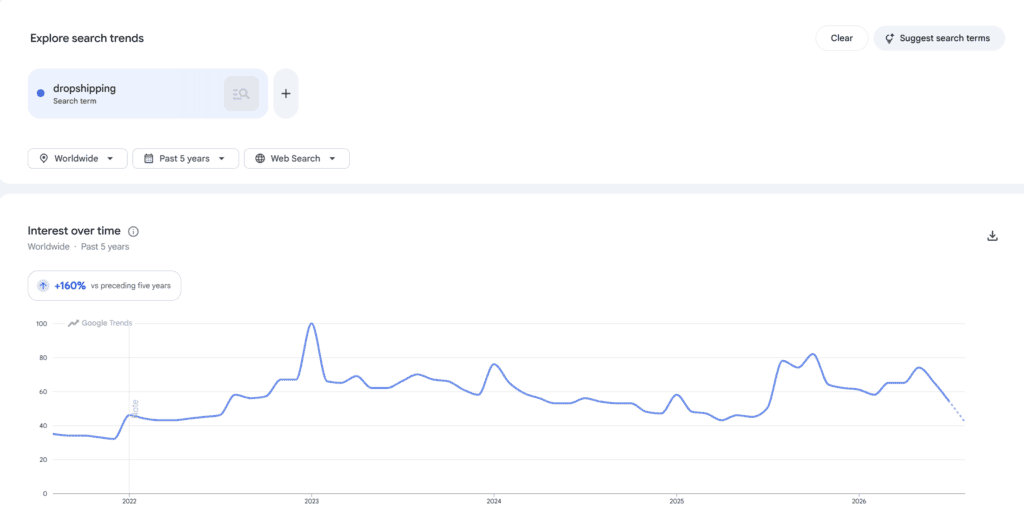
Google Trends is not a dropshipping app, and that is part of why it is useful.
It gives you a free way to compare how search interest changes over time without trying to sell you a "winning product" score.
Use it to check seasonality, compare related ideas, and see whether interest is concentrated in a specific market.
A spike can tell you that people are searching more. It cannot tell you your conversion rate, profit margin, or supplier quality.
Google Trends is best used as one layer of validation beside competitor research and real product economics, not as a yes-or-no product picker.
Three habits make it more useful:
- Zoom out. Check several years so you can tell a seasonal dip from a longer decline.
- Use the market you actually sell to. Worldwide interest can hide big regional differences.
- Compare ideas side by side. Relative interest can help you decide which product deserves deeper research first.
Useful links:
10. Similarweb
Best for: Sellers who want directional traffic and channel data when researching competing stores.
Not for: Sellers who need exact competitor analytics rather than third-party estimates.

Similarweb helps you look at the traffic mix around another website. That can be useful when you are trying to understand whether a competitor appears to rely more on search, referrals, or paid traffic.
The free website checker gives you limited access compared with Similarweb's paid products.
More importantly, the traffic figures are estimates. They are useful for direction and comparison, not as an exact copy of a competitor's analytics account.
Use Similarweb to generate better questions. A store that appears to rely on paid social is running a different acquisition strategy from one that gets most of its traffic from search.
Useful links:
Best dropshipping tools for creating and marketing your store
Once the store and sourcing setup are in place, the next jobs shift to growth and operations.
That usually means product pages and creative work first. Email and support can come later.
This is also where app overlap gets expensive. Add one tool at a time.
11. PagePilot
Best for: Shopify sellers who want to draft product pages quickly from existing product URLs.
Not for: Sellers using a non-Shopify platform or anyone who wants full design control from a blank page.
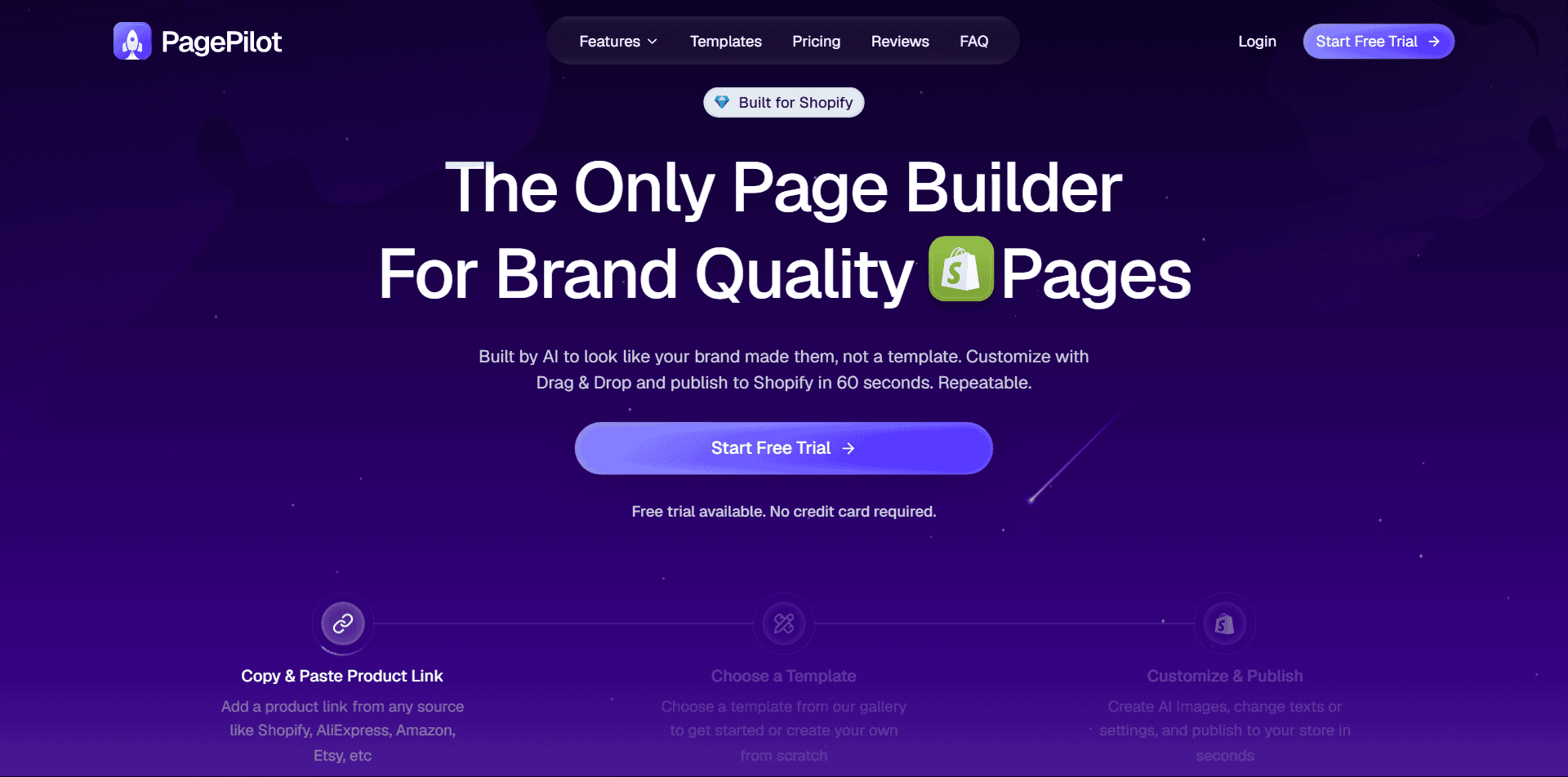
PagePilot uses AI to turn a product URL into a draft product page. The main appeal is speed.
It can get you from a source page to an editable Shopify page without starting every section from scratch.
That makes it most useful when your bottleneck is repetitive product-page setup.
It is less useful if your store runs outside Shopify or if your brand depends on a highly custom page system that you prefer to build manually.
PagePilot currently lists paid monthly plans and lets you try the product before committing.
Check every generated product claim before you publish. AI can turn a vague supplier description into a benefit the supplier never promised.
Useful links:
12. Canva
Best for: Sellers who need a practical tool for product images, social posts, and simple ad creative.
Not for: Sellers who need advanced photo retouching, vector workflows, or professional video editing in one specialist app.
Canva is the creative tool I would put in a beginner stack before paying for several specialist design apps.
It covers the everyday jobs most small ecommerce stores actually have, from product graphics and ad creatives to banners and social posts.
Canva Free is enough to learn the workflow and create a lot of normal store assets. Paid plans add premium content and features such as Brand Kit or other advanced tools.
The limitation is mainly scope. Canva is designed to make common design work easier.
If you need precise retouching or a professional production workflow, you may still need a specialist tool.
Useful links:
13. Klaviyo
Best for: Stores ready to use email automation, segmentation, and ecommerce customer data together.
Not for: Very early stores with almost no list or traffic and no immediate need for advanced lifecycle marketing.
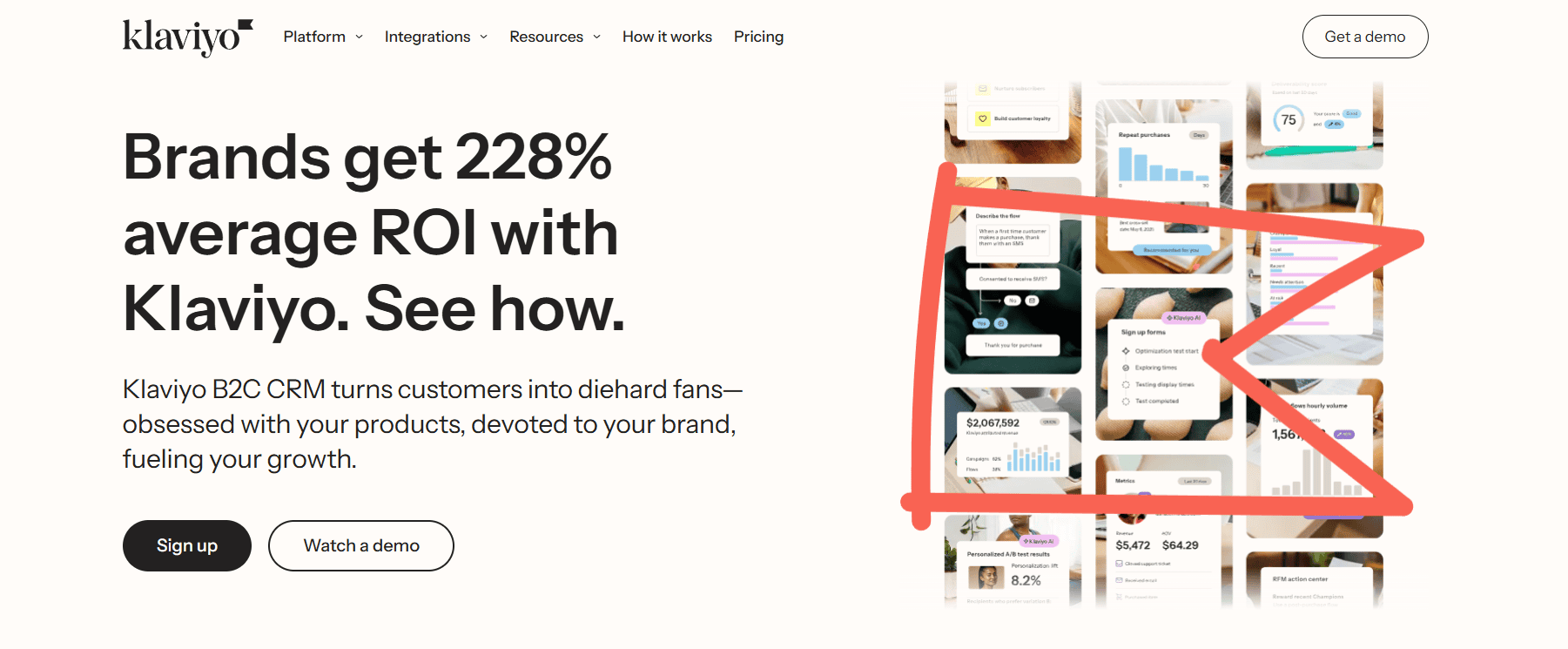
Klaviyo is an ecommerce-focused email platform.
It becomes more useful once you have enough visitors and customers for flows such as welcome emails, abandoned-cart reminders, and post-purchase messages to matter.
The free plan currently covers up to 250 active profiles and 500 email sends per month. That gives a small store room to test the workflow before paying.
Klaviyo is not something I would buy on day one just because an ecommerce stack diagram says you need email marketing.
Set up a few flows when you have the traffic to feed them, then they can keep working without you manually following up with every visitor or buyer.
Start collecting email addresses first. Upgrade when the list and sending volume make the automation useful enough to justify the cost.
Useful links:
14. Tidio
Best for: Stores that want live chat, ticketing, and lightweight support automation in one interface.
Not for: Stores with a mature help desk that already has complex support workflows and deep enterprise integrations.

Once orders start coming in, so do the repetitive questions: Where is my package? Does this ship to my country? Can I return it?
Tidio combines live chat with ticketing and automation, so those conversations do not all have to live in a normal inbox.
Tidio currently has a free plan with limited human conversations and automation usage. It also offers a 7-day trial for paid features.
That gives you a chance to see whether the interface actually improves support before adding another monthly bill.
Do not add live chat just because it looks professional. If nobody is visiting the store yet, there is no support volume to solve.
Tidio earns its place once questions, pre-purchase hesitation, or ticket organization becomes a real problem.
Useful links:
Best dropshipping tools for measuring and improving your store
These last four tools help you understand what visitors do and what might be getting in their way.
Three can be used for free, which is a good reason to start here before paying for another conversion app.
15. Google Analytics
Best for: Sellers who want free measurement of traffic, acquisition, and ecommerce behavior.
Not for: Sellers who want visual session recordings or heatmaps instead of event-based analytics.
Google Analytics gives you the basic measurement layer for a store.
The standard Google Analytics 4 product is free and can show how people arrive, what they do next, and which traffic sources are connected to ecommerce activity.
But a dashboard is only useful when the tracking is configured correctly, and you know which question you are trying to answer.
Start with a small measurement plan. Track the steps that matter to your store instead of collecting every event you can think of, then use the data to decide what deserves a closer look.
Useful links:
16. Microsoft Clarity
Best for: Sellers who want free heatmaps and session recordings to understand how visitors use their store.
Not for: Sellers who need a full marketing analytics platform with attribution, campaign reporting, and revenue dashboards.

Google Analytics can tell you that people left a page. Microsoft Clarity can help you see what they did before they left.
It includes session recordings and heatmaps, and Microsoft currently describes it as free forever with no traffic limits.
The caveat is scope. Clarity is behavior analytics, not a replacement for full acquisition or revenue reporting.
Recordings still need to be interpreted carefully. Use them to find patterns worth investigating, not to explain every conversion by themselves.
Useful links:
17. PageSpeed Insights
Best for: Sellers who want a free technical check of page performance and clear speed improvement opportunities.
Not for: Sellers who need continuous real-user monitoring across every page and release.
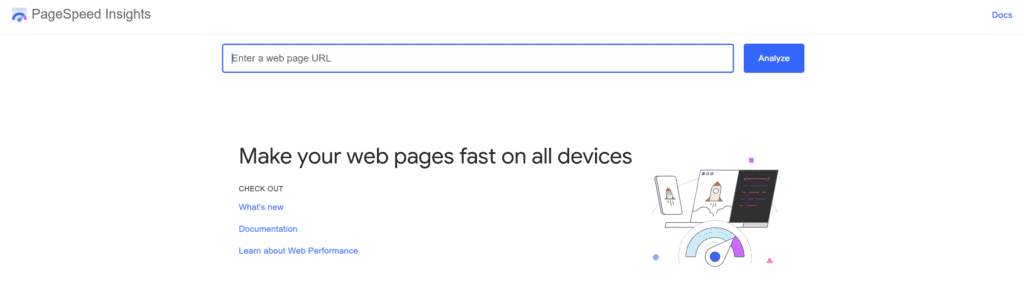
PageSpeed Insights is the simplest free place to check how a page performs on mobile and desktop.
It combines Lighthouse lab testing with real-user data from the Chrome User Experience Report when enough field data is available.
The useful part is not chasing a perfect score. Look at the Core Web Vitals and the diagnostics that point to the biggest bottlenecks.
A store with a heavy hero image or too much JavaScript needs a different fix from one with a slow server response.
PageSpeed Insights is a diagnostic tool, not continuous monitoring. Run it after meaningful design or app changes, and use real field data when it is available.
Test a product page as well as the homepage. Review widgets, image galleries, and upsell apps often make product pages heavier.
Run the test more than once, too. Scores can move between runs, so focus on repeated bottlenecks rather than one isolated number.
Useful links:
18. Loox
Best for: Shopify stores that want automated review requests and visual review widgets.
Not for: Sellers who need a platform-neutral review system that can move easily beyond Shopify.

Loox is a Shopify review app built around collecting and displaying customer reviews.
The visual-review angle is useful for products where photos or videos make the customer experience easier to judge.
The Shopify App Store currently lists a free Beginner plan. Paid tiers add more advanced review, referral, and syndication features.
The free tier gives you a way to test the review workflow before paying.
For products where appearance matters, photos from real buyers can give shoppers context that a generic trust badge cannot.
The main reason to skip Loox is platform fit. It is built for Shopify.
If you expect to move away from Shopify or want a platform-neutral review system, compare alternatives before you collect years of reviews in one app.
Useful links:
Three dropshipping tool stacks, by stage
Eighteen tools is a menu, not a shopping list. Here is a simpler way to think about the stack as your store develops:
| Your situation | A sensible stack | Cost profile | Why this one |
| Testing whether dropshipping is for you | WooCommerce or a Shopify trial, DSers, Google Trends, Google Analytics, Microsoft Clarity | Mostly free | Enough to build, source, validate, and measure without collecting subscriptions. |
| First store with a small monthly budget | Shopify, one sourcing tool, Google Trends, Canva Free, Google Analytics, Microsoft Clarity | One or two paid tools | Keep the paid stack narrow until orders show you what the next bottleneck is. |
| Store with steady orders | Your platform and supplier setup, then add Sell The Trend, PagePilot, Klaviyo, Tidio, or Loox when each solves a repeat problem | Add paid tools as the store earns their cost | At this stage, software can save repeat work or help manage traffic and customers you already have. |
Notice what is missing from the first stack: email, reviews, and support software.
Those tools can be useful later. They just do not solve much when there is no audience or customer activity yet.
Other tools you may need later
There are plenty of useful ecommerce tools that do not belong in a starter stack. Use the specialist guides below when one of these jobs becomes your next real problem:
- Domain names: See our dropshipping domain-name guide.
- Store themes: Compare Shopify dropshipping themes or WooCommerce dropshipping themes.
- SEO: Use our broader dropshipping SEO guide before paying for Ahrefs, Semrush, or another SEO suite.
- SMS marketing: Add an SMS platform only when you have an audience and a compliant reason to use it. Start with our ecommerce SMS guide if that is your next channel.
- Influencer research: Use a specialist influencer tool when creator outreach is part of an actual campaign, not because every ecommerce stack needs one.
- Productivity tools: Todoist, Toggl, and similar apps can help you work. They are not dropshipping requirements.
- More free utilities: Browse the Do Dropshipping free tools hub before paying for a small one-purpose app.
The goal is not to avoid paid software. It is to pay for software when you can name the problem it fixes.
Which dropshipping tool should you start with?
Start with whatever is blocking you right now:
- No store platform yet? Compare Shopify and WooCommerce.
- Store built, but no sourcing setup? Pick based on the model you want. DSers fits an AliExpress-first workflow. Zendrop or Syncee fit managed catalogs. HyperSKU is more service-led, while Printful is for print on demand.
- Still deciding what to sell? Use Google Trends for free validation and add Sell The Trend only if you need a fuller research workflow.
- Already getting visitors? Set up Google Analytics and Microsoft Clarity before buying another marketing app.
- Getting customer questions or orders? That is when Klaviyo, Tidio, and Loox can start solving real operational problems.
You do not need all 18 tools. Add one when it solves a problem you actually have.
If it does not save time or improve a decision, ask whether it removes a real bottleneck. If not, it probably does not belong in your stack yet.
FAQs about dropshipping tools
What tools do I need to start dropshipping?
At the beginning, keep the stack small. You normally need an ecommerce platform and a sourcing or fulfillment setup. A free research tool can help with product validation.
Add email and review tools when you have enough traffic or orders for them to matter. Do the same for support and analytics.
What is the best free dropshipping tool?
There is no single best free tool because they solve different jobs. Google Trends is useful for free demand research, Microsoft Clarity is useful for behavior analytics, and PageSpeed Insights is useful for performance checks.
Several supplier and marketing platforms on this list also have free plans with limits.
Do I need a paid product research tool?
No. You can validate product ideas with free sources such as Google Trends, marketplace data, and competitor research. Supplier information should be checked separately.
A paid research platform becomes useful when it saves enough time or gives you a workflow you will actually use.
How many apps should a new Shopify store use?
There is no ideal app count. Start with the fewest apps needed to run the store and measure what matters. Every extra app can add cost and maintenance. Some also add performance overhead. Install one for a specific reason and remove it if that reason disappears.
More dropshipping tools and guides
Want to go deeper into one part of the stack? These guides focus on the next decision rather than adding more software by default:









33 Comments
can you talk about payment gateway
and also how quick do you receive payment
which is better
what are their conditions over time,any requirement
do you get the money immediately to fulfil the orders
thank you
Hi!
It depends on which platform you’re going to open your dropshipping store, but most of the time, PayPal and Stripe are the best options when you’re just beginning with your dropshipping journey.
Also, you could use Shopify Payments if you use Shopify and if it’s available in your country.
When someone pays in your store for a product, then you will get that money immediately on your PayPal or Stripe account (depending which payment methods you have and which payment method your customer has selected) so you can fulfill your orders. Do keep in mind that your money could be on hold for some time (read more here).
I hope that that helped you further. Let me know if you have any more questions or if something was unclear to you!
Good luck with your dropshipping store!
It depends on which platform you’re going to open your dropshipping store, but most of the times PayPal and Stripe are the best options when you’re just beginning with your dropshipping journey.
Also, you could use Shopify Payments if you use Shopify and if it’s available in your country.
Another good article on this site.
Hi, thank you so much!
So what about easync and other services to automate dropshipping? Can you recommend it?
Hi Pawel, thank you for your comment!
I personally never used easync before, but I did write two other blog posts that contain other dropshipping services:
1. 15 Alternatives to Dropshipping With AliExpress
2. 14 Awesome Oberlo Alternatives (Order Processing Apps)
Let me know if that helped you further, and good luck with your dropshipping store!
I have listened t many of these ‘gurus’ who want a ton of your money for their courses and I have often wondered why they don’t offer their teaching for free when they have already made millions of dollars. I am about to start my dropshipping store and when I become successful, I will do the same as you and offer what I have learned for free. Thank you Richard for doing that for me. Great info!
Hi Jeff, thank you for your comment! That’s exactly why I created this blog. All these “gurus” make so much money with their courses.
Good luck with your dropshipping, and let me know if you ever have some questions!
Sir, I had planned to stay few seconds on your blog, and I end up after 2 hours reading all much content I can before going to bed.
From France, we appreciate your work.
Best regards,
Hi Mehdi, I’ll reply to all your comments, but I just wanted to say thanks for putting the time in writing so many awesome comments! It means a lot 😊
Hello,
I’d just like to add on social media tools, Facebook launched Instagram Creator Studio and Facebook Creator Studio where you can schedule your posts for free without even using 3rd party apps like Later. You can upload directly from your desktop. Thanks for your articles it has been helpful
Hi Alyssa,
Great to hear that the articles were helpful to you 😊
And thanks for the suggestions, I’ll update the articles where I mention these kinds of schedule tools!
Good luck with everything!
– Richard
Hi Richard and thank you for all the info. For me I’ve never done this before and only heard about Dropshipping a week ago so I’m overwhelmed with info.i. Wish there was one place that did it all. Maybe there is and I missed it or is there someone one out there that would set up a store for someone ( for a fee of course) so they can at least start?
Hi Suzi,
Thank you for your comment! I know it’s a lot of information to take in, but the best way to learn is to just do it. (You can find more information about how to learn here)
Just take it easy and follow my complete guide here. You don’t need to learn it all in one week!
And don’t forget if you got any questions, then you can always contact me. Good luck!
– Richard
This site is so informative and detailed. Thank you for creating this website and TBH I’ve paid a few thousand dollars in deposit to one such course and thankfully they have 7 days money back guarantee. I’ll be going to their office to get my refund back and use your site as my guidance. Thanks once again and also thank goodness I found your site.
Hi Vivian,
Wow, that’s so awesome to hear! Thank you so much 😊
I wish you the best with everything, and let me know if you ever have any questions!
– Richard
I was lucky to come across your website. I’m really grateful for have doing so. Thank you for all the information you have shared here. I greatly appreciate it!
Hi Tamara,
Thank you for your amazing comment! That’s so great to hear that you like our website 😊
Good luck with everything!
– Richard
Another amazing job! Thanks
Hi Mariano, that’s awesome to hear; thank you! 😊
I wish you the best with everything!
– Richard
Hello, it’s nice post
I’m looking for a dropshipping tools which can help me in managing orders and inventory.
Any suggestion?
Thank you for your help in advanced!
Hi Abbie,
Thank you for your comment! Where do you get your products from? Something like AliExpress? Or are you using different dropshipping suppliers?
Did you take a look already at this article here? That article contains a lot of solutions to help you manage your orders.
Another option is to take a look at tools like Inventory Source.
Let me know if that helped you further and if you got any more questions!
– Richard
Hey Richard,
I was also planning to spend few minutes n move on. But your site has kept me hooked for several hours. My God such invaluable advice and tonnes of crisp info. I haven’t come across any site which matches your!indepth knowledge. You are a guru and I am really grateful for all the research and Hardwork you have put in. Keep doing the Great Work. Richard Rocks !!
Hi Aiman,
Thank you so much for your kind words, that really means a lot! Great to hear that the site got you hooked for several hours 😊
You don’t have to call me a guru though; I’m trying to be the opposite with this site!
I wish you the best with everything, and let me know if you ever got any questions!
– Richard
I found this extension! I think it’s really cool. It save me a lot on time on product and market research! 🙂
Hi Milan,
Thank you for your comment! And thank you for sharing that Chrome extension, I’m sure it will help others 😊
Good luck with everything that you’re going to do!
– Richard
Hi , thanks for all the information here are a few questions that I have
Is there any course that you offer to learn drop shipping from beginner to advanced? If so how much is the course ?
Hi Refa,
Thank you for your comment! Just to be sure, did you read the about page of the blog already?
We don’t have any courses here, but we do have a great step-by-step article that will guide you in setting up your own dropshipping store. (And 150+ more articles about all kinds of topics) You can find the article here.
I hope that helps, and let me know if you got any more questions!
– Richard
Thank you, your website has so much useful information! 🙏
Hi Steven,
Thank you so much for your awesome comment! That’s great to hear 😊
Let me know if you ever have any questions!
– Richard
Hi Richard,
the website have very interest and useful content. I found a plenty of information regarding the dropshipping. I have experience with online sales with ecommerce websites (I’ve got 3 websites ecommerce), not as a dropshipping method. I got a pause for over 6 years and a lot of things it’s changed 🥴. What you think about the Piwik analytics tool? Thanks in advance for answer.
Hi Ivo,
Thank you for your amazing comment! That’s a great question; for now, we mainly played around with Google Analytics, but I think this is a great topic for a future article 😊
Good luck with everything!
– Richard