Shopify gives dropshippers a lot to work with, but that doesn't make it the right platform for every store.
The real question is whether Shopify fits the way you plan to source products, take payments, and run the store.
For many dropshipping setups, the answer is yes. Shopify handles the storefront and checkout while its app ecosystem gives you plenty of ways to connect suppliers and fulfillment tools.
But that convenience has a cost. Your Shopify plan is only part of the budget once you add apps, payment processing, and the rest of the business.
Quick Answer: Is Shopify good for dropshipping?Yes. Shopify is good for dropshipping when you want a hosted store, built-in ecommerce tools, and plenty of supplier integrations.The catch is cost. The subscription and app costs add up, and some payment setups add Shopify transaction fees on top of the payment provider's fees.Choose Shopify when the supplier, payment, and app setup fits your store. Compare another platform when you want more control over hosting or a different cost structure.
Let's go more in-depth now!

Start your store on Shopify
Free 3-day trial + $1/month for 3 months
- Grows with you from first test product to full brand
- 8,000+ apps & themes to customize your store
- Beginner-friendly editor with pro features when you're ready
No card to start. Cancel anytime.
Is Shopify good for dropshipping?
Shopify works well for dropshipping when you want the platform to handle most of the technical store setup.
Because Shopify is hosted, you don't have to arrange separate hosting or maintain the ecommerce software yourself. You also get checkout and order management in the same admin.
Your dropshipping setup then comes from the supplier or fulfillment service you connect to the store.
That's an important difference. Shopify gives you the store, but it doesn't make a weak product better or turn an unreliable supplier into a good one:
| Shopify fits well when... | Compare another platform when... |
| You want a hosted platform instead of managing WordPress and hosting | You want direct control over your hosting and open-source setup |
| Your supplier or fulfillment tool already integrates with Shopify | Your preferred supplier workflow works better somewhere else |
| You want a large app and theme ecosystem | You want to minimize recurring platform and app costs |
| You want checkout and orders in one admin, along with products and store settings | You already have a WordPress site and want to build commerce around it |
| Your preferred payment setup works well with Shopify in your country | Your payment setup creates extra cost or friction on Shopify |
So, Shopify has a strong case when those pieces line up, but it doesn't need to be the default before you've checked them.
What is dropshipping, and where does Shopify fit?
Dropshipping means you sell products without holding the stock yourself. When a customer orders, your supplier ships the product.
Here's the basic flow:

So where does Shopify fit?
It runs the storefront and order system, while your supplier app or fulfillment setup connects to the company shipping the product.
You still pay the supplier to fulfill each order, while the customer sees you as the seller.
That means product research, margins, shipping expectations, refunds, and customer service are still your responsibility.
New to the model itself? Our guide to the pros and cons of dropshipping covers the wider trade-offs before you choose a platform.
The pros and cons of dropshipping with Shopify
Why does Shopify work well for so many dropshipping setups? The straightforward store setup and huge choice of apps are two big reasons.
But those strengths come with trade-offs.
Apps push up the monthly cost, and you're building on Shopify's hosted platform rather than controlling the software yourself.
The pros
1. Shopify handles the technical store setup
Shopify is a hosted ecommerce platform, so you don't need to arrange separate web hosting or maintain the ecommerce software yourself.
That leaves you with fewer technical pieces to manage while you're working on the products and supplier setup.
Once you're inside, the main parts of the store sit in the Shopify admin:

The left-hand navigation is where you'll find many of the settings you use regularly:

These screenshots are from an earlier walkthrough. Shopify has changed the interface since then, so use them to understand the layout rather than match it screen for screen.
That doesn't mean you should rush through the setup. Before taking live orders, make sure you understand the theme and product settings.
Then test checkout and shipping, plus your policies and fulfillment workflow. Add apps only when you know why you need them.
Our Shopify store setup guide walks through the main store settings.
2. Shopify gives you a trial before the normal plan price
Shopify currently advertises a three-day free trial, followed by $1 per month for the first three months on most plans.
So what should you do with the trial?
Use the free three days to explore the admin and check your setup.
Once you move onto the $1 plan, you can activate checkout and start selling while you continue testing the store before the normal subscription price kicks in.
See the current Shopify trial and introductory offer.
3. Shopify supports a wide range of products and sales setups
You're not locked into one fulfillment model. Shopify supports standard inventory and print on demand alongside classic dropshipping.
It also supports digital products, subscriptions, and other setups.
That gives you room to change how the store fulfills orders without automatically moving the whole business to another platform.
But there are still rules.
Your products and business need to comply with the law, Shopify's policies, and the requirements of the payment and sales channels you use.
Review Shopify's current Acceptable Use Policy before building around a restricted or higher-risk product category.
4. Shopify provides 24/7 chat support
Shopify currently gives all plans 24/7 chat support.
Plus, the Help Center and Shopify Community give you more places to look when you get stuck.

On a standard Shopify plan, chat is the main human support channel. Phone and email support are reserved for plans such as Shopify Plus and Retail.
That's useful when the problem is with Shopify itself. A supplier issue is different, so you'll still need support from the company fulfilling your orders.
5. The theme selection is large
Shopify's Theme Store currently lists more than 800 free and paid themes.

Do you need a paid theme? Not for a functional first store.
Pay for a premium theme when its design or built-in features solve a real need, not because a paid theme looks more professional by default.
Use our guide to free Shopify themes if you want to start without adding another store-design cost.
6. There are plenty of supplier and fulfillment integrations
This is one of Shopify's strongest arguments for dropshipping.
The Shopify App Store has a dedicated dropshipping category for supplier and fulfillment tools.
For example, DSers connects Shopify with AliExpress workflows. Printful handles print on demand, while HyperSKU offers another sourcing and fulfillment option.

But don't let an App Store listing make the supplier decision for you. The integration is only one part of the setup.
Check shipping times and product quality before trusting a supplier with customer orders, then review returns and stock handling, plus how well the supplier communicates when you have a real question.
Our Shopify dropshipping supplier guide compares current options.
7. The app ecosystem covers a lot of store functions
Shopify's app ecosystem goes well beyond supplier integrations.
You can add tools for reviews and email, then use other apps for upsells, shipping, analytics, or customer support.
That's useful when the core platform doesn't include something your store genuinely needs.
The downside?
It's easy to install apps because they sound useful, not because you actually need them.
Start with the minimum. Add another app when you know what job it needs to do and what it will cost after any trial or free plan ends.
See our guide to Shopify apps for dropshipping for a more focused shortlist.
8. You have room to add features later
You don't need to choose an enterprise setup on day one.
Grow adds staff accounts and a lower third-party payment-provider rate. Advanced increases staff access again and includes live third-party carrier-calculated shipping.
So don't move up a plan just because the store is getting bigger. Upgrade when a feature or fee difference is worth the extra subscription cost.
Shopify Plus sits above those plans for more complex businesses, but a new dropshipping store doesn't need to build its plan around an enterprise tier.
9. Shopify has free learning and business resources
Shopify publishes setup documentation and other educational material. Shopify Academy also includes free ecommerce education.
You'll also find free business tools for tasks such as naming a business or creating basic policy templates.
They're useful extras, but they don't replace your own product research or supplier checks.
The cons
1. Paid apps push the monthly cost up quickly
The Shopify plan isn't always your full software bill.
Supplier and review apps have both free and paid options. The same goes for email tools, upsells, and analytics.
Add a few paid subscriptions and the monthly cost rises quickly.
Before paying for another app, check whether Shopify or your theme already does the same job, then compare the price with what the app actually adds to your store.
Related article: Best Free Shopify Apps to Save Money
2. Your payment setup affects the real cost
Payment processing is separate from the Shopify subscription.
Orders processed through Shopify Payments don't get Shopify's third-party transaction fee, but it is only available to eligible businesses in supported countries.
If you use an outside payment provider, Shopify charges a third-party transaction fee on those transactions based on your plan. The outside provider also charges its own processing fee.
Shopify also supports using Shopify Payments alongside a third-party provider. That combination follows a different fee setup, so check your exact setup before budgeting.
That matters because a platform that looks affordable based on subscription price alone can get more expensive once you add payment fees.
Related article: Shopify Payments: Fees, Setup & What to Check
3. WordPress gives content-heavy stores more control
Shopify includes blogging and SEO controls, so this isn't a case of Shopify being unable to rank in search.
But WordPress is a content management system first, while Shopify is an ecommerce platform first.
For a store built around a large publishing operation or custom content setup, WordPress and WooCommerce give you more control.
The trade-off? You take on more responsibility for hosting and maintenance, plus plugins and other technical decisions.
4. Shopify doesn't solve the hard parts of dropshipping
This limitation matters most.
Shopify gives you the store infrastructure, but it doesn't tell you whether the product has enough demand or whether the margin works, and it doesn't verify the supplier.
A polished Shopify store with a poor product or unreliable fulfillment is still a poor business setup.
That's why we'd choose the product and supplier workflow before spending heavily on the storefront.
What does Shopify cost for dropshipping?
There's no single useful Shopify dropshipping budget because the platform fee is only one part of the cost.
For a new full online store, start with Shopify's Basic plan and higher tiers.
Then build the rest of the budget around the costs that apply to your store:
- Shopify plan. Check the current price for your country and billing period.
- Domain. A custom domain is a separate cost unless you already own one.
- Supplier or fulfillment tools. Some have free access, while others charge a subscription or order-related fees.
- Apps. Add the paid apps your store genuinely needs.
- Payment processing. Fees depend on the provider and country.
- Third-party transaction fees. Check these when orders use an outside payment provider.
- Product and shipping. You still pay the supplier when you fulfill an order.
- Samples. Budget for checking the actual product and packaging before customers do.
- Marketing. Include paid traffic in the budget when it's part of your plan.
Shopify currently advertises a three-day free trial followed by $1 per month for the first three months on most plans.
Use our Shopify pricing guide for the current plan breakdown, then add the supplier and app costs that apply to your setup.
How to test Shopify for dropshipping before you commit
You don't need to build a finished store to decide whether Shopify fits.
Instead, use the trial to test the parts that matter to your real workflow.
1. Start the trial and inspect the admin
Start with Shopify's current trial instead of committing to the normal plan price before you've seen the setup.

Once you're inside, start with the parts you'll use every week: Products and Orders.
Then look at Customers and Apps before moving to Payments and Shipping.
Don't judge the platform by how fast the signup form is. The supplier and payment workflow matters much more.
2. Check your supplier connection
Next, check the supplier or fulfillment method you plan to use.
Find out whether it has a maintained Shopify integration and what that integration actually handles. Product imports are only one part of the workflow.

Check how stock updates work and how orders reach the supplier, then look at tracking and cancellations, followed by returns and anything that still needs manual work.
A supplier app that connects to Shopify but creates a messy order process isn't a good integration for your store.
3. Check payments and price the app stack
Start by checking whether Shopify Payments supports your business location and business type.
If it doesn't, compare the third-party providers available to you and include Shopify's transaction fee in the calculation.
Then write down the extra features you need for the first version of the store.

Check what Shopify or your theme already provides, then price apps only for the remaining gaps.
A supplier integration is often important for dropshipping. A countdown timer or another conversion widget isn't.
4. Build one realistic product page
Don't judge Shopify from an empty theme preview.
Add one real product with the images and variants you plan to use. Write the shipping information and return details, then check the page on desktop and mobile.
That tells you much more about the platform than spending hours changing colors on a blank homepage.
5. Test the order from checkout to fulfillment
Before taking live orders, test the whole flow:
- Add the product to the cart
- Check the shipping rate and estimated delivery information
- Test the payment setup
- Review the confirmation page and emails
- Confirm the supplier or fulfillment tool receives the order correctly
- Check how tracking moves back to the customer
- Review the cancellation and refund process
That test exposes the problems that matter before you spend money driving traffic.
Ready for the full build process after those checks? Use our Shopify dropshipping guide.
Shopify alternatives for dropshipping
Shopify isn't the only way to run a dropshipping store. Start with what you'd want a different platform to do better.
1. WooCommerce
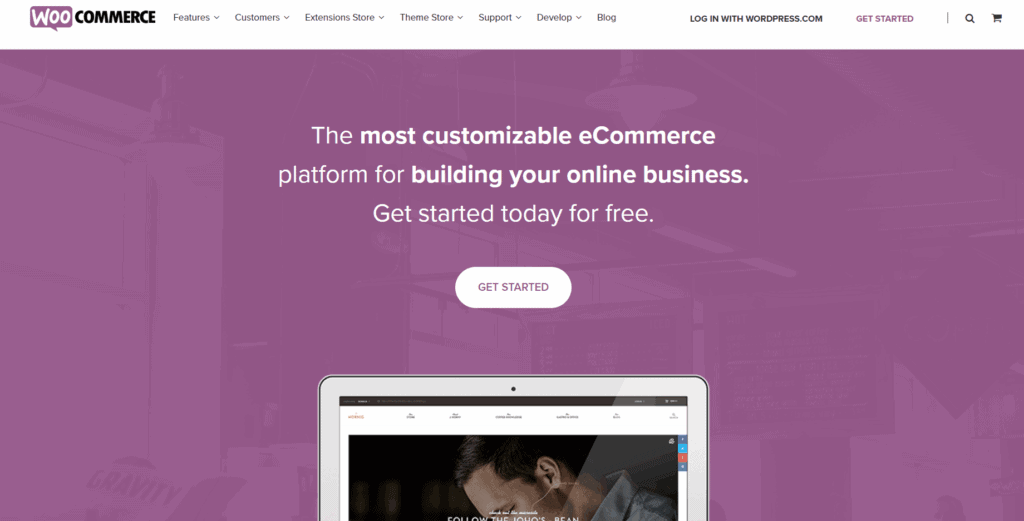
If you already use WordPress or want more control over hosting, WooCommerce is the obvious place to compare.
The core WooCommerce plugin is open source, but that doesn't make the finished store free. You still need hosting and a domain.
Payment processing and premium extensions add other costs, while maintenance becomes your responsibility.
That's the main trade-off. Shopify handles more of the platform infrastructure, while WooCommerce puts more of the setup in your hands.
Compare them directly in our Shopify vs. WooCommerce guide.
2. SellShop

SellShop takes a more dropshipping-focused route. It combines a hosted store builder with Sell The Trend's product research and supplier workflow.
Shopify is the broader ecommerce platform, while SellShop puts more of the dropshipping workflow into one product.
Read our SellShop review before deciding whether that bundled workflow fits your needs.

3. BigCommerce

BigCommerce is another hosted ecommerce platform, so you don't need to manage the hosting or ecommerce software yourself.
Compare its built-in features with the Shopify apps your store would need, then check which dropshipping integrations fit your supplier workflow.
Our BigCommerce dropshipping guide goes deeper into that setup.
For more options, see our full guide to Shopify alternatives.
What should you check before choosing Shopify?
Before signing up because Shopify is popular, run through this checklist:
- Supplier. Does your supplier or fulfillment service have a Shopify workflow you trust?
- Shipping. Do the supplier's processing and delivery times fit what you plan to promise customers?
- Payments. Is Shopify Payments available to your business, or have you priced the third-party payment setup?
- Apps. Which paid apps are actually required for the first version of the store?
- Budget. Does your budget cover the normal plan and the rest of the store costs after the introductory offer ends?
- Control. Are you comfortable using a hosted platform instead of controlling the hosting and ecommerce software yourself?
When those answers line up, Shopify has a strong case.
But when the supplier or payment setup doesn't fit, solve that first. Don't choose Shopify and then force the rest of the business around the platform.
So, is Shopify good for dropshipping?
Yes. Shopify is good for dropshipping when you want a hosted ecommerce platform, and your supplier workflow fits its ecosystem.
Supplier integrations and its app ecosystem are the biggest reasons to choose it. You also get a large theme selection, built-in commerce tools, and 24/7 chat support.
Then there's the cost side. Budget for the Shopify subscription and any paid apps you actually need, followed by payment fees and supplier expenses.
But that still doesn't make Shopify the right platform for every store.
WooCommerce deserves a closer look when you want WordPress control and your own hosting setup. BigCommerce gives you another hosted option, while SellShop takes a more specialized dropshipping approach.
Does Shopify fit your supplier, payment, and budget needs? Check the current Shopify trial offer and use it to test the workflow before committing to a paid plan.
Still deciding whether dropshipping itself makes sense for you? Start with our guide to whether dropshipping is worth it before choosing the platform.
Want to learn more about Shopify and dropshipping?
These guides are useful next steps: