Wish your dropshipping store could build itself while you sip your morning coffee?
That's the dream, right?
AI isn't quite there, but with the right tools, you can generate a theme and starter pages in about 30 minutes, including a first copy draft.
The catch? That's only a starting point.
You'll still need to choose the right products and check your suppliers. You also need to set up the store and test everything before sending customers to it.
There are two ways to start: let an AI builder create the foundation, or use specialized tools for each part.
For most beginners, the best option is to combine them.
Start with the generated store, then spend your time on the products, branding, and pages your customers will see.
Best AI Tools to Build a Dropshipping Store Shortlist
Here's our shortlist of the top AI dropshipping tools in 2026:
- Best for a Fast Shopify Store Draft: Storebuild.ai - Creates a customizable Shopify store draft in about five minutes from a niche and basic colors, adds ten Zendrop products, and saves a supplier setup step for stores using Zendrop.
- Best for Starting Directly Inside Shopify: Shopify AI Store Builder - Generates customizable storefront designs from a short business description while keeping checkout, payments, inventory, apps, Magic, and Sidekick inside Shopify.
- Best for Built-In Upsells: Atlas AI Store Builder - Builds Shopify stores and product pages from a product link, with bundle offers, cart upsells, landing pages, and advertorial-style pages inside the same tool.
- Best for Trying Several Store Ideas: DropMagic - Generates and customizes unlimited Shopify store drafts before payment is required to publish, making several product or design directions easier to compare.
- Best for Product Research: Sell The Trend - Organizes product, store, and advertising data into research signals such as order counts, estimated sales, costs, and selling prices.
- Best for Creating a Logo: Brandmark - Turns a store name, brand keywords, and a color style into several logo directions with editable colors, fonts, icons, slogans, and layouts.
- Best for Creating Product Pages: PagePilot - Creates Shopify product page drafts from supported AliExpress, Shopify, Amazon, or Shein links, filling key sections with images, headings, descriptions, reviews, and add-to-cart buttons.
- Best for Images: Midjourney - Generates prompt-based banners, backgrounds, icons, and illustrations for supporting store visuals when original photography is unavailable.
- Best for Copywriting: ChatGPT - Supports branding, audience planning, product descriptions, FAQs, and marketing copy, with every claim requiring review before publication.
- Best for Shopify Tasks: Shopify Sidekick - Analyzes Shopify store data, creates reports, and assists with admin tasks such as editing products, managing orders, and investigating sales changes.
In this guide, I'll show you how that process works and what it really costs.
You'll also see which tools are worth considering in 2026.
Let's get into it!

Start your store on Shopify
Free 3-day trial + $1/month for 3 months
- Grows with you from first test product to full brand
- 8,000+ apps & themes to customize your store
- Beginner-friendly editor with pro features when you're ready
No card to start. Cancel anytime.
The best way to build a dropshipping store with AI
So, which of the two approaches should you use?
1. Let an AI store builder create the foundation
This is the fastest route. You describe your idea, and the builder creates a basic storefront with a theme and starter content.
The catch? The first result can look generic, and the included products still need your judgment.
This works best when you want to test an idea without spending days on the first design.
2. Use specialized AI tools for the important details
Once the foundation is there, specialized tools give you more control over the parts that matter most.
Use them to research products or improve product pages. They can also help with your logo and images.
Other tools cover copy and customer support.
This takes longer and may cost more, but it gives you more room to build a store that feels like your own.
Which approach should you use?
- Choose an AI store builder if your priority is getting the foundation generated quickly.
- Choose specialized tools if you already have a store and want to improve specific parts.
- Use both if you're starting from scratch and want the best balance of speed and control.
My take: If you're starting from scratch, use both. Let a builder handle the blank page. Then spend most of your effort on product selection, supplier checks, and the pages that convince people to buy.
How to create your first store draft with AI in about 30 minutes
Want to see what AI can realistically do in half an hour?
If you already know your niche and product, the workflow below can give you a usable store draft in about 30 minutes.
It won't replace product validation or supplier research, and the store still needs a proper review before you send paid traffic to it.
Step 1: Pick an AI store builder (a few minutes)
Start by choosing which builder will create the foundation of your store.
If you want to avoid an upfront builder fee, look at Storebuild.ai. You'll still need a Shopify plan when you want to remove the password and start selling.
Prefer to stay inside Shopify? Its own AI store builder can generate a personalized design from a short business description.
Step 2: Generate the store draft (a few minutes)
Give the builder enough detail to avoid a completely generic result.
Describe what you sell and who the products are for. You can also choose a niche and basic design preferences when the builder offers those options.
A few minutes later, you should have a theme and starter pages you can edit.
Step 3: Replace the sample products (5 to 10 minutes)
Don't assume the included products are good choices just because the builder added them.
Replace them with the products you actually plan to sell, then check the supplier and shipping estimate.
Review the product cost and available images before deciding whether the product belongs in your store.
A product research tool like Sell The Trend can help you compare product and competitor signals. The final decision is still yours.
Keep the catalog focused at first. A few related products are easier to position than a store filled with random items.
Step 4: Improve the key pages (5 to 10 minutes)
Now make the store feel less like a template.
- Logo: Create and preview ideas with Brandmark.
- Images: Use Midjourney or Canva for banners and supporting visuals.
- Copy: Ask ChatGPT to improve the first draft. Check every claim before publishing it.
- Product pages: Use PagePilot when you want a faster starting point for Shopify product pages.
You don't need every tool on this list. Start with the product page and the main store design.
Those are more important than adding five extra AI subscriptions.
Step 5: Set up the essentials
Before anyone can buy, set up your payment provider and shipping rates.
You also need refund, privacy, and shipping policies that match how your store actually works.
Shopify and AI tools can give you a first draft. Don't publish that draft blindly, especially when it covers returns or customer data.
Connect your custom domain too if you already have one.
Step 6: Test the store before launch
Open the store on your phone and use it like a customer.
Check the navigation, product pages, and images before testing whether the checkout reaches the payment step.
If your platform allows it, place a test order.
Then confirm your contact details and shipping message. Check the policy links too before removing the storefront password.
Keep in mind: Thirty minutes can get you a first store draft. It can't validate the product, vet the supplier, or build customer trust for you. That work starts before you send traffic to the store.
AI dropshipping tools compared
Now you know what the process looks like. The next question is which tools deserve a place in it.
Use the table below to compare their main job and starting cost. Pay close attention to what "free" actually includes:
| Tool | Best for | Free? | Current advertised price | Dropshipping-specific? |
| Storebuild.ai | A fast Shopify starting point connected to Zendrop | Yes, free to build | Free builder + Shopify plan | Yes |
| Shopify AI Store Builder | Starting directly inside Shopify | Trial only | Shopify from $29/month billed yearly | No |
| Atlas AI Store Builder | Stores and pages with built-in upsells | Free to install | $39/month + possible usage charges | Yes |
| DropMagic | Trying several store ideas before publishing | Yes, free to generate | Pro $79/month | Yes |
| Sell The Trend | Product research and store tools | Free trial | From $29.97/month | Yes |
| Brandmark | Logos and basic brand assets | Free to design | From $35 one-time | No |
| PagePilot | AI-generated Shopify product pages | Free trial, no card | $39 to $99/month | Yes |
| Midjourney | Brand visuals and creative images | No free tier | From $10/month | No |
| Canva Magic Studio | Store graphics and simple image editing | Yes | Free plan; Pro pricing varies by country | No |
| ChatGPT | First drafts, ideas, and copy editing | Yes | Go $8/month; Plus $20/month | No |
| Google Gemini | Copy and product ideas | Yes | Google AI Plus from $4.99/month | No |
| Framer AI | Landing pages and brand sites | Yes | Basic $10/month | No |
| Shopify Sidekick and Magic | Store tasks inside Shopify | Included with Shopify | No separate charge | No |
| Tidio | Live chat and AI customer support | Yes | Paid plans from $24.17/month billed yearly | No |
The builders at the top of the table handle the foundation. Let's look at those first.
Method 1: Start with an AI store builder
AI store builders handle the first part of that workflow, which makes them useful when speed matters more than originality.
They remove the blank page and give you something you can edit.
But the product and supplier decisions still sit with you.
Good to know: A free store builder doesn't mean the entire setup is free. You may still need a Shopify plan and paid supplier automation. Check the full cost before committing to a builder.
1. Storebuild.ai
Best for: Sellers who want the fastest route to a Zendrop-based Shopify store draft.
Not for: Buyers who don't want their store tied to Zendrop's product catalog from the start.
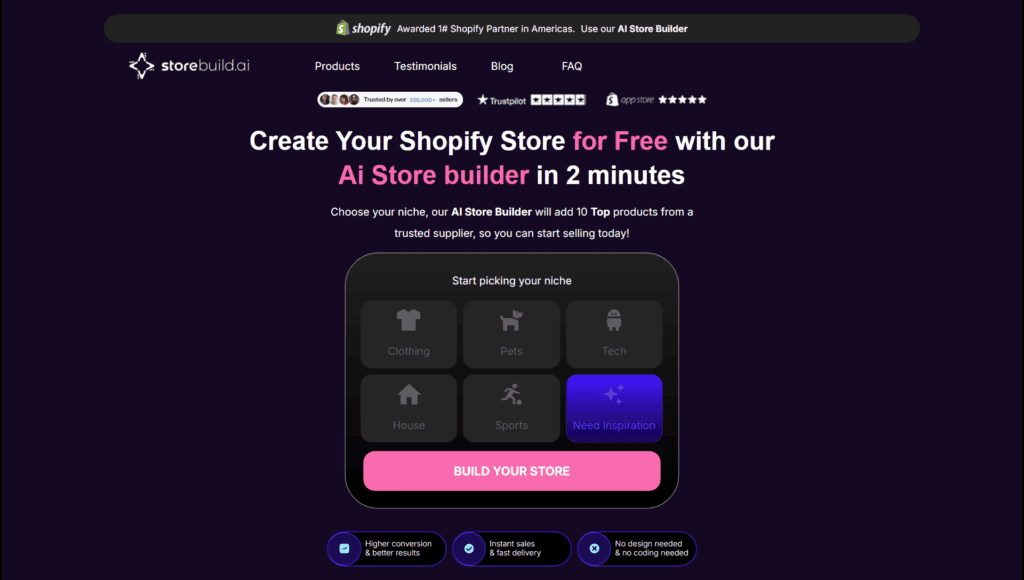
Storebuild.ai is a free Shopify store builder from Zendrop.
You choose a niche and basic colors. Storebuild.ai then creates a Shopify store in about five minutes and adds ten products from Zendrop.
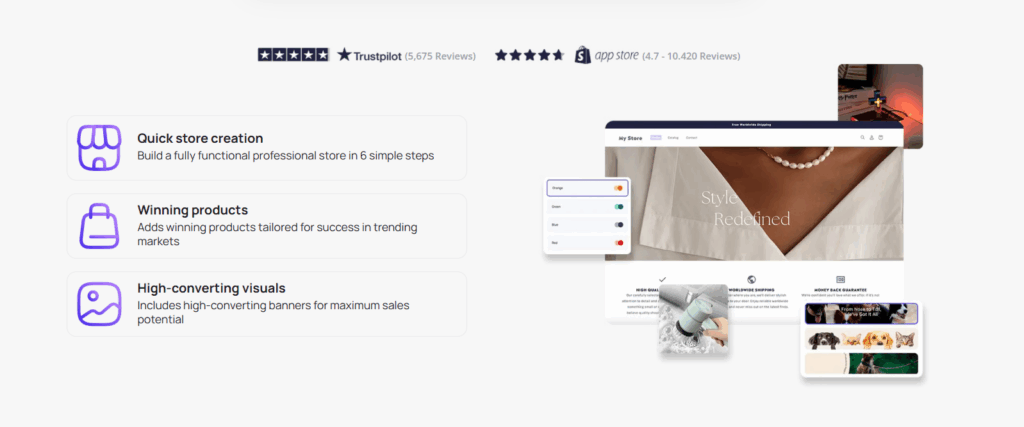
If you already want to use Zendrop, that supplier connection saves a setup step.
But don't treat the ten included products as a finished product strategy. Review each item and replace anything that doesn't fit your audience.

Related article: Zendrop Review 2026: Pricing, Features & Honest Verdict
You can customize the store after it's generated. That includes changing the design and adding different products or apps.
The builder itself is free. You still pay Shopify once you want to use the store as a live storefront.
This is a good fit if you want the fastest route to a Zendrop-based Shopify draft.
Interested in trying it? Build a store with Storebuild.ai here.
2. Shopify AI Store Builder
Best for: Store owners who want their draft to already run on Shopify's own checkout and inventory system.
Not for: Sellers who want a free way to draft, not just a free trial.
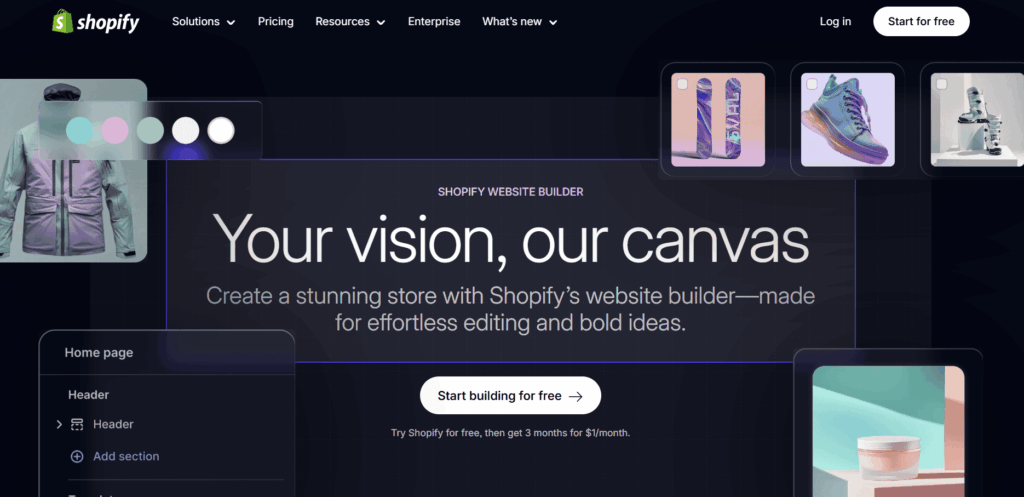
Shopify's AI Store Builder creates a personalized storefront from a short description of your business.
You describe your products and brand. Shopify then gives you generated designs you can customize in its theme editor.
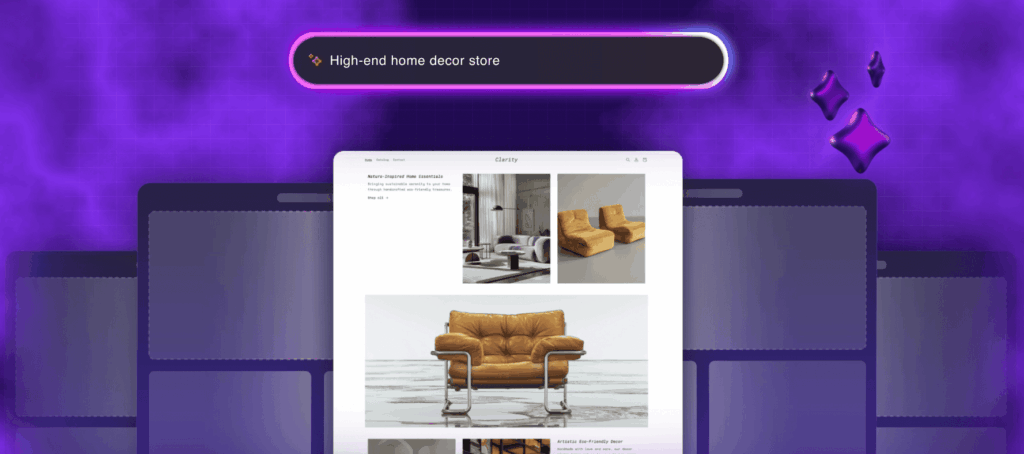
The main benefit is that you stay inside Shopify from the start:
- Fast setup. You can move from a description to an editable store design in minutes.
- Shopify's ecommerce system. Your store uses Shopify's checkout and payment tools. You also get its inventory features and app ecosystem.
- Shopify Magic and Sidekick. These tools can help with content and everyday store tasks after the first design is generated.
The main drawback is the same as with other AI builders: the first version still needs editing.
You also need a paid Shopify plan to remove the storefront password and start selling. Shopify Basic starts at $29 per month when billed yearly.
Shopify currently offers three days free and then charges $1 per month for the first three months.
Interested? Learn more about Shopify's AI Store Builder here.
3. Atlas AI Store Builder
Best for: Sellers who want bundle offers and cart upsells built in without adding a separate Shopify app.
Not for: Anyone who wants a single flat price with no extra usage-based charges to check.
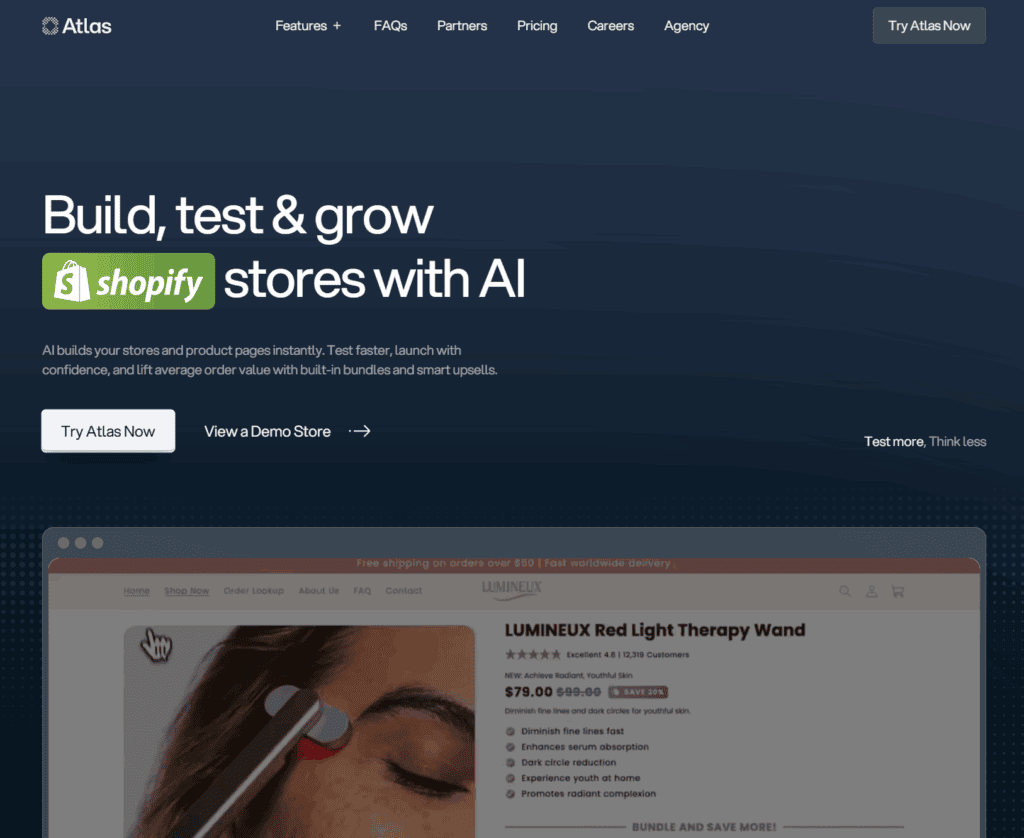
Atlas builds Shopify stores and product pages from a product link.
Its main advantage is the built-in bundle offers and cart upsells, which would often require a separate Shopify app.
Atlas can also create landing pages and advertorial-style pages for individual products. The app is free to install and offers a seven-day trial.
After that, the main plan costs $39 per month. The Shopify App Store also lists recurring and usage-based charges, so check the full billing terms before choosing Atlas.
This is useful if you want the store and basic upsell setup handled in the same tool.
4. DropMagic
Best for: Sellers who want to compare several store or product directions before paying to publish any of them.
Not for: Sellers who already know exactly which store idea they want and don't need to compare drafts first.
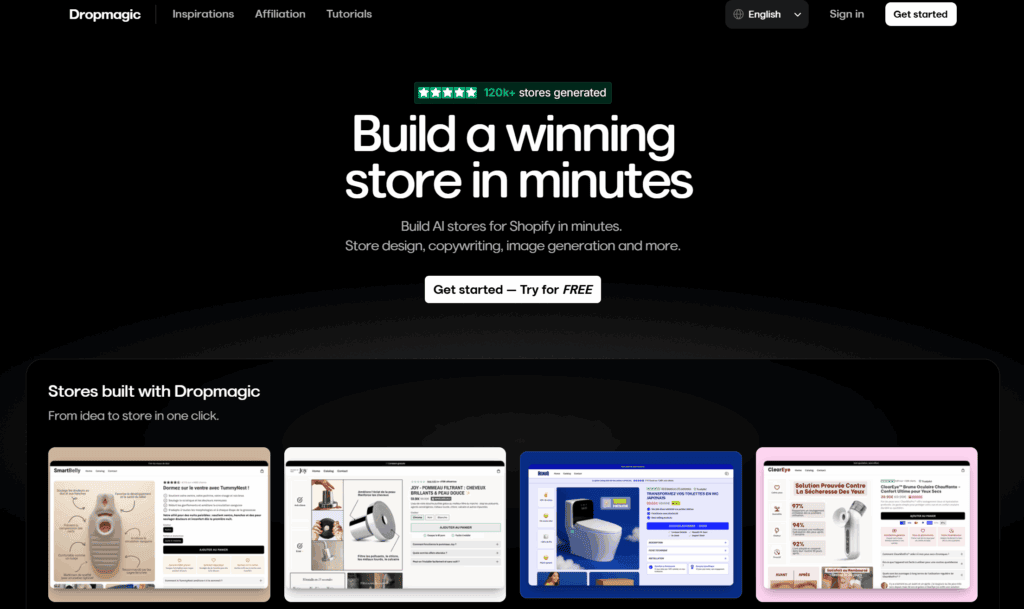
DropMagic lets you generate and customize Shopify store ideas before paying to publish them.
That makes it useful when you want to compare a few product or design directions before committing to one.
The free tier includes unlimited store generation. The PRO plan costs $79 per month and includes publishing and the paid features.
Don't confuse unlimited drafts with unlimited live Shopify stores. Shopify subscriptions and any connected apps remain separate costs.
Method 2: Improve the store with specialized AI tools
Once the store exists, the next job is improving what the builder left generic.
That's where specialized AI tools come in.
Some help you choose products or build better pages. Others cover branding and copy.
You can also use them for Shopify tasks and customer support.
Here are the seven options we'll cover:
- Product research: Sell The Trend
- Logo maker: Brandmark
- Product pages: PagePilot
- Images: Midjourney
- Copy: ChatGPT
- Shopify tasks: Shopify Sidekick
- Customer support: Tidio
1. Sell The Trend
Best for: Sellers who want sales and ad data before picking a product to launch.
Not for: Sellers who want quick product suggestions, not a full research and store-building platform.
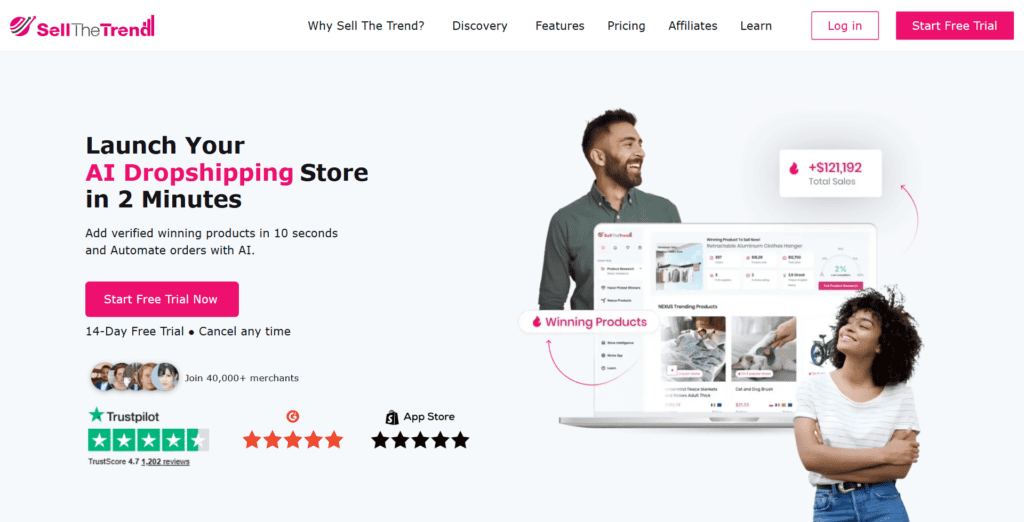
If you want more data before choosing a product, Sell The Trend is a useful place to start.
It uses AI to organize product, store, and advertising data so you can spot ideas worth researching further.
One standout feature is the 'Nexus' search engine. It pulls together product activity from ecommerce stores:

After opening a product, you can review signals such as its order count and estimated sales data. You can also compare the product cost and selling price:

Sell The Trend does more than research, though.
It can also build your store for you, either on Shopify or on its own SellShop storefront.
So if you'd rather not run your store on Shopify, SellShop is the built-in alternative:

SellShop can import products from Sell The Trend and includes features such as customer reviews and currency conversion. That may reduce the number of extra apps you need.
Tip: Another way to use AI for product research is Syncee's GPT. It's a custom GPT connected to Syncee. Tell it what kind of product you're after, and it returns suggestions from Syncee's catalog.
Pricing
Sell The Trend's Lite plan starts at $29.97 per month, while Essential costs $49.97 per month.
Yearly billing lowers both prices, and a free trial is available.
Full review: Sell The Trend Review 2026: Pricing, Features & Verdict
2. Brandmark
Best for: Sellers who want to preview a few AI-generated logo directions before paying anything.
Not for: Sellers who want a distinctive logo instead of one built from familiar industry icons and shapes.

Brandmark is useful when you want to turn a store name into several logo directions quickly.
Let's say you've got a store in the fitness niche called Fitness Ape.
Here's how you'd use Brandmark to create a logo:
- Enter your name
- Add a few keywords that represent your brand
- Pick a color style, such as simple or vibrant
Brandmark then generates several logo directions you can review, such as:

Or this one:

Once you find a logo you like, click 'Edit' to change any of its elements.
For example, you can change the colors and font size. You can also adjust the icon, slogan, and layout.

Pricing
Brandmark is free to design and preview. Download packages start at a one-time price of $35 for Basic.
Higher tiers are available if you need source files or extra designs.
3. PagePilot
Best for: Sellers who want a first-draft product page generated straight from an existing AliExpress or Shopify listing.
Not for: Sellers who want a full store built, not just individual product pages.
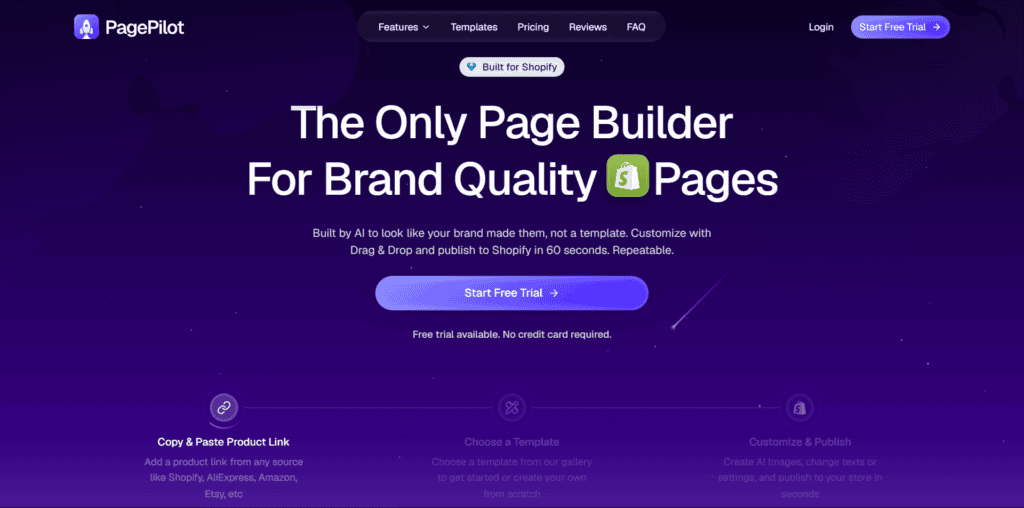
PagePilot is useful when you want an AI-generated starting point for a Shopify product page.
It's really simple to use.
You start with an AliExpress or Shopify product, like this baby towel:

You take the AliExpress link and paste it into PagePilot:

PagePilot generates the page layout and a first draft of the description. It also handles much of the initial copywriting.
Here's the generated result:

PagePilot says it can generate the first page draft in under a minute.
Paste a supported product link into PagePilot. It currently works with AliExpress and Shopify, plus Amazon and Shein.
It uses conversion-focused templates and fills in the main page sections. That includes the images and headings.
It can also add descriptions and review sections. Add-to-cart buttons are included too.
Besides product pages, PagePilot can also write copy for your Facebook Ads:

Pricing
PagePilot costs $39 per month for Lite, $59 for Starter, and $99 for Scaler.
You can create pages during the free period without entering a credit card, and you need a paid plan before you can publish those pages to Shopify.
If you're interested, try PagePilot free with no credit card here.
Tip: Want a landing page or simple brand site instead of a full store? Framer's AI builder can create editable pages from a description. It has a free plan, while Basic costs $10 per month.
4. Midjourney
Best for: Sellers who want AI-generated banners and brand visuals instead of original photography.
Not for: Store owners who need their images to exactly match the real product's details.

Your images shape the first impression of the store before visitors read a word of copy.
Midjourney generates images from text prompts.
That makes it useful for banners and brand visuals when you don't have original photography.
You can enter a prompt in Midjourney's web app. The /imagine command is also available when you use Midjourney through Discord.
Midjourney works best for supporting visuals such as backgrounds and banners. Icons and illustrations are another useful option.
You can always check Midjourney's explore page for inspiration on what's possible:

Pricing
Midjourney has no free tier. Basic costs $10 per month and includes 3.3 hours of Fast GPU time.
The exact number of images depends on how you use that GPU time.
If you'd rather start free, Canva's Magic Studio is a practical alternative for store graphics and simple image editing. Canva has a free plan, while Pro pricing varies by country and billing cycle.
Tip: If you've got a fashion store, OnModel is also a great app to check out for your images!
5. ChatGPT
Best for: Sellers who want one AI tool that can handle both branding and copywriting.
Not for: Store owners who want a tool built specifically for dropshipping copy out of the box.

ChatGPT is the most flexible tool in this list because it can help with both writing and planning.
You can use it to shape your branding and think through your target audience. It can also help you write product descriptions, FAQ pages, and marketing copy.

For more ideas, see our guide to 18 ways to use ChatGPT for dropshipping.
You can also browse the GPT Store for tools built around a specific task.
We've listed the best custom GPTs for Shopify here, including several that can help dropshippers.
For example, the Target Audience Persona GPT helps you create detailed profiles of your ideal buyers:

It builds a draft profile with demographic details and interests. It also suggests behaviors and possible pain points:

The output gives you a detailed starting point, but treat the persona as a hypothesis rather than a fact.
Once your store has traffic, compare it with real customer questions and campaign data.
Pricing
ChatGPT has a free plan. In the US, Go costs $8 per month and Plus costs $20 per month.
Go pricing can be localized in some countries.
Prefer Google's AI? Gemini can help with similar copy and product-idea work.
It has a free tier, while Google AI Plus starts at $4.99 per month.
Alternative: If you want an AI tool that specializes in writing copy for dropshipping, try Persuva!
6. Shopify Sidekick
Best for: Shopify store owners who want built-in help with admin tasks and reports.
Not for: Sellers who want fully automated recommendations they don't have to double-check.
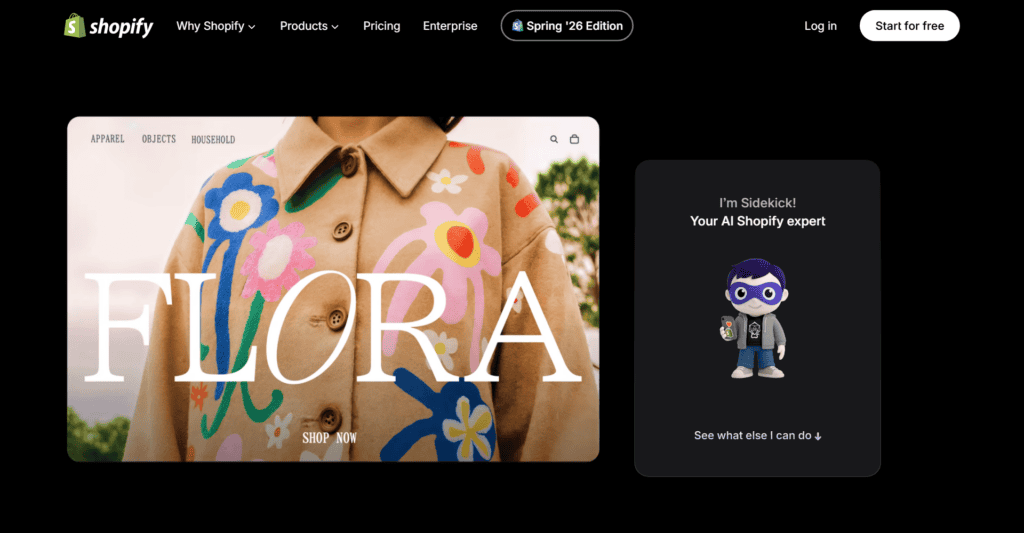
Shopify Sidekick is an AI assistant inside the Shopify admin, while Shopify Magic covers related features such as content generation.
Sidekick can analyze store data and create reports. It can also help with admin tasks such as editing products or managing orders.

For example, you can ask Sidekick to analyze sales data and compare your products' performance.
If a product's sales drop, Sidekick can help you investigate the store data and suggest possible next steps.
You still need to review its reasoning before acting on the recommendation.
But for quick questions, it can save you from building every report by hand.
Pricing
Shopify Magic and the main Sidekick features are included with Shopify plans at no separate charge.
Some newer Sidekick features have higher plan requirements, so check the feature page if you need a specific function.
7. Tidio
Best for: Sellers who want live chat and an AI support agent handling common customer questions.
Not for: Sellers who expect unlimited AI conversations included in the free plan.
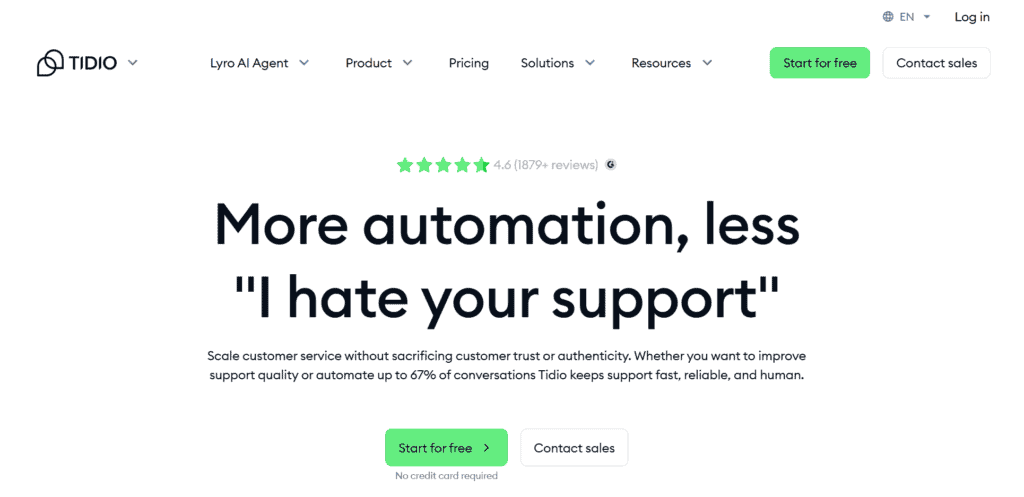
Tidio combines live chat with help desk tools and an AI support agent.
It brings your customer support conversations into one place, with analytics and automation tools included.
Its AI support agent is called Lyro. It handles a wide range of customer questions automatically:

Lyro answers questions from the support information you provide. It can also recommend products when that feature is included in your plan.
Tidio says Lyro averages a 67% resolution rate for customer questions.
Pricing
Tidio's free plan includes 50 billable live-chat conversations per month. New accounts also receive 50 Lyro conversations as a one-time allowance.
Paid Tidio plans start at $24.17 per month when billed yearly.
Lyro is priced separately based on the number of AI conversations you need.
Is it free? The cheapest practical way to start
By now, you can see how quickly separate subscriptions can add up.
So what if you want to keep the first version as cheap as possible?
You can create most of the initial store without paying for an AI tool. But once you want a live storefront, some costs are unavoidable.
Here's the low-cost path I'd take:
- Generate the store without a builder fee with Storebuild.ai. You can also use DropMagic to compare store drafts before paying to publish one.
- Write the first copy draft with the free plan of ChatGPT or Gemini.
- Create basic graphics with Canva. You can also preview logo ideas in Brandmark before paying to download one.
The unavoidable cost is usually the ecommerce platform.
Most of the builders in this article create Shopify stores. Shopify currently offers three days free and then charges $1 per month for the first three months.
After the promotion, Shopify Basic starts at $29 per month when billed yearly.
You may also pay for a domain and supplier automation. Extra apps can raise the monthly cost quickly, so add them only when they solve a real problem.
Keeping the tool bill low is only part of the decision.
You also need to know which jobs are safe to hand to AI, and which still need your judgment.
What AI can and can't do for your store
AI can remove a lot of setup work, but it can't make the business decisions behind the store.
Here's where it helps:
- Generating the first storefront design
- Creating first drafts of product descriptions and store pages
- Producing supporting graphics and brand ideas
- Answering routine support questions from approved store information
- Summarizing store data and helping with repetitive Shopify tasks
And here's where your judgment still matters:
- Choosing a product. AI can show you signals and ideas. It can't guarantee that a product will sell profitably.
- Checking the supplier. Order a sample and verify the real shipping experience before trusting a supplier page.
- Reviewing the claims. AI can invent details or write copy that doesn't match the product.
- Building trust. Clear policies and honest delivery estimates still come from you. Good customer service matters too.
- Getting sales. You still need a useful offer and a traffic plan. Testing remains part of the job.
So think of AI as a fast assistant, not an autopilot.
It can get the initial setup done quickly. What you check and improve after that decides whether the store is worth launching.
More AI dropshipping tools
Need a tool for a more specific part of your store?
These guides cover more AI options for dropshipping and Shopify:
- 13 Best Custom GPTs for Shopify
- 20 Best AI Tools for Dropshipping (Free & Paid)
- The 16 Best AI Tools for Shopify (Free & Paid)
- 13 Best AI Copywriting Tools for Dropshipping (Free & Paid)
- GPT-4 for Ecommerce: What You Should Know
And check out our AI hub here!
FAQs
Still deciding how AI fits into the build? These quick answers cover the questions beginners ask most.
Can you build a Shopify store entirely with AI?
Not entirely. AI can create the first storefront design and draft much of the copy. You still need to choose the products, check the suppliers, set up payments and shipping, review the policies, and test the checkout.
Is there a free AI dropshipping store builder?
Yes. Storebuild.ai can generate a Shopify store without charging a builder fee. DropMagic also lets you generate store drafts for free before you pay to publish one. You still need to pay for Shopify when you want to run the store as a live storefront.
How does an AI store builder work?
You describe your business or choose a niche. The builder then generates a theme and starter content that you can edit. Some dropshipping-focused builders also add sample products from a connected supplier.
Is Shopify Magic free?
Shopify Magic and the main Sidekick features are included with Shopify plans at no separate charge. Some newer Sidekick functions are limited to higher plans, so check the requirement for the exact feature you want.
Conclusion
AI is best at removing the blank-page work.
It can give you a store foundation quickly, but it can't choose the right product or make the store trustworthy.
For most beginners, the best route is the hybrid approach: start with a free builder like Storebuild.ai, then improve the product page and check the supplier yourself.
Tools such as Sell The Trend and PagePilot can help with those next steps.
Just don't stack paid subscriptions before you know which problem each one is solving.
Used an AI tool we did not mention? Let us know in the comments; it'd be great to hear from you!
Good luck with your store, and have a great rest of your day!
Want to learn more about dropshipping?
Ready to improve the store after the first draft? These guides will help with the next steps:
- How to Build Trust in a Dropshipping Store? (Increase Sales)
- Shopify Dropshipping: A 20-Step Guide to Starting Your Store
- 18 Best Dropshipping Tools to Build Your Store in 2026
New to dropshipping? We cover what it actually takes in our guide on how to start dropshipping here.