Quick Match: Which Shopify AI Builder Fits You?
Pick what you want the tool to do, then add the priorities that matter most. We'll suggest a starting point from the nine tools in this guide.
What do you want the tool to do?
Choose one main goal, then add up to three priorities. Choosing another main goal replaces the first one.
Recommended starting point
Storebuild.ai
Best for beginners who want a complete Shopify dropshipping store draft with minimal setup.
Pick this if you want a fast route to a complete Shopify dropshipping store draft. It gives you products and a theme to edit. Before publishing, check the products, margins, delivery times and copy yourself.
Also compare: Shopify Website Builder and PagePilot
Pick a main goal to personalize this starting point, then add up to three priorities.
Building a Shopify store can take days, but what if AI could give you a first version in minutes?
That is what Shopify AI website builders are trying to solve.
From full-store generation to auto-written product descriptions and landing pages, these tools use artificial intelligence to speed up store setup and cut out the busywork.
We tested and reviewed the best Shopify AI website builders for 2026, so you can pick the right one quickly and launch your store even faster.
Best Shopify AI Website Builders Shortlist
Here's our shortlist of the top Shopify AI website builder tools in 2026:
- Best for Complete Shopify Stores: Storebuild.ai - Creates a Shopify store with products, copy, and a theme in under five minutes, starting from a niche, design preferences, and Zendrop sourcing.
- Best for Native Quick Launch: Shopify Website Builder - Generates a customizable Shopify storefront from a store description with layouts, images, text sections, navigation, and basic SEO-friendly content inside the native workflow.
- Best for Product-to-Store Generation: DropMagic - Builds multi-page store drafts from selected products with buyer-persona copy, pre-built sections, AI-selected colors and fonts, an auto-generated logo, and mobile-optimized output.
- Best for Paste-a-Link Builds: Atlas - Analyzes product URLs from AliExpress, Amazon, Alibaba, or Shopify to create store and page drafts with landing pages, advertorials, listicles, product photos, bundles, and cart-stage upsell elements.
- Best for Smaller AI Tasks: Shopify Magic - Adds native Shopify AI for product descriptions, marketing emails, blog posts, Shopify Inbox replies, media generation, customer service, and back-office tasks.
- Best for Product Page Testing: PagePilot - Converts AliExpress, Amazon, or Shopify product links into Shopify product page drafts with images, copy, sections, review-app areas, call-to-action blocks, ad copy, and direct import.
- Best for Advanced Page Control: Shogun - Supports advanced Shopify page control for stores with traffic through responsive templates, reusable sections, app integrations, AI-generated sections, AI copy, higher-plan AI code generation, testing, and optimization tools.
- Best for Mid-Budget Conversion Pages: GemPages - Pairs GemAI Image-to-Layout and AI content generation with sales funnels, advertorial and listicle templates, post-purchase upsells, section libraries, and Shopify app integrations.
- Best for Budget Page Building: PageFly - Keeps custom Shopify page building approachable with drag-and-drop editing, templates, app integrations, and basic AI product description generation.
How we tested
We tested 14 AI tools and asked one simple question: Would this help you create a usable Shopify store or landing-page draft faster?
To answer that, we checked:
- Setup speed
- AI copy quality
- Store or page design
- Shopify integration depth
- Ease of use
- Value for money
The nine tools in this guide made the cut because they saved real setup time and worked well enough with Shopify to be useful in practice. We left out the others because they were less Shopify-focused, produced weaker output, or overlapped too closely with stronger options on the list.
Let's go more in-depth now!

Start your store on Shopify
Free 3-day trial + $1/month for 3 months
- Grows with you from first test product to full brand
- 8,000+ apps & themes to customize your store
- Beginner-friendly editor with pro features when you're ready
No card to start. Cancel anytime.

The best AI website builders for Shopify: An overview
Before we go to the in-depth reviews, here's a quick overview of the AI website builders you'll find in this article:
| Rank | Builder | Best for | Trial | Price | Type | Links |
|---|---|---|---|---|---|---|
| 1 |
 Storebuild.ai
Best overall
Storebuild.ai
Best overall
|
Complete Shopify stores Full Shopify dropshipping store drafts with Zendrop-sourced products, a structured Shopify theme, and a workflow built for fast niche testing | Free option Tool is free to use | Free (plus a Shopify subscription) | Full-store AI builder | |
| 2 |
 Shopify Website Builder
Native Shopify
Shopify Website Builder
Native Shopify
|
Native quick launch Native Shopify AI setup that turns a store description into a customizable storefront with layouts, images, text sections, navigation, and basic SEO-friendly content | Included with Shopify | Included with a Shopify subscription | Native store builder | |
| 3 |
 DropMagic
Product-to-store
DropMagic
Product-to-store
|
Product-to-store generation Multi-page Shopify store drafts from selected products with buyer-persona copy, pre-built sections, AI-selected colors and fonts, an auto-generated logo, and mobile-optimized output | Free generation plan Publishing to Shopify requires a paid plan | Free generation / $79 per month to publish | Store generator | |
| 4 |
 Atlas
Link-to-page
Atlas
Link-to-page
|
Paste-a-link builds Native Shopify app that turns AliExpress, Amazon, Alibaba, or Shopify product links into store or page drafts with AI product photos, bundles, cart upsells, and landing pages | No trial stated | $39 per month | Native Shopify app | |
| 5 |
 Shopify Magic
Built-in AI
Shopify Magic
Built-in AI
|
Smaller AI tasks Built-in Shopify AI for product descriptions, marketing emails, blog posts, Shopify Inbox replies, media generation, customer service, and back-office tasks | Included with Shopify Feature access can vary by plan | Included with a Shopify subscription | Built-in AI assistant | |
| 6 |
 PagePilot
Product testing
PagePilot
Product testing
|
Product page testing Fast Shopify product page drafts from AliExpress, Amazon, or Shopify links with images, copy, sections, review-app areas, call-to-action blocks, ad copy, and direct import | Free option Publishing product pages to Shopify requires a paid plan | $39 to $99 per month | Product page builder | |
| 7 |
 Shogun
Advanced control
Shogun
Advanced control
|
Advanced page control Advanced Shopify page building for stores with traffic, using responsive templates, reusable sections, app integrations, AI-generated sections, AI copy, testing, and optimization tools | 10-day free trial | $39 to $499 per month | Advanced page builder | |
| 8 |
 GemPages
Funnel pages
GemPages
Funnel pages
|
Mid-budget conversion pages Conversion-focused Shopify page building with GemAI Image-to-Layout, AI content generation, sales funnels, advertorial templates, listicle templates, post-purchase upsells, and section libraries | Free plan Usable for a single landing page | $0 / $29 / $59 / $199 per month | Conversion page builder | |
| 9 |
 PageFly
Budget pages
PageFly
Budget pages
|
Budget page building Beginner-friendly Shopify page building with drag-and-drop editing, templates, broad app integrations, and basic AI product description generation | Free plan Limited to one published slot | $0 / $24 / $39 / $99 per month | Budget page builder |
How to choose an AI website builder for Shopify
The best Shopify AI builder depends on what you need it to do.
Some tools are made for full-store generation, while others are better for landing pages, product pages, or smaller tasks like product descriptions.
So, don't just pick the tool with the biggest feature list. Start with these questions:
- Does it actually work with Shopify? Every tool in this list either builds directly for Shopify or imports into Shopify.
- Does it build the type of page you need? A full-store builder is great for niche testing. A page builder is better if you already have a product and want a stronger landing page.
- Is the output usable without hours of cleanup? AI can save time, but only if the copy, layout, and product sections are good enough to edit from.
- Can you customize it after generation? You still need control over colors, images, sections, product claims, and layout.
- Does the price match your stage? Free tools are great for testing. Paid tools make more sense once you have data to back it up.

And before making a final decision, you can always try out a few AI website builders using their free plans, trials, or demos.
This way, you can see which one feels right for your Shopify store!
9 best Shopify AI website builders
Now that you know what to look for in an AI website builder, let's discuss the best options available for Shopify.
Each of these website builders has a slightly different use case, so I'll show you what makes them stand out and who they're best suited for.
Let's see which one makes the most sense for your store:
1. Storebuild.ai
Best for: Beginners who want a complete Shopify dropshipping store built for them and only want to pay for their Shopify plan.
Not for: Anyone building a custom brand from scratch who wants control over every design choice.
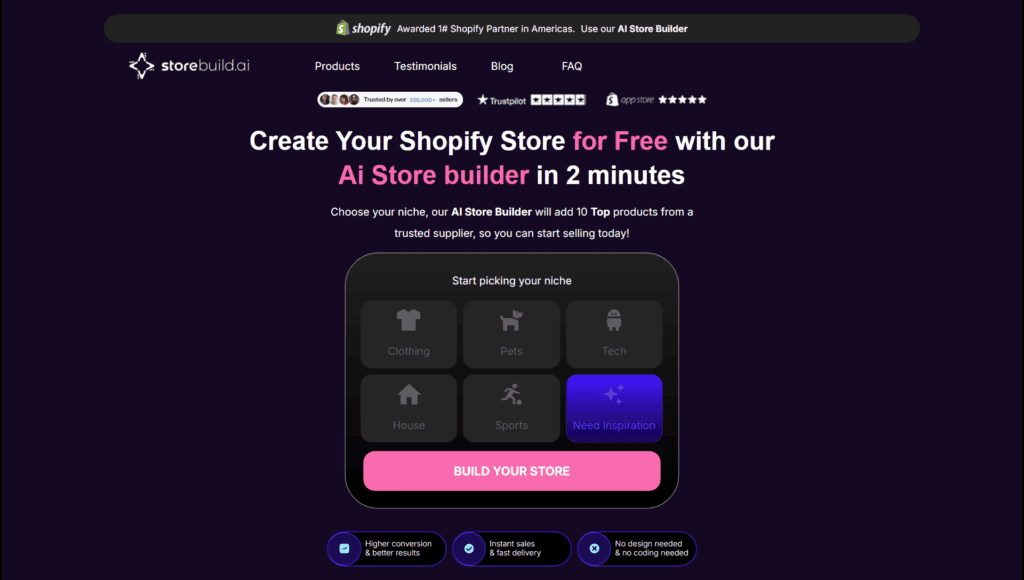
Storebuild.ai is the simplest option we tested if you want a full Shopify dropshipping store without building everything manually.
Zendrop created it, so the whole workflow is built around dropshipping from the start.
You choose a niche, pick your products, select a few design preferences, and Storebuild.ai creates a Shopify store for you in under five minutes.
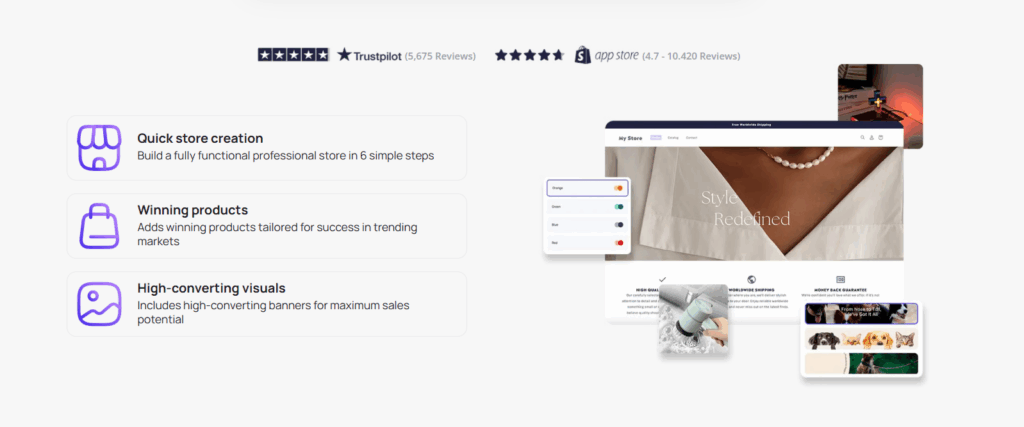
Products come from Zendrop, which is useful if you don't want to spend your first day hunting for suppliers.
You still need to review the products, margins, and delivery times yourself, but it gives you a much faster starting point.

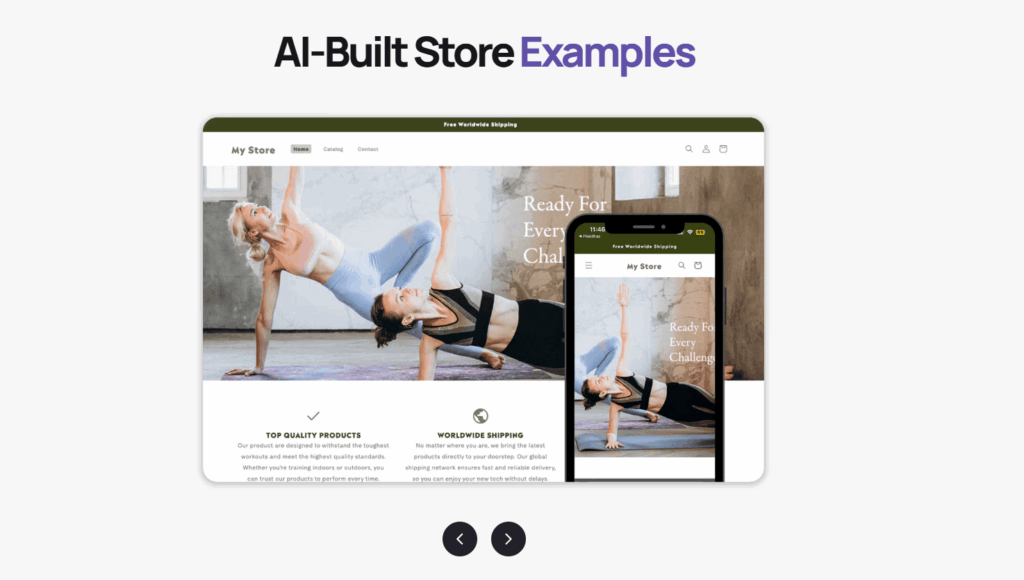
Storebuild.ai also includes a Shopify theme, so you are not starting from a blank Dawn theme with no structure:
The main thing to remember?
This is a great testing tool, not a finished brand identity. Once a store starts getting traction, you should still improve the copy, images, offer, and trust elements.
Pros
- Built around dropshipping. Products are sourced through Zendrop, which makes the setup easier for beginners.
- Very fast store setup. You can get a first Shopify store draft in under five minutes instead of spending hours on the basics.
- You can still customize it. After you create the store, you can edit the design, products, pages, and apps inside Shopify.
Cons
- Mostly useful for dropshippers. Since Storebuild.ai is closely connected to Zendrop, it makes the most sense if you are building a dropshipping store. If you want to build a custom brand from scratch, another tool may give you more control.
- Still needs editing. The store gives you a fast starting point, but don't publish it without checking the products, claims, images, and copy.
Related article: Zendrop Review 2026: Pricing, Features & Honest Verdict
Pricing
Storebuild.ai is free to use.
You still need to pay for your Shopify plan, but the Storebuild.ai tool doesn't add another monthly fee.
Storebuild.ai says the AI-built Shopify store is free, but you should still check your Shopify subscription, apps, supplier costs, and any other launch costs before publishing.
2. Shopify Website Builder
Best for: Shopify users who want a working storefront without installing another app.
Not for: Sellers who want a design that stands out from other AI-generated stores.
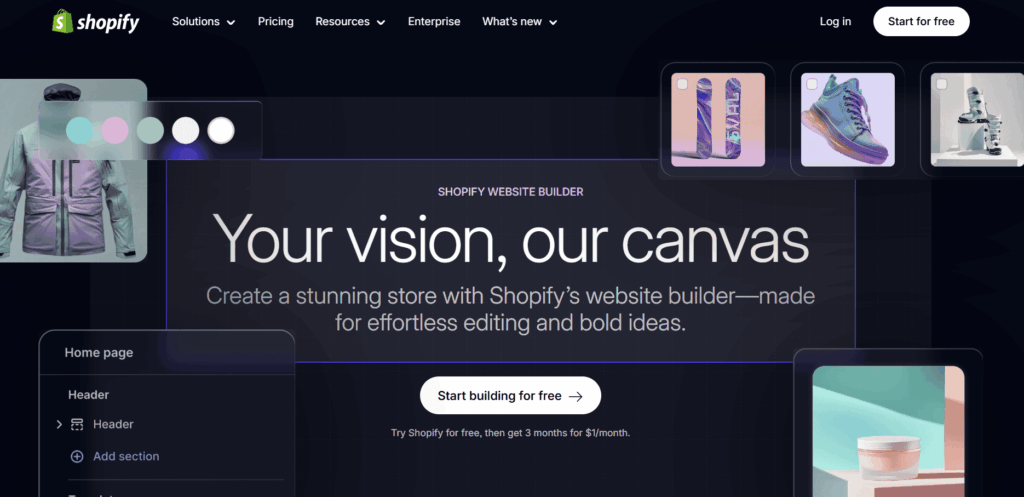
Shopify's AI website builder is the lowest-friction choice if you want to stay inside the Shopify ecosystem.
You describe the store you want to build, and Shopify generates a personalized storefront you can customize.
That is helpful if you are a beginner and do not want to install another app right away.
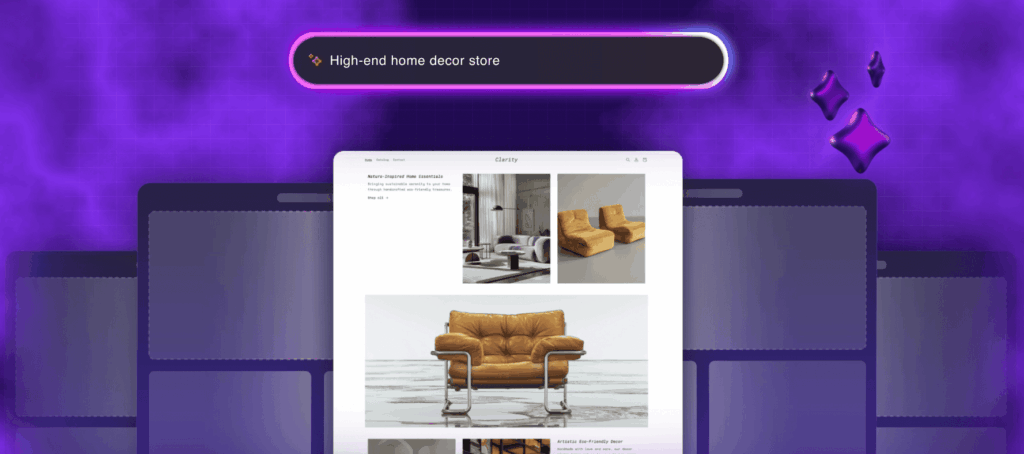
The output isn't always unique, but it gives you a working base with store layouts, images, text sections, navigation, and basic SEO-friendly content.
For a first Shopify store, that is enough to get moving.
Pros
- Easy first setup. Useful if you want to test an idea without touching theme code or installing several apps.
- Native Shopify workflow. The builder works inside Shopify, so checkout, payments, inventory, and admin tools are already in place.
- Shopify Magic included. Shopify's built-in AI tools can help with product descriptions, email copy, FAQs, and smaller content tasks.
Cons
- The designs can feel basic. You will probably need to edit the layout, images, and copy if you want the store to feel different from other AI-generated stores.
- You still need Shopify. The builder is included with Shopify, but you still need an active Shopify subscription.
Pricing
Shopify's website builder is included with your Shopify subscription.
3. DropMagic
Best for: Sellers who want a full store built around one product and want to try the editor before paying.
Not for: Stores on a tight budget, since publishing to Shopify needs the $79 per month plan.
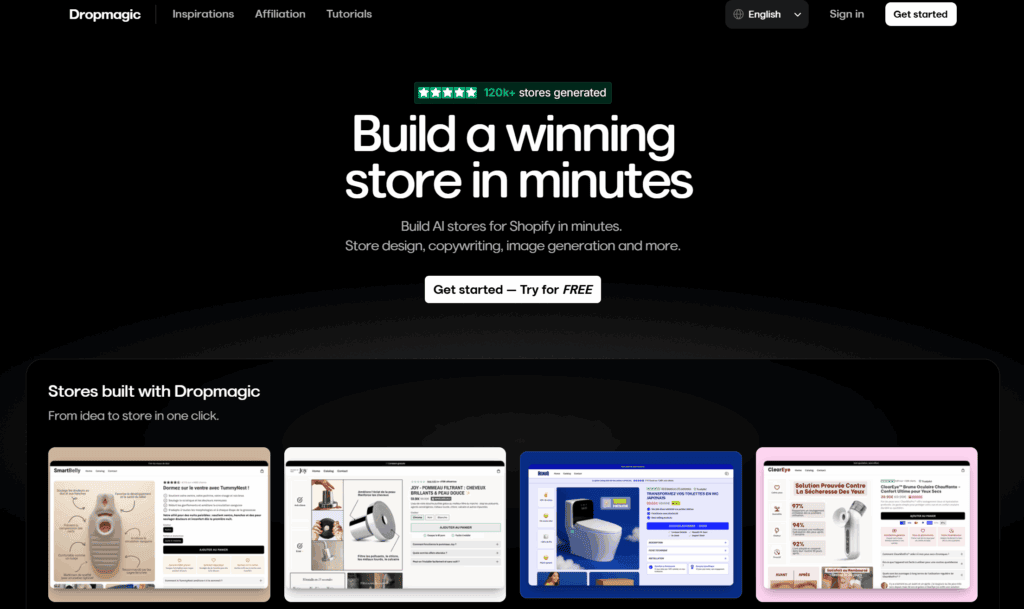
DropMagic is a newer AI store builder that turns product ideas into Shopify store drafts quickly.
It's one of the closest alternatives to Storebuild.ai if you want another way to quickly create Shopify store drafts.
The workflow is simple:
You pick a product, and DropMagic can generate a multi-page store with buyer-persona-based copy, pre-built store sections, AI-selected colors and fonts, and an auto-generated logo.
One feature that stood out in our test?
DropMagic says its generated stores are mobile-optimized by default.
That matters because many ecommerce shoppers discover products and complete purchases on mobile devices.
Pros
- Generous free generation plan. You can generate stores and explore the editor before paying, but publishing to Shopify requires the paid plan.
- Persona-based AI copywriter. DropMagic says its paid plan can tailor store copy to a specific buyer persona. In our test, this made the output feel less generic than a basic AI store draft.
- Built for fast product testing. DropMagic combines AI store generation, conversion-focused sections, AI images, and product imports, which makes it useful when you want to test multiple product ideas quickly.
Cons
- Newer platform. DropMagic is newer than Shopify-native tools, so its integration depth, app ecosystem, and long-term track record are not as proven as those of the bigger names.
- Sections can still feel templated. The pre-built sections help speed things up, but the store can still look AI-generated until you customize the hero images, colors, product copy, and trust elements.
Pricing
DropMagic has a free generation plan that lets you create stores inside DropMagic, but publishing to Shopify requires the paid plan.
Currently, the DropMagic paid plan is listed at $79/month and includes:
- Unlimited stores and product generation
- An AI conversion copywriter
- 57+ conversion-focused sections
- 30 AI image credits per month
- And fresh CRO sections are added monthly
4. Atlas
Best for: Shopify sellers who want page building, AI product photos, and cart upsells in one $39 app.
Not for: Anyone who expects unlimited output, because the base plan caps published pages and cart orders.
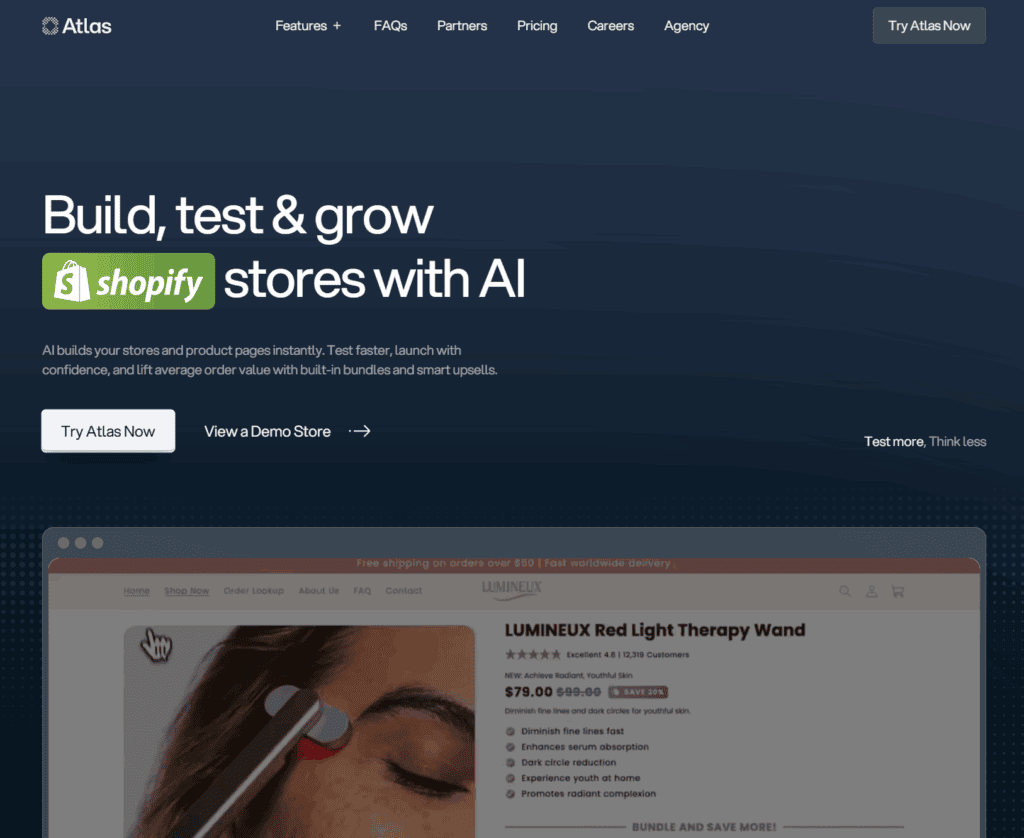
Atlas is a native Shopify app that builds store and page drafts from product links.
Here's how it works:
Paste an AliExpress, Amazon, Alibaba, or Shopify URL, and Atlas can analyze the product and generate a store or page draft.
Depending on the workflow you use, that can include product pages, landing pages, advertorials, listicles, product photos, bundles, and cart-stage upsell elements.
Atlas says its average product page launch time is under 2 minutes. In practice, I would treat that as the time to create a first draft, not a finished page you can publish without review.
Atlas also shares some strong vendor-reported numbers, including $250M+ in user sales and 40+ hours saved for the average Shopify user in the store-building process.
I would treat those as context, not as a guarantee that your own store will see the same results.
What sets Atlas apart from Storebuild.ai and DropMagic is the number of tools bundled into a single subscription:
AI store builder, AI landing pages, AI product photos, a built-in upsell bundler, and a cart drawer for cart-stage upsells.
For some stores, the $39/month base plan could replace a few single-purpose Shopify apps, especially if you're testing product pages, bundles, and cart-stage upsells at the same time.
That's the main reason I like it: it is not just another page builder.
Pros
- Native Shopify app. No external exports. Builds happen inside Shopify, on your own store setup.
- Several tools in one subscription. The base plan includes the page builder, AI photos, bundles, and cart upsells, with usage limits.
- AI product photos. Upload a few raw product images, and Atlas can generate branded product photos that are easier to use in ads, landing pages, and store sections.
Cons
- Usage caps on the base plan. The base plan includes limits on published pages, AI photos, bundle revenue, and cart orders. If you scale past those limits, you may need a higher plan or extra usage.
- Not as simple for broad store testing. Atlas can build from product links, including multi-product builds, but its strongest use case is still product-led store and landing page creation. If you want a fully guided "pick a niche and get products" workflow, Storebuild.ai is simpler.
Pricing
Atlas has a $39/month base plan, with higher limits available as your store scales.
Currently, the base plan includes up to 5 published pages, $1,000 in bundle revenue, and 250 cart orders.
Atlas also includes AI store building, AI page building, bundles, cart upsells, and AI product photo tools.
5. Shopify Magic
Best for: Shopify sellers who want quick product descriptions and email copy at no extra cost.
Not for: Anyone who needs longer, more detailed content or a whole store built for them.
Shopify Magic is an AI assistant integrated into Shopify that creates content for your store.
It can generate everything from product descriptions and marketing emails to blog posts:

Beyond content creation, Shopify Magic can suggest instant answers in Shopify Inbox based on your store policies and chat history.
Shopify Magic also includes media generation tools that can help with tasks like editing product images and creating store visuals:

At its core, Shopify Magic is Shopify's built-in set of AI features for store development, marketing, customer service, and back-office tasks.
Another useful feature is multilingual support. Shopify says generally available Shopify Magic features are available to all plans and in all languages, while language support for early-access features can vary.
So you can use Magic in different language contexts, but check the specific feature if language support matters for your store.
Here's a glimpse of how Shopify Magic works for product descriptions:
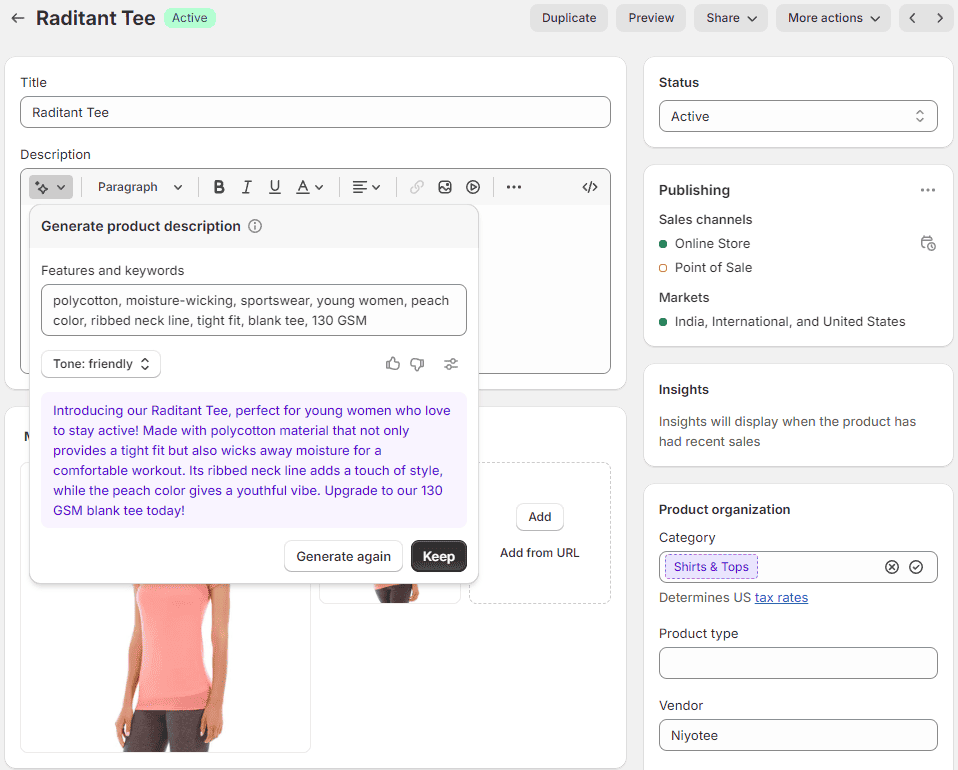
But there's more:
For example, every ecommerce store needs 'About Us,' 'Contact Us,' 'FAQ,' 'Shipping,' or 'Returns Policy' pages.
Creating these yourself is a lot of work, but Shopify Magic can handle the heavy lifting. You can then personalize the pages later.
In this example, we'll create a 'Contact Us' page for your customers to reach out if they have any questions about their order or products.
Let's start with creating a page title:
- In your Shopify admin, head to 'Online Store' > 'Pages.'
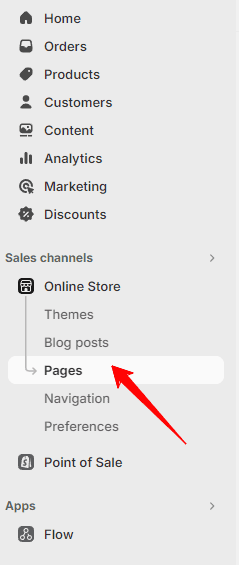
- Click 'Add page.'
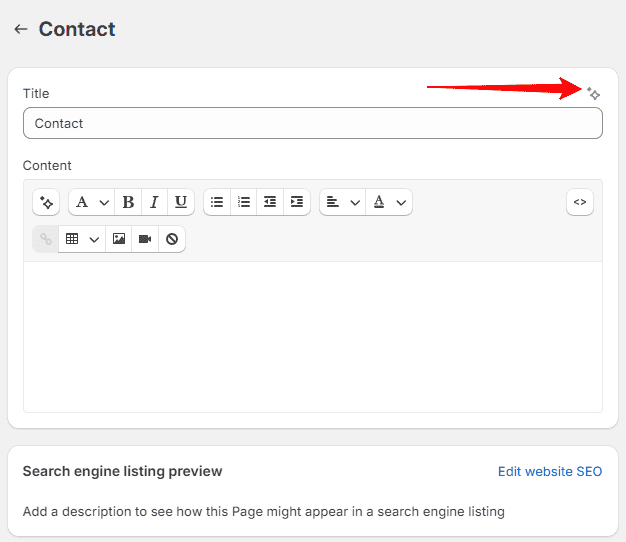
- Click the 'Generate text' icon in the 'Title' field, then describe what the page will cover:
- Choose a tone from the 'Tone' drop-down menu if you want to set a specific mood for your page. Or you can set a custom tone as we did:
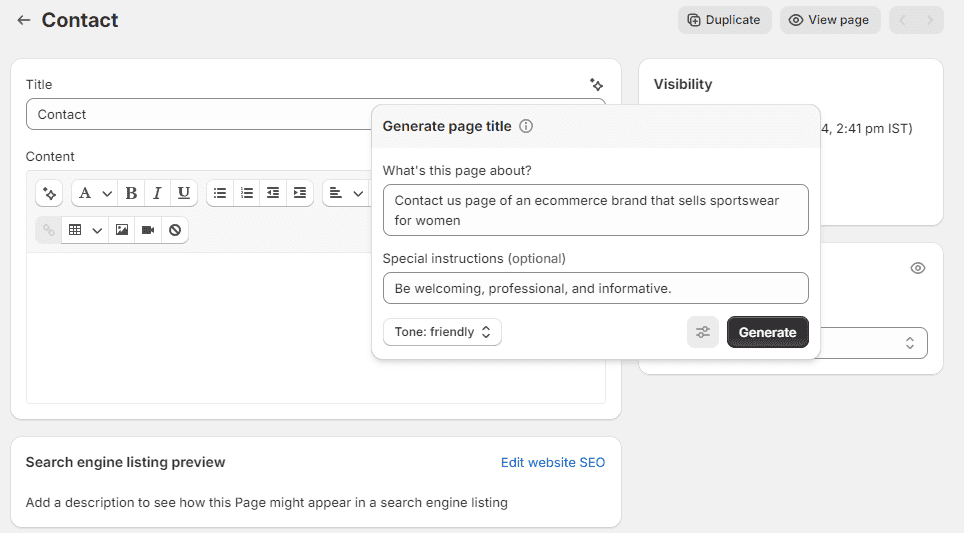
- Click the 'Special instructions' icon to add any extra guidelines in the field provided.
- Hit 'Generate' to see Shopify Magic's suggestions.
- If the result isn't quite right, click 'Generate again' for different outcomes, adjust your prompt, or select another tone, then click 'Generate again.'
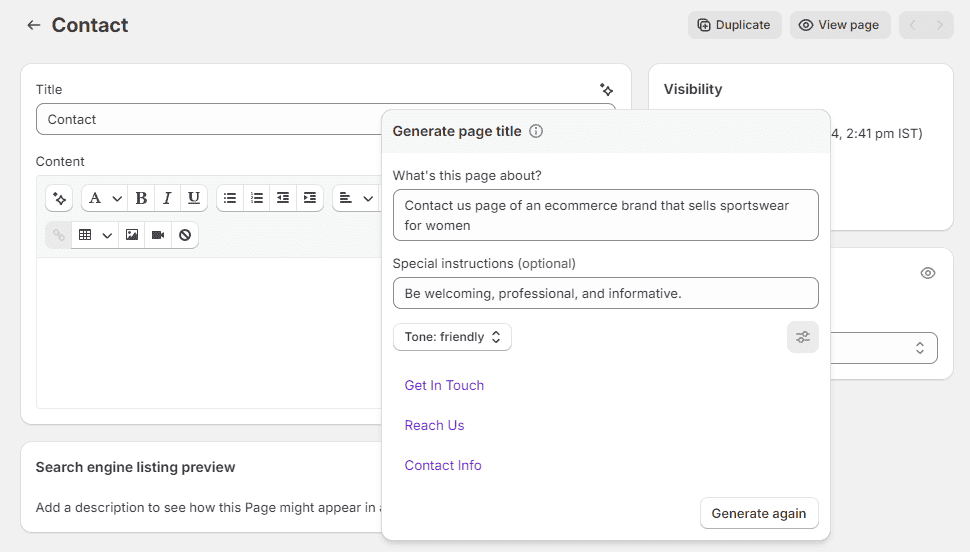
- Then click on one of the options to add it as your page title.
Now, for the page content:
- In the content section's rich text editor, click the 'Generate text' icon.
- Describe the purpose of your page, set the tone, add special instructions, and click 'Generate.'
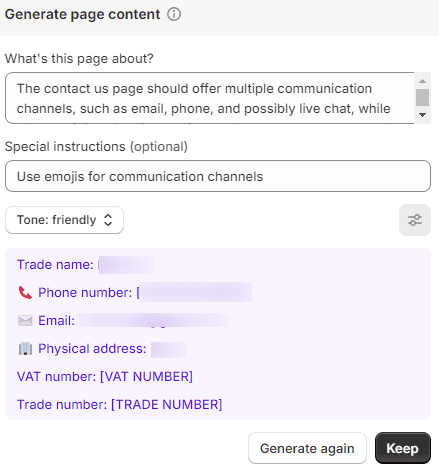
- Click 'Keep' to use the suggested content. Tailor and style the generated content to fit your brand.
- Click 'Save' to preserve your changes.
As you can see, the page content is pretty basic. So you'll likely need to edit it before publishing.
Still, we love that Shopify Magic is integrated into the Shopify admin, so you don't need to switch between different tabs.
Pros
- Smart replies. Shopify Magic can also quickly respond to live chat inquiries!
- Email generation. Create subject lines, email content, and optimal send times for the highest impact.
- Product descriptions. Generate descriptive descriptions for your dropshipping products.
Cons
- It's best for basic tasks. Shopify Magic often generates brief and straight-to-the-point text. If you need longer or more detailed content, use a tool like ChatGPT or a custom GPT for Shopify.
- Not without errors. Like all AI tools, Shopify Magic can sometimes get things a bit wrong. So always read over and tweak your content before publishing.
Heads up, Shopify Sidekick: Shopify Sidekick is Shopify's AI-powered commerce assistant that sits one layer above Shopify Magic.
Where Magic helps generate content and store assets, Sidekick can help with broader admin tasks, such as discounts, email content, customer segments, reports, products, collections, and workflows. The two are complementary; if you use Shopify Magic, you'll see Sidekick living inside the same admin.
Pricing
Shopify Magic is open to all Shopify sellers, regardless of whether you're using the Basic, Grow, or Advanced Shopify plan.
Keep in mind, though, that not all features might be available to everyone. The specific features you can access vary based on your plan.
Full Review: Shopify Magic Review 2026: Features, Pricing & Verdict
6. PagePilot
Best for: Sellers who want to test lots of product pages quickly instead of building each layout by hand.
Not for: Anyone who wants a full store, because PagePilot only builds product pages.
PagePilot isn't trying to build your entire brand.
It is built for one main job: turning a product link into a Shopify product page draft that is easier to test and improve.
That matters because product pages are where most dropshipping stores win or lose the sale.
In its 2026 cart abandonment statistics list, the Baymard Institute reports an average documented online shopping cart abandonment rate of 70.22%, so even small page improvements can matter.
Here's how it works:
You paste a link to an AliExpress, Amazon, or Shopify product into PagePilot.
The tool then turns that product into a Shopify product page with images, copy, sections, review-app areas, and call-to-action blocks:

Depending on your plan, PagePilot can also generate ad copy and give you ten daily winning product ideas, which makes it useful for fast product testing.

For example, you start with an AliExpress or Shopify product like this baby towel:

Then you paste the product link into PagePilot:

PagePilot handles the page structure, product copy, and copywriting:

The result is usually good enough for a first-draft product page.
But don't treat it as the final version of your page. If the product gets sales, go back and improve the claims, images, reviews, offer, and trust sections.
Pros
- Fast product page generation. Instead of building the layout, images, copy, and sections manually, PagePilot gives you a working page in a few clicks.
- Direct Shopify import. After creating a product page, you can import it to your Shopify store:

- Useful for fast testing. It is a good fit when you want to test a product quickly without spending a full day on one page.
Cons
- The AI can make mistakes. You still need to check the product claims, descriptions, and reviews before publishing:

- The Shopify import may not match the preview exactly. Every Shopify theme has its own fonts, styling, and limits. PagePilot recommends using Shopify's free Sense or Dawn themes for the closest match.
Related article: Page Pilot AI Review: The Fastest Way to Test Products?
Pricing
Currently, PagePilot's monthly plans range from $39 to $99 per month:
If you're interested, click here to try PagePilot for free. Just note that publishing product pages to Shopify requires a paid plan.
7. Shogun
Best for: Stores that already have traffic and want real control over landing pages and testing.
Not for: First-time sellers still testing a product, since plans start at $39 per month.
Shogun feels like the most advanced page builder on this list.
That is both the good part and the downside, depending on where your store is right now.
If you're launching your first test store, Shogun is probably more than you need.
But if you already have traffic and want more control over your pages, it becomes much more interesting.
In our analysis of the top 1,000 Shopify stores, 23.4% used Shogun, which is one reason it stands out as a more established page builder.
The drag-and-drop editor gives you much more control than a basic Shopify theme editor.
The AI features are useful, but Shogun's bigger strength is still page control, templates, testing, and optimization:

For example, you can give Shogun a prompt and use AI to generate page sections instead of starting from a blank canvas.
On higher plans, you can also generate custom code with AI:

And if you just need help with copy, Shogun also has an AI copywriter:

The real strength, though, is not just the AI.
It is a full-page-building system: responsive templates, reusable sections, app integrations, testing features, and optimization tools for stores that already have traffic.
Before you budget for it, note that Shogun lists A/B testing and personalization as separate Shopify apps.
Each one has its own pricing, so check what your plan actually covers.
Pros
- Strong page-building control. Shogun gives you more layout control than most beginner-friendly builders.
- Useful AI tools. You can generate sections, copy, and, on higher plans, custom code.
- Good for scaling stores. The tool makes more sense once you have traffic and need better landing pages, testing, or more control over page optimization.
- Templates and reusable sections. This helps you build pages faster without redesigning everything from scratch.
Cons
- It is not cheap. The cheapest paid Page Builder plan costs $39 per month, while higher tiers go up to $499 per month. If you are still testing your first product, that may be too much.
- More than beginners need. Shogun gives you a lot of control, but that also means more to learn than Storebuild.ai or Shopify's own builder.
Pricing
Shogun's basic Page Builder plan starts at $39 per month and includes 25 published pages:

There is also a 10-day trial, so you can test it before committing.
8. GemPages
Best for: Sellers who want conversion-focused pages and advertorials without paying Shogun prices.
Not for: Beginners who want a store built for them, not pages they design themselves.
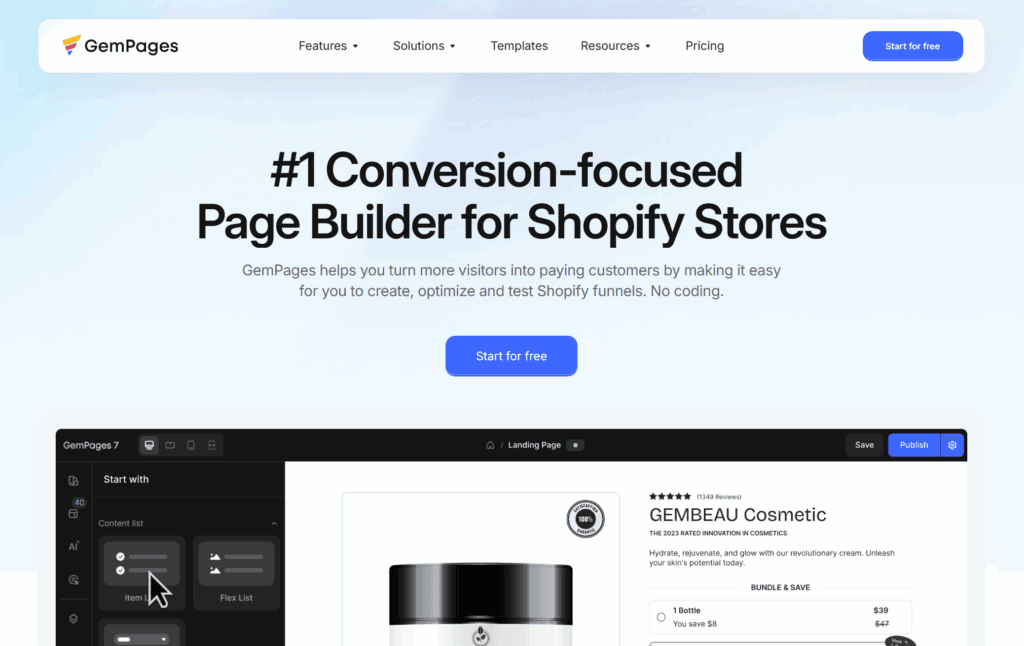
GemPages sits between a basic page builder and a more advanced tool like Shogun.
It's cheaper than Shogun, more polished than PageFly, and includes AI features directly inside the page-building workflow.
The headline AI feature is GemAI.
It includes an Image-to-Layout tool that can turn reference images or URLs into editable layouts you can use as a starting point for your store.
It also includes an AI content generator for product descriptions, headlines, and CTA copy.
Beyond AI, GemPages is clearly built for conversion-focused page building.
It has sales funnel features, advertorial and listicle templates, post-purchase upsell options, and a section library built for stores that want more than a basic product page.
For stores running cold-traffic campaigns, that combination can be useful because you can build landing pages, pre-sale pages, and offer pages without starting from scratch.
Pros
- AI Image-to-Layout. GemAI can turn a reference image or page screenshot into an editable Shopify layout, which is useful when you want a faster starting point for your own design.
- Advertorial and listicle templates. Most page builders focus mainly on standard landing pages; GemPages also includes templates that can work well before the product page.
- Large Shopify app integration library. It connects with many of the apps a growing Shopify store may already use, including reviews, upsells, email, and conversion tools.
- Strong free plan. The free plan is genuinely usable for a single landing page, which makes the tool easy to test before paying.
Cons
- Advanced testing features cost more. The most powerful optimization features are not included in the cheapest plan, so beginners may not need everything GemPages offers right away.
- Learning curve. The conversion-focused feature set takes a few hours to learn compared to a simple drag-and-drop builder.
Pricing
GemPages has a free plan and three paid tiers.
Currently, the Build plan is $29/month, Optimize is $59/month, and Enterprise is $199/month.
The Shopify App Store listing says the Build plan includes unlimited published pages and 300 AI Image-to-Layout sections, while the Optimize plan includes unlimited AI Image-to-Layout sections.
9. PageFly
Best for: Beginners on a budget who want drag-and-drop control over single Shopify pages.
Not for: Anyone who wants AI to create most of the store for them.
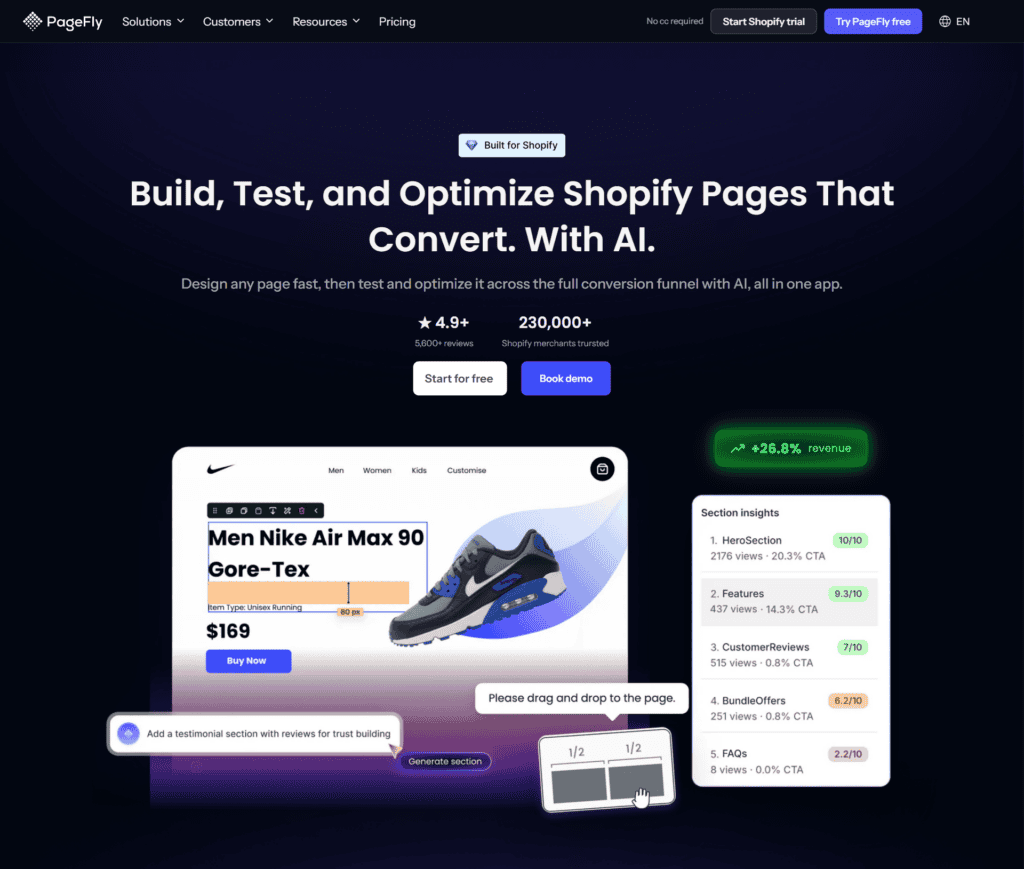
PageFly is not the most advanced AI builder here.
But it is one of the easiest page builders to understand.
It lets you build custom Shopify pages with a drag-and-drop editor, so you don't need to touch any code.
It is also one of the more widely reviewed Shopify page-builder apps, which says a lot about how widely it is used.
PageFly includes templates for different types of stores and pages:

You can edit those templates to match your store, change the sections, and build pages without starting from scratch.
The AI side is lighter than tools like PagePilot, Atlas, or GemPages.
For example, PageFly has an AI product description generator, but it is not a full AI store builder:

Pros
- Easy drag-and-drop builder. Good if you want page control without learning code.
- Large template library. You can start from templates instead of designing every section yourself.
- Shopify app integrations. PageFly works with many Shopify apps, including review, email, and conversion tools.
Cons
- The AI features are basic. PageFly is better as a page builder than as a full AI store builder. If you want AI to create most of your store, choose Storebuild.ai, DropMagic, Atlas, or Shopify's own builder instead.
Pricing
PageFly has a free plan, but it is limited to one published slot, which PageFly defines as one page or one section.
Currently, its main paid plans range from $24 to $99 per month, with a $39 Optimize tier between the Builder and Accelerate plans.
Full review: PageFly Review 2026: Pricing, Features & Honest Verdict
Other great ecommerce platforms
Not sure yet about using Shopify for your ecommerce store? Or are you just interested in other options?
We've got you covered! Check out the lists below to find other great platforms:
- Best Platforms to Sell Products Online
- Best Ecommerce Platforms for Dropshipping
- Best Dropshipping Websites & Companies
- Best Ecommerce Platforms for Print on Demand
- Best Dropshipping Platforms for Selling Online
More on this in our guide on how to choose the best ecommerce platform.
Final verdict
So, which one should you actually choose?
Final verdict: For most new Shopify users, Storebuild.ai is the best AI website builder if you want a fast full-store draft. It can create a Shopify store with products, copy, and a theme in under 5 minutes, and it's free to use.
If you already have traffic or a product you want to improve, a paid tool may make more sense: PagePilot for faster product-page creation, or Shogun for more advanced page control, testing, and optimization.
Here's a table containing our overview from earlier, which you can use to check out all the different platforms easily:
| Rank | Builder | Best for | Trial | Price | Type | Links |
|---|---|---|---|---|---|---|
| 1 |
Storebuild.ai
Best overall
|
Complete Shopify stores Full Shopify dropshipping store drafts with Zendrop-sourced products, a structured Shopify theme, and a workflow built for fast niche testing | Free option Tool is free to use | Free (plus a Shopify subscription) | Full-store AI builder | |
| 2 |
Shopify Website Builder
Native Shopify
|
Native quick launch Native Shopify AI setup that turns a store description into a customizable storefront with layouts, images, text sections, navigation, and basic SEO-friendly content | Included with Shopify | Included with a Shopify subscription | Native store builder | |
| 3 |
DropMagic
Product-to-store
|
Product-to-store generation Multi-page Shopify store drafts from selected products with buyer-persona copy, pre-built sections, AI-selected colors and fonts, an auto-generated logo, and mobile-optimized output | Free generation plan Publishing to Shopify requires a paid plan | Free generation / $79 per month to publish | Store generator | |
| 4 |
Atlas
Link-to-page
|
Paste-a-link builds Native Shopify app that turns AliExpress, Amazon, Alibaba, or Shopify product links into store or page drafts with AI product photos, bundles, cart upsells, and landing pages | No trial stated | $39 per month | Native Shopify app | |
| 5 |
Shopify Magic
Built-in AI
|
Smaller AI tasks Built-in Shopify AI for product descriptions, marketing emails, blog posts, Shopify Inbox replies, media generation, customer service, and back-office tasks | Included with Shopify Feature access can vary by plan | Included with a Shopify subscription | Built-in AI assistant | |
| 6 |
PagePilot
Product testing
|
Product page testing Fast Shopify product page drafts from AliExpress, Amazon, or Shopify links with images, copy, sections, review-app areas, call-to-action blocks, ad copy, and direct import | Free option Publishing product pages to Shopify requires a paid plan | $39 to $99 per month | Product page builder | |
| 7 |
Shogun
Advanced control
|
Advanced page control Advanced Shopify page building for stores with traffic, using responsive templates, reusable sections, app integrations, AI-generated sections, AI copy, testing, and optimization tools | 10-day free trial | $39 to $499 per month | Advanced page builder | |
| 8 |
GemPages
Funnel pages
|
Mid-budget conversion pages Conversion-focused Shopify page building with GemAI Image-to-Layout, AI content generation, sales funnels, advertorial templates, listicle templates, post-purchase upsells, and section libraries | Free plan Usable for a single landing page | $0 / $29 / $59 / $199 per month | Conversion page builder | |
| 9 |
PageFly
Budget pages
|
Budget page building Beginner-friendly Shopify page building with drag-and-drop editing, templates, broad app integrations, and basic AI product description generation | Free plan Limited to one published slot | $0 / $24 / $39 / $99 per month | Budget page builder |
If you have any questions or suggestions for this list, don't forget to leave a comment below.
Best of luck choosing the right website builder.
Have a great day!
FAQs about Shopify AI website builders
What is the best AI website builder for Shopify?
For most new Shopify users, the best AI website builder is Storebuild.ai if you want a fast full-store draft. It can create a Shopify store with products, copy, and a theme in under five minutes, and the tool itself is free to use.
If you already have a product and want a stronger product page, PagePilot may be a better fit.
Can AI build a complete Shopify store?
Yes, AI tools can draft a full Shopify store. Tools like Storebuild.ai, DropMagic, Atlas, and Shopify's own AI builder can help create a homepage, product pages, collections, navigation, and basic store copy.
The result still needs a human review, especially for branding, product claims, images, and checkout details, but it can save a lot of setup time.
How long does it take to build a Shopify store with AI?
With a full-store AI builder, you can usually get a first Shopify store draft in under five minutes. That does not mean the store is ready to scale right away.
You should still check the product pages, rewrite weak copy, adjust the branding, and test the checkout flow before sending traffic to it.
Should I use a free or paid Shopify AI builder?
Start with a free AI builder if you are still testing store ideas, products, or layouts. Storebuild.ai, Shopify's built-in AI tools, and free generation plans work well at that stage.
Once a store starts getting consistent traffic or sales, a paid tool can make sense if it helps you build better landing pages, improve the buying experience, or test offers faster.
Want to learn more about Shopify?
Here's what we'd look at next:
- 9 Best Shopify Page Builder Tools: Top Picks for 2026
- The 10 Best Free Shopify Courses to Increase Your Sales
- Shopify Sales Funnel: How to Build One in 2026 (+ Best Apps)
New to Shopify? We cover what it actually takes in our how to start a Shopify store guide here.