Thinking about signing up for Sellvia?
Then you're probably weighing one thing: is that ready-made store worth $39 per month, or is this another platform that looks simple until you read the fine print?
Good news: you're in the right place!
We signed up for Sellvia, tested it, and went back through everything again in August 2026.
On paper, the offer looks easy.
For $39 per month you get a ready-made store, prepared product pages, and access to Sellvia's product catalog.
But the closer we looked, the harder it got to compare. The trial you get depends on where you sign up, and the shipping wording needs careful reading. Sellvia's Shopify listing uses 1-3 day shipping language, while its detailed policy separates 1-3 business days of processing from another 5-20 business days of estimated US shipping.
Then there's the part that costs you real money: if you use Sellvia Payments, you may need to pay for an order before your customer's money is available to you.
So, is Sellvia worth using?
For most beginners, we don't think it's the best first choice.
The setup can save you time, but the way Sellvia handles order payments creates too much friction for a store that's still finding its first sales.
Below, we'll walk you through what's good and what isn't.
You'll also get the exact checks to run before you enter your card details.
| Sellvia overview | |
| Our verdict | Useful setup, but too many payment and offer details need checking |
| Best for | Sellers who want a ready-made store and can pay for orders before payouts clear |
| Monthly price | $39 after the trial |
| Trial | 14 days through Sellvia's main offer; seven days through the Shopify app |
| Payment method required? | Main website: yes; Shopify app billing runs through Shopify |
| Automatic renewal? | Yes, unless you cancel before the trial ends |
| Additional ready-made stores | $39 per month for each store under Sellvia's current dashboard setup |
| Shipping | 1-3 business days for processing, followed by an estimated 5-20 business days for US shipping |
| Shopify integration | Yes, through a live Shopify app |
| Main strengths | Ready-made store Prepared product pages Product catalog Shopify integration |
| Main concerns | You may need cash upfront Payment holds and fees Different terms by signup route Several upsells during signup Multi-step cancellation process Current Trustpilot warning |
Editor's note: We updated this review in August 2026 after Sellvia disputed how we described a $249 order and Trustpilot's warning. The remaining record identifies a separate $249 package called the "2,500 Best Products Mega Bundle." Because we couldn't reconstruct the full checkout, we removed claims that Sellvia automatically charged $249 to start the free trial.
We also signed up again through Sellvia's main website, taking the subscription on its own, and no extra charge appeared on that route. We removed our previous statement that Trustpilot suspected Sellvia of buying reviews too. Trustpilot currently says it removed fake reviews from the profile and made Sellvia's rating unavailable due to a breach of its guidelines.

Start your store on Shopify
Free 3-day trial + $1/month for 3 months
- Grows with you from first test product to full brand
- Thousands of apps and hundreds of themes to customize your store
- Beginner-friendly editor with pro features when you're ready
No card to start. Cancel anytime.
What is Sellvia?
Sellvia is an ecommerce platform that can build you a ready-made store. Its Shopify app lets you import products into a Shopify store you already run.
What you get depends on how you sign up: physical products, digital products, or both. Sellvia also sells extra product packages and marketing services.
Here are the main parts of the current offer:
- A ready-made store with hosting and a domain.
- A catalog with physical and digital products, depending on the offer.
- A Shopify app for importing physical products and sending orders to Sellvia.
- Optional services for product imports and SEO, plus social media and advertising.
The shipping estimates below apply to standard physical-product orders.
Sellvia says some processing fees can also apply when it fulfills digital products.
How does Sellvia work?
- You choose how to start. You can use a ready-made Sellvia store or connect the Shopify app.
- You start the trial. The main website asks for payment details, while the Shopify app bills through Shopify. The trial length depends on which route you use.
- You add products. Many product pages include images and descriptions. Some also include variants and marketing materials.
- You market your store. You can run your own campaigns or buy optional services from Sellvia.
- You pay Sellvia to fulfill physical orders. You can use a card or pre-funded Order Processing Credits, but customer funds may not be available yet.
That last step is the one people miss, and it's the reason this review lands where it does.
A sale can show up in your store while you still need your own money to pay Sellvia and get the order shipped.
If you've only ever used a supplier you pay after your payout clears, that's a real change to how much cash you need on day one.
How we reviewed Sellvia for this update
We started with our original Sellvia screenshots and the surviving $249 order confirmation, then we read Sellvia's current website and help center line by line. We did the same with its terms, Shopify listing, and shipping policy.
Then we signed up again through Sellvia's main website in August 2026 to see what the flow looks like today.
We took the standard subscription only, and didn't add an optional package, so this test tells you about that one route and nothing more. No extra charge appeared on it, though we did meet several upsells during setup, and closing the store took more steps than we expected.
We also read through recent Trustpilot reviews and BBB complaints. Those can't prove what happened inside any individual account, so we only kept the repeated complaints that Sellvia's own documentation or our latest test could explain.
Is Sellvia legit?
Yes. Sellvia is a real, active ecommerce platform. It has published terms, a working help center, and a live Shopify app.
But being real doesn't automatically make it a good choice for you.
Our concern was never whether Sellvia exists. It's whether the order payments and signup terms are clear enough for someone opening their first store.
The shipping timeline needs careful reading too, because Sellvia's shorter headline wording is not the full delivery estimate.
On that test, Sellvia wouldn't make our shortlist.
What we liked about Sellvia
1. The ready-made store can save you time
If store setup is the part that keeps stopping you, this is where Sellvia can help.
Starting from a finished store beats staring at an empty theme. Sellvia builds the basic structure and loads the products for you, so you skip the blank-page problem entirely.
Just don't treat what you get as finished.
Replace the generic branding, rewrite the weak product copy, and test your policies and checkout before you spend a cent on ads.
Our guide on how to brand your dropshipping store walks through what to change first.
2. The product pages give you a useful starting point
During our earlier test, Sellvia's products already came with images and descriptions. Some had variants and marketing materials attached too.

That can save you hours. The downside?
Every other Sellvia user may get the same materials, so rewrite them before you publish, the same way you would with any dropshipping product description.

3. You can connect an existing Shopify store
You don't have to take Sellvia's ready-made store at all.
Its Shopify app is live, and it lets you import Sellvia products straight into a store you already run.
If you're already on Shopify, that's the Sellvia route we'd compare first. You keep your theme, your apps, and your existing customers.
One caveat: the app had only one public review when we checked in August 2026.
That's nowhere near enough feedback to judge what the current app experience is really like.
Where Sellvia falls short
Let's start with the downsides of Sellvia:
1. You may need your own money to process physical orders
For physical orders, this was the clearest pattern in recent reviews: sellers described orders on the dashboard and a visible balance they still couldn't use to pay Sellvia.
Sellvia's Order Processing Credits guide explains how that happens. The amount from a sale moves through Pending and Incoming stages, and Sellvia says Incoming includes a 72-hour hold.
Meanwhile, the product cost has to be paid before Sellvia ships anything, which means reaching for your card or topping up Order Processing Credits out of your own pocket.
In plain English: don't start running ads with your last $39.
Keep enough cash aside to fulfill the orders you're hoping to get, and read up on how payment gateways pay you out before you plan your budget around a payout date.
2. Sellvia Payments and fulfillment can add several fees
The $39 subscription is not the only cost to check.
Sellvia's current terms list a 19% referral fee on completed orders processed through Sellvia checkout.
They also list a product-processing fee of 9.99% to 18% when Sellvia fulfills a physical or digital product.
The public pages do not match exactly on automated processing.
Sellvia's June 2026 fee guide lists 15% to 23%, while its current terms list 15%.
Because those official pages differ, check the rate shown in your dashboard before using Order Processing Credits.
A separate credits guide says a 28% service fee applies whenever you top up those credits.
Sellvia lists other situation-specific charges too.
These include a 12% bulk-processing fee and a 9% to 18% late-processing charge. Sellvia Ads carries a separate 28% fee.
Not every fee applies to every seller.
You can avoid the 19% referral fee by connecting another payment provider. Processing orders manually also avoids the automated-processing and credit top-up fees.
You still have to pay the product cost and any fees charged by your chosen payment provider.
Sellvia's payout guide lists bank withdrawal fees from 5% plus $10 to 14%. Some methods also have higher minimum withdrawal amounts.
Sellvia also says 25% of each processed sale is held in a Risk Reserve for 125 days.
The fees reduce your margin. The reserve does not disappear, but it delays when part of the amount shown in your dashboard becomes available.
One wording difference is worth knowing.
Sellvia's help center calls these amounts earnings from sales, while its terms describe payouts as Sellvia-funded commission.
Either way, you may not be able to withdraw the full dashboard amount right away.
3. The trial and products change depending on where you sign up
Same price, different deal.
Sellvia's main website and help center advertise a 14-day trial.
Its Shopify App Store listing shows seven days.
The products change too. Sellvia's homepage now leans heavily on ready-made stores and digital products, while the Shopify app is built around physical products in a US warehouse.
So don't compare Sellvia on the $39 headline price alone. Open the exact checkout page you'd be paying on, and ask support in writing what you'll receive.
4. Extra services can push the price up quickly
On top of the subscription, Sellvia sells product packages and marketing services. Its terms name product-import and SEO packages, and it promotes social media services and advertising tools too.
Some of them run into the hundreds of dollars.
We weren't charged for an extra service during our latest signup, but we did meet several upsells along the way.
Some recent reviewers said they were confused by an added service or the final amount. In several public replies, Sellvia said the extra service had been selected separately.
We can't see those private checkout screens, so we can't determine what happened in each case.
Our advice is simple: slow down.
Read every screen instead of clicking through the setup. Screenshot the final checkout page, write down the exact product name, and keep the confirmation email somewhere you can find it again.
5. Canceling the store took more steps than expected
We did manage to close the store during our latest test. But it took more effort than it should have, with several cancellation menus and confirmation screens to work through first.
We also found recent BBB complaints about cancellations and recurring billing.
Other complaints involved refunds, payouts, or account access.
BBB's totals change as its three-year reporting window moves, so we would not treat one complaint count as permanent.
These complaints are allegations from individual customers.
In several responses, Sellvia disputed parts of the account history. It said it had issued refunds or closed accounts.
In other cases, Sellvia said it restored access or offered another resolution.
The public complaint pages still do not show the complete private account records, so we cannot decide who was right in every case.
What you can do is protect yourself.
Cancel every store separately in the dashboard, screenshot each confirmation, and ask support to confirm in writing that no renewal is still active.
Sellvia's cancellation guide shows the current self-service steps.
6. The 1-3 business days is not the full delivery time
Sellvia's Shopify listing says products are "ready to be shipped across the U.S. within 1-3 business days." Elsewhere on the same listing, the plan feature is shortened to "1-3 days US shipping."
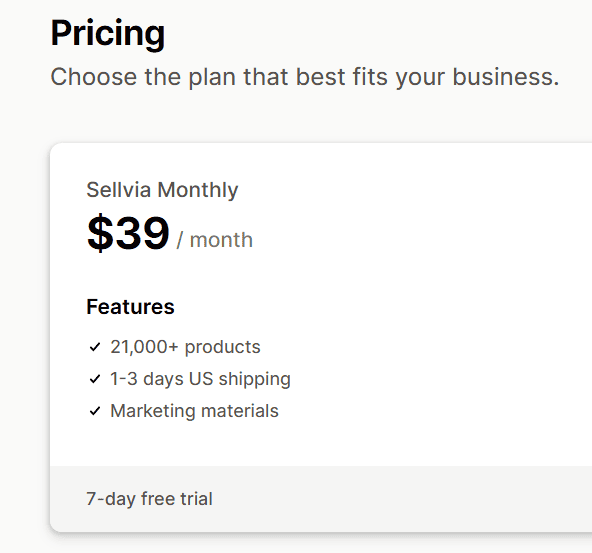
The detailed shipping policy is clearer. It lists 1-3 business days for processing, followed by an estimated 5-20 business days for shipping within the US.
So, we would not promise delivery within three business days. Plan around the full processing and shipping timeline, then check the estimate for the exact product.
7. Trustpilot has removed fake reviews from Sellvia's profile
Trustpilot currently displays two warnings on Sellvia's profile:
- "This company's rating is unavailable due to a breach of our guidelines."
- "We've removed a number of fake reviews for this company."
When we checked on August 6, 2026, 24% of Sellvia's Trustpilot reviews were one-star.
Trustpilot doesn't say who submitted the fake reviews, and it doesn't say Sellvia bought or commissioned them.
What it does mean for you is simple: Sellvia's older Trustpilot score isn't something to rely on.
The reviews are still worth reading for repeated complaints, but treat the profile with caution rather than as a rating you can trust.
What happened with our $249 Sellvia order?
An earlier version of this review said Sellvia charged us $249 merely for starting a free trial. The remaining record doesn't support that wording, so here is what we can and can't show.
The order confirmation identifies a separate "Dropshipping products package" called the "2,500 Best Products Mega Bundle." The total was $249:

The honest answer? We can confirm the order existed, but not exactly how it came to be placed.
We no longer have the sequence of checkout screens that came before it, so we can't show you how clearly the price was displayed or what was clicked to buy it.
The person running the original test did not expect the $249 order. That is their recollection, but it does not prove that the checkout failed to disclose the product or price.
Without the missing checkout screens, we cannot say how clearly the offer was presented or which purchase action created the order.
So what can we safely say? A separate $249 product-package order was created during our test, and the remaining evidence does not show that $249 was the automatic cost of the free trial.
When we signed up again through the main website in August 2026, taking the subscription on its own, no extra charge appeared.
Sellvia pricing and refund terms
Sellvia's subscription help page currently lists the main plan at $39 per month, and the trial you get depends on where you sign up:
| Signup route | Current public price | Trial |
| Main Sellvia website | $39 per month | 14 days for the first store |
| Shopify App Store | $39 per month | Seven days |
| Additional ready-made store | $39 per month per store | No free trial; charged immediately |
Sellvia says you can manage up to ten stores under one email address.
Each store has its own subscription and balance. Products and orders are separate too.
You can view the main website offer through our Sellvia link.
Refunds depend on what you bought, and the different rules are easy to mix up.
Sellvia's current terms say you can request a full refund of the latest subscription payment within 30 days.
Monthly refunds apply only to the current payment period, not earlier months.
Dashboard services follow another rule.
The general terms offer a full refund within seven days. From day eight through day 30, Sellvia retains 30%.
Processing and service fees are non-refundable. Some service-specific sections also become non-refundable once Sellvia starts the work.
So don't assume one refund policy covers every Sellvia purchase. Ask which rule applies to the exact item in your checkout, and get the answer in writing.
Sellvia shipping times
Sellvia's current shipping policy gives these estimates for standard physical-product orders:
| Destination | Estimated shipping time |
| United States | 5-20 business days |
| Canada and Europe | 5-20 business days |
| Australia and New Zealand | 5-25 business days |
| Central and South America | 5-25 business days |
| Asia | 5-20 business days |
| Africa | 5-25 business days |
There's another difference worth checking.
The shipping policy lists international destinations, while Sellvia's subscription terms say shipping of "Sellvia products" is available only within the US.
Those two pages may simply be describing different catalogs, but Sellvia doesn't explain the difference clearly enough for us to guess on your behalf.
So check the warehouse and the destination for every product you plan to sell. And don't put a 1-3 day delivery badge across your whole store unless you can stand behind it.
If fast delivery is your whole offer, our guide to getting faster shipping is worth a read first.
Questions to ask before signing up
Sellvia works differently depending on the plan and payment setup you end up with, so get these seven answers from support before you pay:
- Which platform and plan will I receive?
- How long is the trial on this checkout?
- Which products ship from the US?
- What is the delivery estimate for my target country?
- Which purchases become non-refundable after work starts?
- How much cash do I need before customer funds clear?
- Which payout fees and reserve rules apply to my account?
And one more thing: order a sample before you spend anything on ads. Check the product and the packaging yourself, then confirm the real delivery time and the return address, because those are the three things your customers will judge you on.
Who may like Sellvia?
- You want a ready-made store instead of building from a blank theme.
- You're happy to rewrite the supplied product pages.
- You'll check every optional purchase before paying.
- You have enough cash to pay for orders before payouts clear.
Who should avoid Sellvia?
- You need customer payments before you can fund wholesale orders.
- You want a simple payout system without long holds or high fees.
- You want the same trial and product offer on every signup page.
- You need delivery within three business days.
- You plan to run several stores under one subscription.
Sellvia alternatives
Sellvia isn't the only way to source products or automate fulfillment, so let's look at three alternatives worth comparing.
They offer different supplier networks and integrations:
1. Spocket - Best for comparing supplier locations
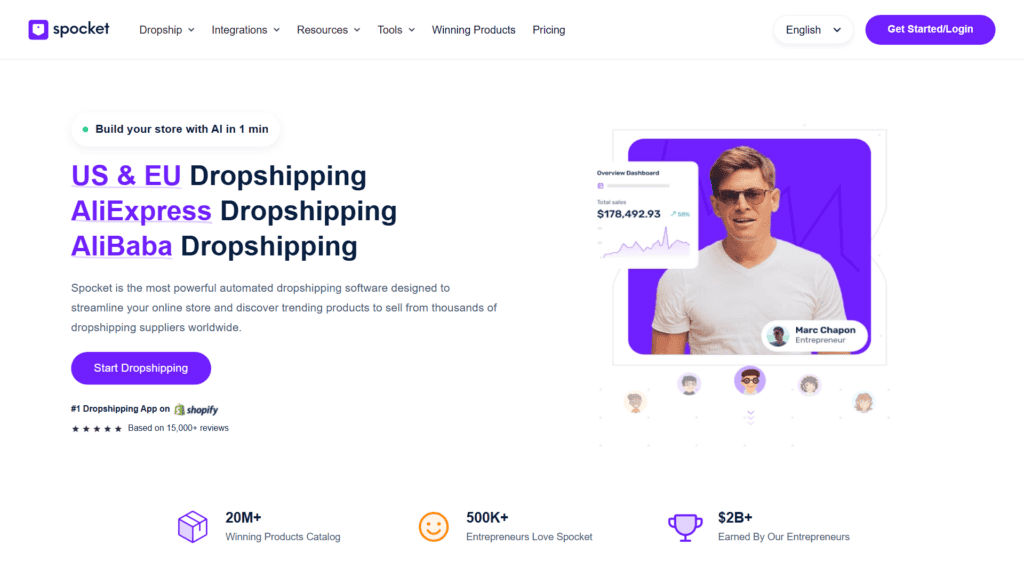
Spocket is worth a look if you want suppliers in the US and Europe and you'd rather compare where each one ships from than accept a ready-made store.
Read our full Spocket review before you choose it.
2. Modalyst - Best for Wix users
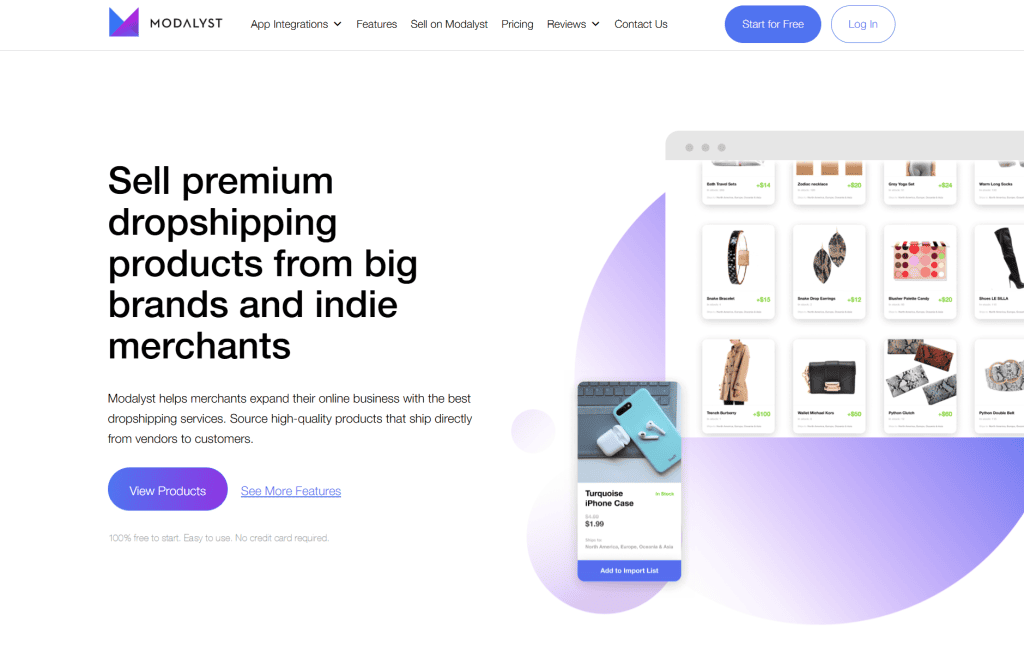
Modalyst makes more sense if you're on Wix, or if you want a marketplace mixing independent suppliers with AliExpress products.
Our Modalyst review covers the current plans and limitations.
3. Zendrop - Best for Shopify-focused sourcing
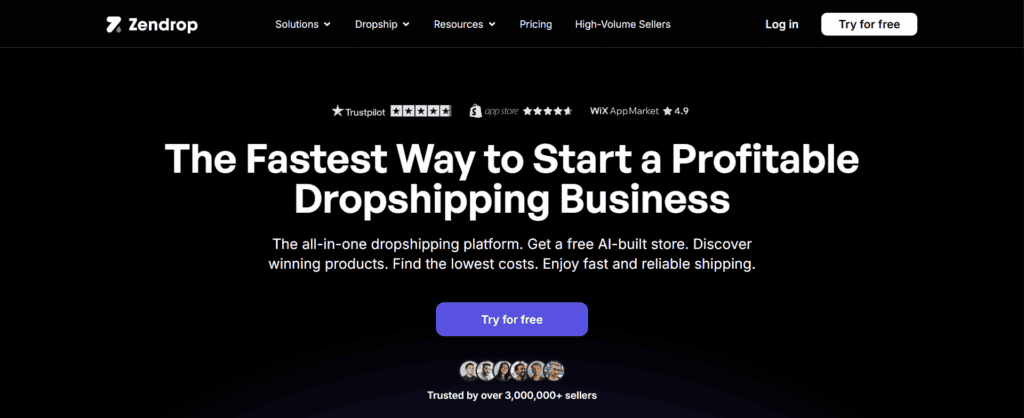
Zendrop is a dropshipping supplier that integrates with Shopify and Wix. It offers a large product catalog, automated fulfillment, and access to US-based products.
You can read our Zendrop review for a closer look at its features, pricing, and limitations.
Final verdict: Would we use Sellvia?
For a new dropshipping store, we wouldn't.
The ready-made store can save you time, and the prepared product pages are a useful starting point. If you're already on Shopify, the live app gives you another way in.
But the way Sellvia handles order payments is the deal-breaker for us.
For physical orders, you may need to pay Sellvia before the earnings shown in your dashboard become available.
Sellvia also lists referral and product-processing fees. Automated-processing and payout fees may apply too.
The 125-day reserve delays access to another part of each processed sale.
The rest of the offer needs careful checking too. Trial and store terms change by signup route. Sellvia's detailed shipping policy also makes clear that the 1-3 business days is only one part of a longer delivery timeline.
Our August 2026 signup on the subscription alone didn't produce an extra charge. That's important context.
We still met several upsells, and closing the store took more steps than expected.
Recent complaints raise similar concerns about added services and billing. Other complaints involve cancellations, refunds, or payouts.
Trustpilot's warning is one more reason to be careful.
It doesn't prove Sellvia submitted the fake reviews, but with reviews removed and the rating unavailable, we'd treat that profile with caution.
So who may still like Sellvia? Someone who mainly wants the ready-made store and has enough cash to pay for orders before payouts clear.
For everyone else, we'd compare Spocket or Modalyst first, and add Zendrop to the list if Shopify-focused sourcing is your priority.
Whatever you decide, order a sample and read the checkout screen twice.
Good luck with your store!
FAQs about Sellvia
Is Sellvia legit?
Yes. Sellvia is an active ecommerce platform with published terms, a help center, and a live Shopify app. But its trial and store terms differ by signup route. Trustpilot also currently shows a warning on Sellvia's profile.
How much does Sellvia cost?
Sellvia's main ready-made store offer currently costs $39 per month after a 14-day trial. The Shopify app also costs $39 per month but offers a seven-day trial. Depending on your setup, referral and product-processing fees may apply. Automated-processing, credit top-up, and payout fees may apply too.
How long is the Sellvia free trial?
It depends on where you sign up. Sellvia's main website and help center advertise a 14-day trial for the first store. The Shopify App Store listing shows a seven-day trial. Check the trial shown on the exact checkout page you use.
How long does Sellvia shipping take?
Sellvia's detailed policy lists 1-3 business days for order processing, followed by an estimated 5-20 business days for US shipping. So, the full delivery timeline can be longer than three business days.
Related reviews
- CJdropshipping Dropshipping: How To Start (+ Review)
- DSers Review: Is It the Best App for AliExpress?
- SaleHoo Review: Is It the Best Supplier Directory?
- Syncee Review: Does It Have the Best Global Suppliers?