Looking for free ad credits to test Google, Meta, TikTok, or other platforms in 2026?
If you're launching an ecommerce or dropshipping business, ad costs can add up quickly.
The good news?
Some major ad platforms and partner programs still offer free ad credits to eligible new advertisers.
Quick answer: How to get free ad credit in 2026You can get free ad credit in 2026 by signing up as a new advertiser or eligible seller through platforms like Google Ads, Microsoft Ads, Pinterest, Snapchat, TikTok, Reddit, Amazon Ads, and Google Ad Grants.Meta, Instagram, LinkedIn, and X credits are usually targeted or partner-based, so you only get them if the offer appears in your ad account, email inbox, or partner sign-up flow.Most platforms now use a "spend X, get Y" model. That means you spend first, then receive promotional credit after meeting the requirement.
Use our Free Ad Credit Finder below to see which offers are most likely to fit your situation:
Keep reading for the full guide to each platform's rules, current credit routes, and the exact steps to check or claim your ad credits.
Start your store on Shopify
Free 3-day trial + $1/month for 3 months
- Grows with you from first test product to full brand
- Thousands of apps and hundreds of themes to customize your store
- Beginner-friendly editor with pro features when you're ready
No card to start. Cancel anytime.
What are free ad credits?
Free ad credits are promotional credits that ad platforms give to new or selected advertisers.
Once a credit is applied to your account, it offsets your ad spend on that platform until the credit runs out or expires.
So where is the catch?
There is no scammy catch, but there are real limits.
Most ad credits today work on a "spend X, get Y" basis.
You have to spend a set amount of your own money first. The platform then adds a promotional credit, which usually expires within 30 to 90 days of being issued.
There are also eligibility rules:
For example, most platforms limit credits to new advertisers, specific countries, selected partner links, or accounts that receive an in-dashboard promo.
You usually cannot stack multiple coupons in the same ad account, either.
Why do platforms offer these credits?
Simple: customer acquisition.
IAB forecasts total US ad spend to grow 9.5% in 2026, and digital channels are still taking a larger share of that budget.
Ad platforms know that whoever gets you testing first has a better chance of keeping your budget later.
A $100 or $200 promo credit is cheap if you become a long-term advertiser.

Free ad credit offers in 2026: At a glance
Here's a side-by-side look at the main free ad credit routes across the major platforms.
Important: the exact amount can change by country, account, partner link, and promo window. Always check the platform's own offer page before signing up:
| Platform | Free credit | Spend required | Best for |
| Google Ads | Varies by offer | Usually qualifying spend within 60 days | High-intent search buyers |
| Microsoft Ads (Bing) | Varies by coupon | Usually a small first spend | Lower-cost search tests |
| Facebook (Meta) | Targeted offers only | Varies by offer | Broad ecommerce reach |
| Same as Meta | Same as Meta | Visual product brands | |
| Up to $100 for eligible Shopify merchants | Connect Shopify and launch your first campaign | Lifestyle, home, beauty, fashion | |
| Snapchat | Up to $375 | $350 within 14 days of accepting the offer | Gen Z creative tests |
| Varies, often through email or partner offers | Usually matched spend | B2B, SaaS, courses, services | |
| TikTok | Varies by region and account | Usually a spend window or discount coupon | Short-form video products |
| Reddit Ads | Varies by account or partner offer | Usually matched spend | Niche community products |
| X (Twitter) Ads | Selected advertiser or partner coupons only | Varies | News, SaaS, real-time topics |
| Amazon Ads | Up to $1,000 | Tiered spend from $50 to $1,000 | New Amazon sellers |
| Google Ad Grants | $10,000/month | $0, nonprofits only | Eligible nonprofits |
Now let's break each one down:
How can I claim free ad credits?
Below, we'll walk through each major ad platform, the available credit route, and the exact steps to check or claim it.
1. Google Ads

The first platform we'll look at is Google Ads.
Google Ads is how you get your products in front of people actively searching for them on Google.
Google's new-advertiser offers are usually tiered. Depending on your country and the offer shown to you, you may see a credit after spending a qualifying amount within your first 60 days.
For example, Google's US sign-up page shows new-advertiser offers where you spend a set amount first, then unlock ad credit after meeting the spend requirement.
The exact offer may vary, so don't assume every new account gets the same amount.
Google Ads Help also says advertisers normally have 60 days to spend promotional credit after it has been added to the account.
The offer usually comes with a few eligibility rules worth knowing upfront:
- Your account must be new when you redeem the offer.
- You need a valid payment method on file.
- You generally cannot have advertised on Google Ads before for the same business and claim the same new-advertiser promo again.
You can check here if you're eligible for Google Ads credits.
If your business is already running ads, there's still one place worth checking.
Head to your Google Ads account, click the billing icon, and then click Promotions.
Google sometimes shows available promotional codes or your progress toward a spend threshold there:

One last route worth checking: service providers.
Some web hosting companies bundle ad credits as a sign-up perk. For example, this is what we found on Domain.com's website:

So check your web hosting, domain provider, or ecommerce platform too.
Heads up on one offer that's gone: Google previously ran a free-credit promo through Shopify, but as of 2026, that broad Shopify-linked Google Ads credit is no longer the main route we would rely on.
2. Microsoft Ads (Bing)
Microsoft Ads, which runs ads across Bing, Yahoo, AOL, and Microsoft properties, is the platform many ecommerce stores skip.
That is exactly what makes it interesting.
Less competition can mean cheaper clicks, especially for search campaigns targeting older or desktop-heavy audiences.
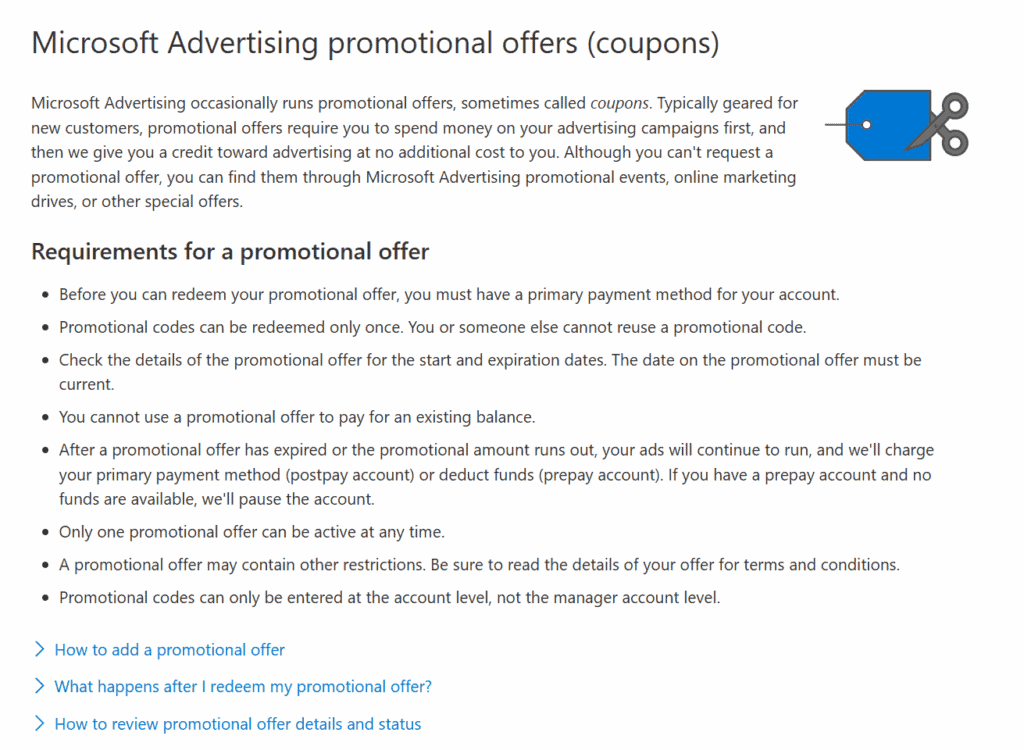
Microsoft Advertising still runs promotional offers for new advertisers, but the exact value varies by coupon, region, and partner source.
A common new-advertiser route is to require a small qualifying spend first, then issue an ad credit after that spend is reached.
Microsoft Advertising Help explains that promotional offers are redeemed in Microsoft Advertising and that advertisers can track whether the offer is active and how much spending remains.
A few things to know before you sign up:
- Most offers are for new Microsoft Advertising customers.
- The spend threshold and credit value can vary by coupon.
- You usually cannot stack a Microsoft Ads coupon with another Microsoft promotional offer.
If you already run Google Search Ads, this is one of the easiest cross-platform expansions you can make.
Microsoft lets you import your Google Ads campaigns directly, so setup can be quick if your search campaigns are already organized.
3. Facebook (Meta)

The next platform we'll cover is Facebook.
Chances are you're already using Facebook to advertise, since it's still one of the most common marketing platforms for ecommerce store owners.
Quick clarification before we dig in: when we say "Facebook ad credits," we technically mean "Meta ad credits," which can be used across Meta placements like Facebook and Instagram.
Here's the honest state of things in 2026: Meta does not currently run a broad public new-advertiser credit that every new account can claim.
The only reliable way to get one is if Meta sends it to you or shows it inside your ad account.
Meta's own ad credit help page describes ad credits as a payment method for Meta ads that can be used on Facebook and Instagram, depending on the type of credit.
Meta usually distributes ad credits through two channels:
- Email promotions. Meta may send promotional offers to selected advertisers by email.
- In-account banners. A "claim your credit" banner can sometimes appear inside Ads Manager for eligible accounts.
Be careful with email offers, though.
Scammers copy Meta emails all the time. If you receive a credit offer, don't click blindly. Log in to Ads Manager directly and check whether the promotion also appears inside your account or payment settings.
If you receive one, you apply it inside your Meta Business Manager account. Here's what the offer typically looks like:

Another possible route is through partner companies.
Web hosting providers and ecommerce tools occasionally bundle Meta ad credits with new purchases as a sign-up incentive.
GoDaddy and Bluehost have both run similar offers in the past.
Many ecommerce merchants also ask about Shopify's Facebook ad credit.
We checked in with Shopify directly, and here's what they said:

So Shopify is no longer a reliable route for Facebook ad credits.
The practical takeaway: if you get a Meta credit, great, but don't build your launch budget around one.
4. Instagram

Instagram is owned by the same company as Facebook: Meta.
Because both platforms use Meta Ads Manager, ad credits work the same way.
If you have a Meta ad credit, it can usually be used for Instagram placements too.
To check if you have credits available, go to your payment settings inside Meta Ads Manager.
If a credit is available, you should see an option to apply it in the ad payment section.
You can read more about how to claim a Meta ad credit here.
5. Pinterest

Pinterest is one of the easier ad platforms to start on, and it has an unusually engaged audience for product discovery.
It also still has a few ways to score ad credits.
The first is Pinterest's own occasional promo offers, applied directly to eligible accounts:

The second route is Pinterest's Shopify-linked offer.
Pinterest Business Help says that, depending on your location, you may receive $100 in ad credit when you connect your Shopify store and launch your first ad campaign on Pinterest.
To qualify, you usually need to:
- Connect your Shopify store to Pinterest.
- Agree to Pinterest's terms of service.
- Be a first-time advertiser or meet Pinterest's inactivity requirement.
- Have no other coupon or credit already applied to the same ad account.

To check what credits you have, log in to Pinterest, click the three lines at the top left, then go to Business → Billing → Promotions.
You can read more about advertising credits on Pinterest here.
6. Snapchat

Snapchat still runs one of the clearer new-advertiser offers.
If you sell products aimed at Gen Z or younger millennials, this can be a useful place to test short-form creative.
Snapchat for Business currently offers a new-advertiser offer: spend $350 and get $375 in ad credit.
The important detail: you need to accept the offer, set up your new ad account, and hit the spend requirement within 14 days.

Two rules matter most:
- You must be a first-time advertiser.
- The credit expires 30 days after it's added to your account, so plan your campaigns before you trigger it.
To learn more, you can go here.
7. LinkedIn

LinkedIn is a B2B-first platform.
It's not the best fit for most physical-product ecommerce stores, but if you're selling software, courses, consulting, or services to other businesses, it's worth checking out.
LinkedIn does not always run a single public new-advertiser credit that everyone can claim. Instead, it usually sends targeted email coupon offers or runs partner campaigns.
LinkedIn's help center explains that coupon codes can be used to secure advertising credits for LinkedIn ad products, and the exact credit depends on the coupon or campaign.
LinkedIn also runs partner offers from time to time. For example, LinkedIn's Adobe Express partner page says first-time advertisers who spend $500 on LinkedIn Ads can receive up to $500 in ad credits, subject to the offer terms.
The exact value is shown in the email or partner offer when LinkedIn sends it:

To make sure you're on LinkedIn's list, open your email settings under your LinkedIn profile and turn on tips and offers.
LinkedIn also occasionally posts public or partner ad-credit campaigns. Here's an example we spotted recently:

You can click here to see if you're eligible for the latest campaign. For full details on LinkedIn's email promo offers, click here.
One more note: LinkedIn credits can have a much longer expiry window than many ecommerce ad platforms, but always check the expiry date shown in your own offer.
8. TikTok

The next platform is TikTok.
Like Snapchat, TikTok skews younger and rewards short-form video creative.
TikTok's new-advertiser incentives vary by region and account.
TikTok's own help page explains that new advertisers may see ladder-style coupons, where you spend a certain amount and unlock a credit, or discount-style coupons, where a percentage of your ad spend is subsidized up to a cap.
For example, TikTok offers "spend $100, get $50" or "spend $500, get $300," but the exact amounts depend on the offer shown in your account.
TikTok also runs limited-time regional promotions through its sign-up pages.
Depending on your location, you may see a different credit amount, a different spend requirement, or a discount coupon instead of a matched credit.
For Shopify merchants, there's a second route.
Connect your TikTok Ads Manager account to Shopify, and if you're eligible, a banner may appear explaining the credit available to you.
Here's an example of how that can look:

The Shopify-tied credit amount varies by account, so don't assume the screenshot above is what you'll see.
TikTok decides per advertiser.
You can check eligibility for the Shopify-tied credit here, or read TikTok's new-advertiser incentive terms here.
9. Reddit Ads
Reddit is one of the most underrated paid-acquisition channels, especially if your product has a passionate niche.
Camera gear, mechanical keyboards, sneakers, supplements, indie SaaS: subreddits exist for almost every niche, and you can target ads directly at them.
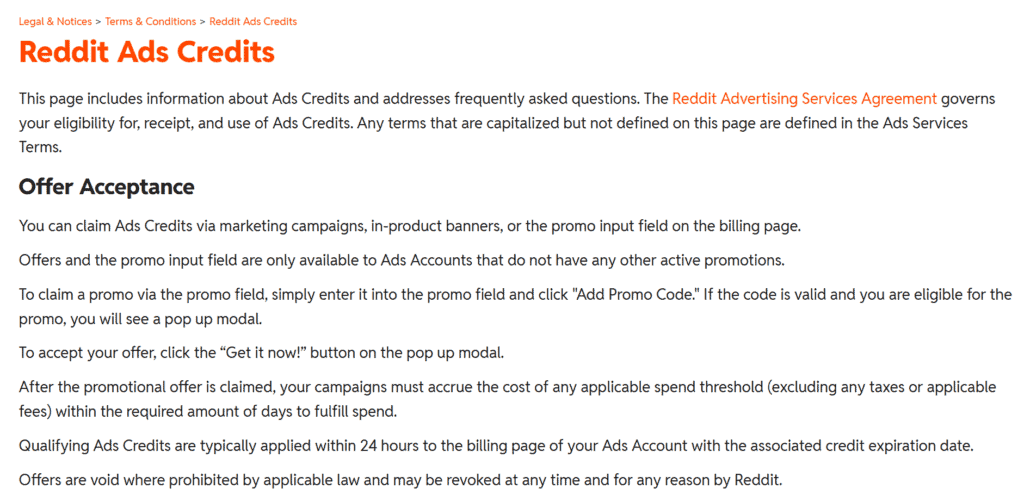
Reddit sometimes shows new-advertiser credits inside Ads Manager or through partner promo pages.
The exact offer can vary, but many Reddit credits work like a matched test budget: you spend a qualifying amount first, then receive promotional credit after the threshold is met.
Reddit Ads Help explains how advertiser credits work and where to check them.
How to check:
- Log in to Reddit Ads Manager with a new or eligible account.
- Look for a "claim offer" or advertiser credit banner.
- Read the exact spend threshold, claim window, and expiry date before launching.
Our advice: don't chase Reddit's biggest credit unless your product genuinely fits Reddit's community-driven buying behavior.
10. X (Twitter) Ads
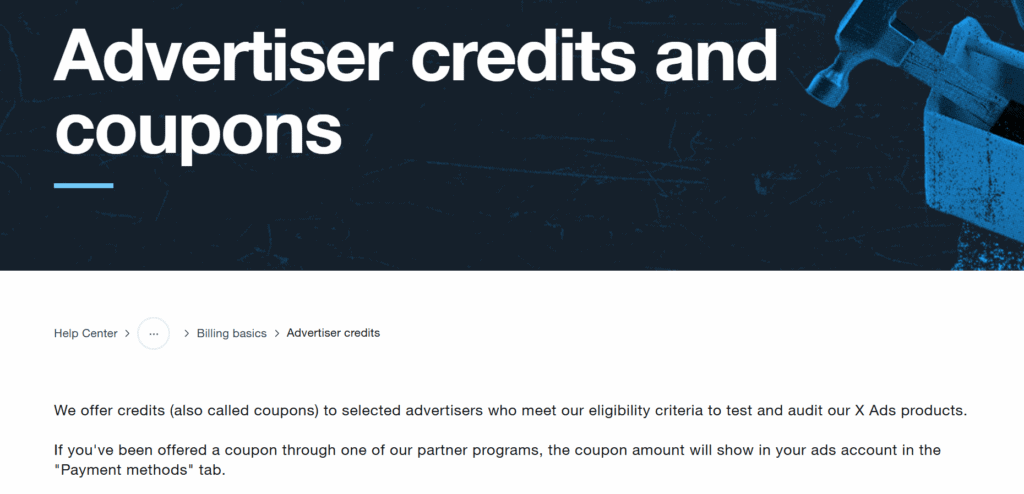
X, the platform formerly known as Twitter, does not currently have a broad public new-advertiser credit that every new account can claim.
Instead, X advertiser credits are usually account-specific, selected-advertiser offers, partner offers, or credits tied to specific programs.
X Business Help says advertiser credits are offered to selected advertisers or through partner programs, so you cannot count on receiving one just by creating a new ad account.
Also worth noting: X has introduced ad credits tied to Premium Business and Premium Organizations subscriptions, but those are not the same as a free new-advertiser credit because they require a paid subscription.
Realistic expectation: this is not a platform to budget around free credits.
If you do receive an offer, it will usually appear in a partner sign-up flow, an onboarding email, or within a selected account.
11. Amazon Ads
If you sell on Amazon rather than your own Shopify store, Amazon Ads has one of the more usable new-advertiser credits on this list.
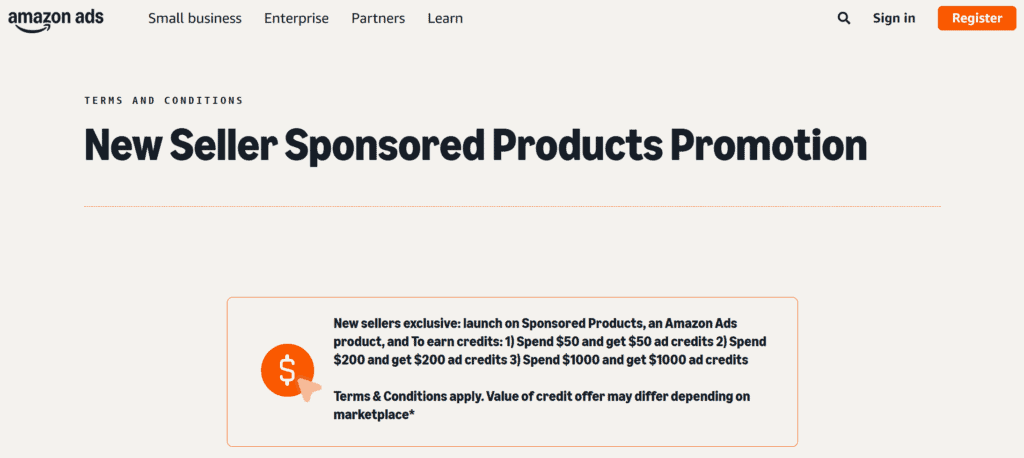
The current New Seller Sponsored Products Promotion is tiered, so you earn credit based on how much you spend:
- Spend $50 to $199.99 → get $50 in ad credit.
- Spend $200 to $999.99 → get $200 in ad credit.
- Spend $1,000 or more → get $1,000 in ad credit.
The promo is for eligible new Amazon sellers.
Amazon's terms say sellers must have listed their first buyable ASIN in an eligible marketplace within the last 90 days, and the credits are tied to Sponsored Products campaigns.
Unused credits expire 30 days after they land in your account, which is one of the shorter expiry windows on this list.
If you're going to spend $1,000 to earn the full credit, plan your follow-up campaign before you start.
Bonus: Google Ad Grants for nonprofits ($10,000/month)
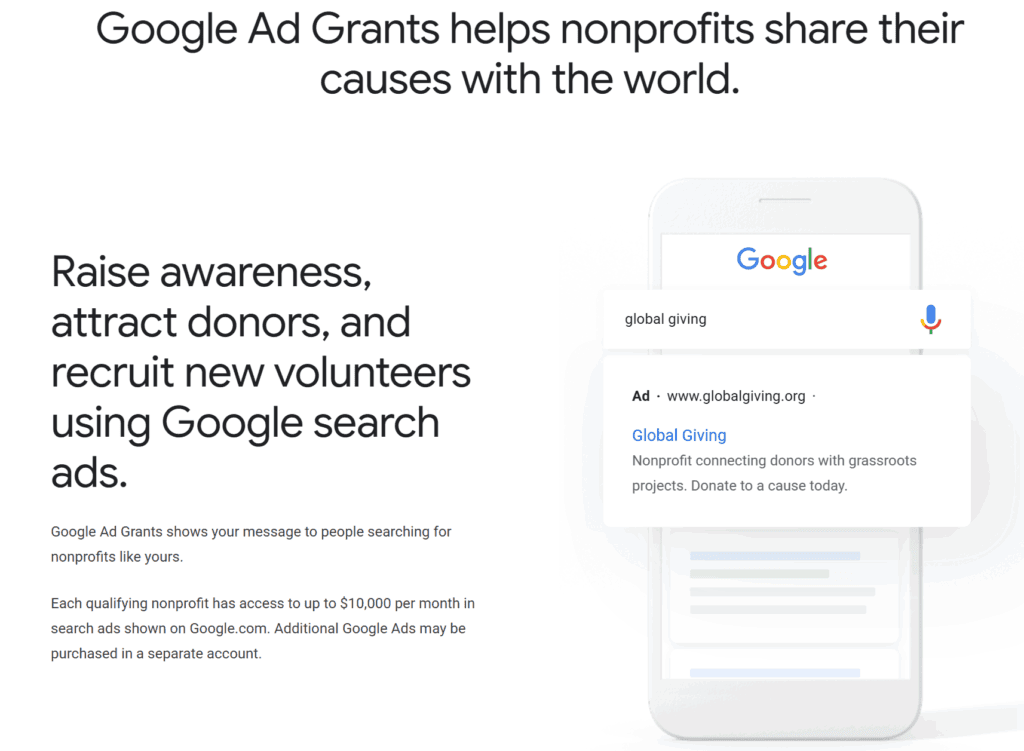
This one isn't a "credit" in the same sense as the others, but it's the largest free-ad-spend program on the list, so it deserves a mention.
If your organization is a registered nonprofit, you may be able to apply for Google Ad Grants: up to $10,000 per month in free Google Search advertising.
That's $120,000 per year, with no spend match required.
The catch is that the program is only for eligible nonprofits. Governmental bodies, hospitals, and most academic institutions are excluded.
You also have to follow Google's ongoing requirements.
Google for Nonprofits Help explains that Ad Grants accounts must follow ongoing account-quality rules, including proper account structure, active ads, sitelink assets, conversion tracking, and a 5% click-through rate.
If your organization is a registered nonprofit and is not already running Ad Grants, this is the single biggest free-advertising opportunity on this page.
How to use your free ad credits well
Free credits are useful, but they're not a strategy.
Here's how to make sure you don't burn through them and walk away with nothing.
Don't test a completely cold creative on a credit budget
The instinct is to use free credit to launch your first-ever ad.
That is usually not the best move.
If your first ad angle does not convert, your credit can disappear before you learn anything useful.
Better: test your creative lightly first, then use the credit to push the version that shows early signs of working.
Match the platform to your customer, not to the credit size
A big credit is only useful if your customer is actually on that platform.
Reddit's highest matched offers can look attractive, but if your buyer does not hang out in Reddit communities, you may just be spending money to unlock a credit you should not have chased.
Snapchat and TikTok can make more sense for younger-skewing products. Microsoft Ads can make more sense for older, desktop-heavy, or search-intent audiences.
Pinterest can work well for lifestyle, home, beauty, fashion, and visual product discovery.
Start with the customer, then pick the platform.
Track your credit's expiry like it's a bill
Almost every credit on this list expires.
Some expire 30 days after being issued. Others give you 60 or 90 days. A few account-specific offers can have longer windows.
The day your credit hits your account, set a calendar reminder for five days before expiry.
If you still have credit left near the deadline, run a simple campaign to use it up instead of letting it go to waste.
FAQs about free ad credits for marketing
Are free ad credits really free?
Usually, no. Most ad credits today are "spend X, get Y" offers. That means you have to spend your own money first to trigger the credit.
The clearest exceptions are programs like Google Ad Grants for nonprofits and some account-specific credits that appear without a required first spend.
Pinterest's Shopify-tied credit can also be a lower-friction route for eligible Shopify merchants, but the exact conditions still depend on your account, location, and billing setup.
Why do platforms give away free ad credits?
Ad platforms offer free credits as a customer-acquisition tool. Once a business learns one platform, builds campaigns, installs tracking, and starts seeing results, that platform often keeps the budget.
A $100 or $200 credit is cheap compared with the lifetime ad spend of a business that keeps advertising for months or years.
Do free ad credits expire?
Yes. Expiry windows vary widely. Snapchat and Amazon credits often expire 30 days after issuance. Google, Microsoft, and Reddit offer deals that are often around 60 to 90 days, depending on the specific promo.
Taking action
Free credits only help if you use them with a plan.
Here's a short checklist before you start claiming offers:
- Pick the two platforms most likely to reach your customer. Don't try to claim every credit if it spreads your budget too thin.
- Check the live promo terms before creating the account, because some offers only apply during the first few days after sign-up.
- Start with the lowest realistic spend tier first, especially if you are new to paid ads.
- If your hosting provider, Shopify app, or partner tool offers a credit, check whether it applies to a separate platform or the same ad account. Most platforms do not let you stack multiple coupons in one account.
- Set an expiry reminder the day the credit hits your account.
Conclusion
There you have it!
Many major ad platforms still offer free ad credits in 2026, but most of them are not fully free, automatic, or guaranteed.
The safest way to think about them is simple:
They are useful budget boosters, not a replacement for a proper testing plan.
So don't chase every promo you see.
Pick one or two platforms that actually match your customer, check the live terms, and use the credit to extend a test that already has a chance of working.
That way, the credit helps you learn faster instead of just giving you another way to spend money.
Want to learn more about ecommerce?
Here's where we'd go next: