
If you run a dropshipping store, you've probably asked yourself:
“How can I make more sales?”
“Why are people visiting but not buying?”
“Is there something wrong with my store?”
The truth is, even small changes to your store can make a big difference in your revenue and profits.
This page provides a comprehensive self-review checklist. It's designed to help you spot issues and increase your store's profit.
We'll go through every part of your store step by step. You'll find out how to:
- Make your store look more trustworthy
- Get more people to buy (and spend more!)
- Fix common mistakes that kill conversions
- Set up smart systems to bring customers back
Under each point, you'll find extra explanations and tips to help you understand what to look for, why it matters, and how to fix it.
Let's start your self-review!
1. First impression | Do you look trustworthy?
5-second test: Can people understand what you sell in 5 seconds?
When someone lands on your website, you only have a few seconds to make a good impression.
If they can't quickly figure out what your store is about, they'll probably leave.
To pass the 5-second test, make sure you have:
- A simple headline that explains your main product or benefit
- A clear product image or lifestyle photo
- A call-to-action like “Shop Now” or “View Collection”
Tip: You can test this by showing your homepage to a friend and asking them what your store sells after just 5 seconds. If they're unsure, it's time to adjust your content.
Clear above-the-fold: Is your main offer, product, and CTA clearly visible without scrolling?
“Above the fold” means what people see right away when they open your website, before they scroll down. This is where your most important content should go.
You should clearly show:
- A call-to-action button (like “Shop Now” or “Get Yours Today”)
- What your product is
- Why it's worth buying (your main value or offer)
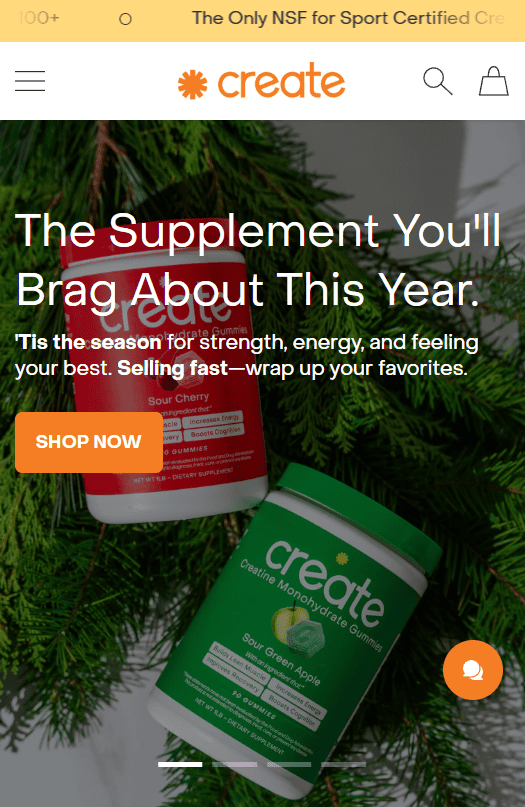
Professional logo: Is your logo clean and professional?
Your logo is often the first thing people notice, so it should help build trust.
If it appears low-quality or difficult to read, it can make your store seem unprofessional, even if your products are excellent.
Avoid using generic logos generated by a free logo generator.
If you can, invest in a basic custom design. Even a clean text-based logo using a strong font can look great if done right.
Learn more: How to Get a Logo for Your Dropshipping Store? (5 Options)
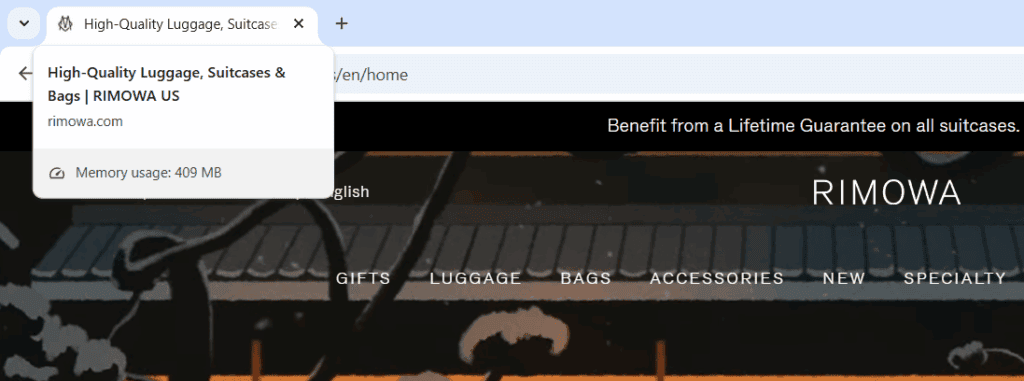
Branded favicon and page title: Does your browser tab display your brand instead of a generic one?
Your favicon is the tiny icon that appears in a browser tab. Your page title is the text that shows up when someone bookmarks your site or shares it on social media.
If these still display something like “My Shopify Store” or show a blank icon, it indicates that you haven't finished setting up your site.
This can hurt trust and make your brand forgettable.
Sticky navigation bar: Is your logo, menu, and cart always visible while scrolling?
A “sticky” navigation bar stays at the top of the screen as people scroll through your store.
This makes it easy for visitors to return to the homepage, browse various collections, or view their cart at any time, without needing to scroll back up.
No instant popups: Are visitors allowed to explore before seeing popups?
Pop-ups can be helpful, but showing them immediately (before someone has even had a chance to look around) can be annoying. It feels pushy and often leads to higher bounce rates.
Instead, let visitors browse for a few seconds or scroll down a little before showing your pop-up. This gives them time to get interested in your product first.
Mobile-ready layout: Is your site fully optimized for mobile phones and tablets?
Most of your traffic likely comes from mobile devices. So if your site doesn't work well on phones, you're losing sales. Plain and simple.
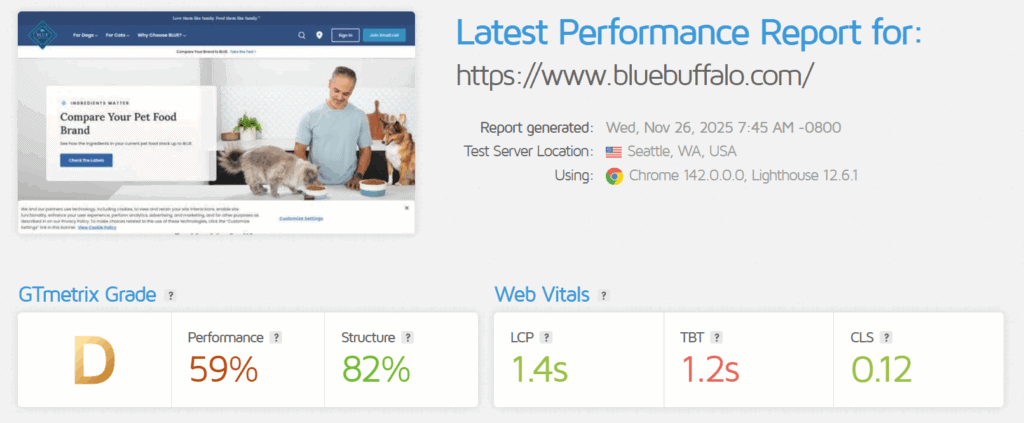
Fast loading time: Does your store load in under 3 seconds on both desktop and mobile?
If your site takes too long to load, people will leave before they even see your products. Speed isn't just about convenience, it directly affects your conversion rate.
Aim for a loading time under 3 seconds. You can test this using free tools like GTmetrix or PageSpeed Insights.
Learn more: Shopify Speed Optimization: 7 Ways to Make Your Store Faster
2. Product page | Are you making people want to buy?
Clear product title: Is your title short, scannable, and free of jargon?
Your product title should quickly tell shoppers what the item is without confusing them.
It doesn't need to be creative or fancy; it just needs to be clear.
Benefit-focused description: Does your copy explain how the product helps the customer?
People don't just buy products; they buy solutions to problems. Your product description should show how your item will make their life better.
Instead of only listing features like:
“Made of stainless steel. 200ml. Includes rubber grip.”
Try explaining the benefits:
“Keeps your drinks hot for 12 hours, perfect for long days at work or on the road.”
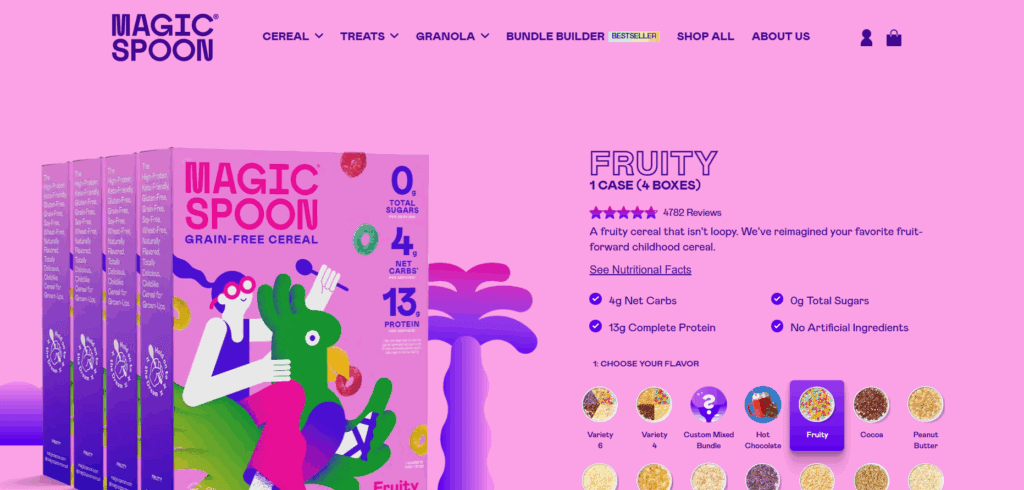
High-quality product photos: Are your images sharp, clean, and not just from the supplier?
Your product images do most of the selling. If they're low-quality, blurry, or clearly pulled from AliExpress, they'll turn people away fast.
If you're using supplier images, try replacing at least the first one with your own photo or mockup. It builds more trust and makes your store feel unique.
Learn more: How to Get Awesome Product Images When Dropshipping?
GIF or product video: Do you show the product in use to help people imagine owning it?
Sometimes a photo isn't enough. A short video or GIF can show how your product works in real life, which helps people picture themselves using it.
For example:
- A 360° spin of the item
- A video showing how to use a kitchen tool
- A GIF of a pet enjoying a new toy
Customer reviews with photos: Can visitors see real feedback and social proof?
Social proof builds trust. When people see that others have bought your product (and liked it), they feel more confident buying it themselves.
Text reviews are good, but photo reviews are even better. They show real people using the product, which feels more honest and believable than polished product shots.
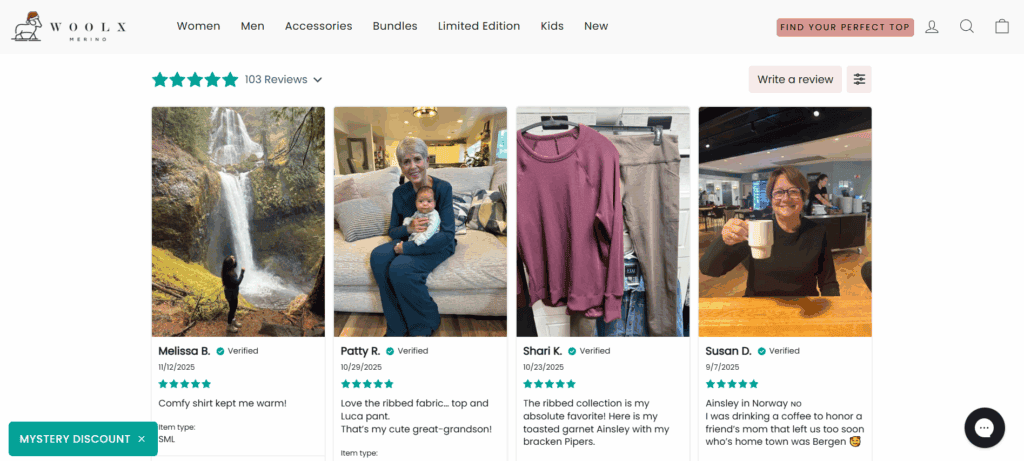
Answering common objections: Are FAQs or reassurance messages placed near the add-to-cart button?
Right before someone clicks “Add to Cart,” they often have last-minute doubts:
“What if it doesn't fit?”
“Can I return it?”
“Is this site legit?”
This is the perfect place to reassure them. Add short, trust-boosting messages near the button, like:
- “Over 10,000 happy customers”
- “30-day money-back guarantee”
- “Free returns if it doesn't fit”
Detailed FAQ section: Do you answer common questions clearly under the product description?
A full FAQ section under your product description saves time, builds trust, and reduces customer support messages.
People want to know:
- Is there a warranty?
- When will it arrive?
- How does the product work?
- What if I need to return it?
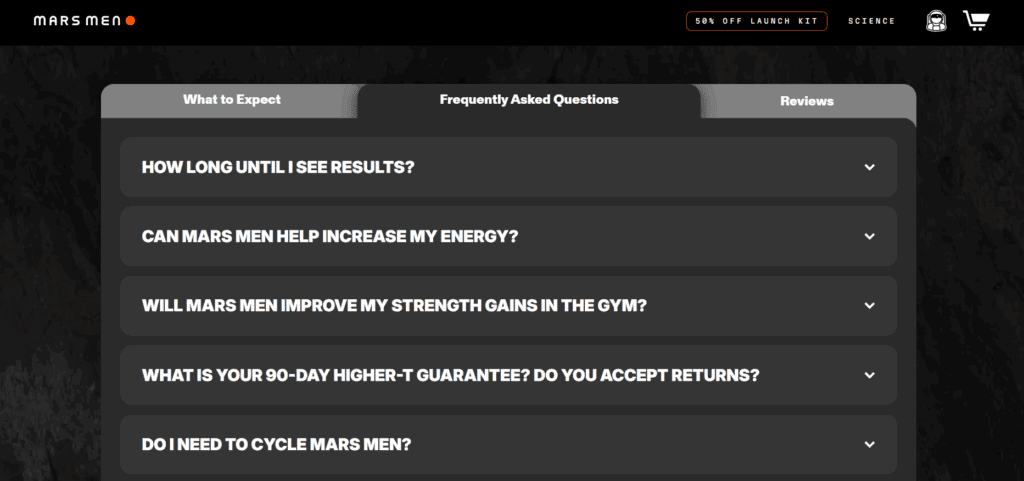
“Why choose us?” section: Do you explain what makes your store better than others?
With so many stores selling similar products, visitors need a compelling reason to choose you over others. A “Why choose us?” section gives them that reason.
This could include:
- Real customer satisfaction (with stats if possible)
- Faster shipping
- Higher quality materials
- Better support
- Trusted brand values (eco-friendly, small business, etc.)
Size guide or fit chart: Do you help customers pick the right option confidently?
If your product comes in different sizes (such as clothing, shoes, or accessories), it's essential to help shoppers choose the right one the first time.
When people are unsure about sizing, they often leave without making a purchase, or worse, they buy and return it later. A clear size guide reduces returns and boosts confidence.
To improve this:
- Add a simple size chart close to the product options
- Include measurements in both inches and centimeters
- Add notes like “Fits true to size” or “Runs small - we recommend sizing up”
- If possible, include customer feedback on sizing (e.g., “85% said this fit as expected”)
No duplicate content: Have you rewritten supplier text to match your brand voice?
Using copy straight from your supplier might seem like a shortcut, but it can hurt your store in a few ways:
- It doesn't match your brand tone
- It's often full of awkward or unclear language
- It can hurt your SEO if it's the same as many other stores
Instead, write your own product descriptions using simple, friendly language that sounds like you. Talk to your ideal customer, highlight the benefits, and explain what makes the product special.
Floating add-to-cart button: Is the CTA always accessible on mobile?
On mobile, people scroll a lot and the “Add to Cart” button can easily get lost. If someone has to scroll all the way back up just to buy, they might give up.
A floating “Add to Cart” button solves this by sticking to the bottom of the screen while the user scrolls. It keeps the most important action always visible, especially on long product pages.
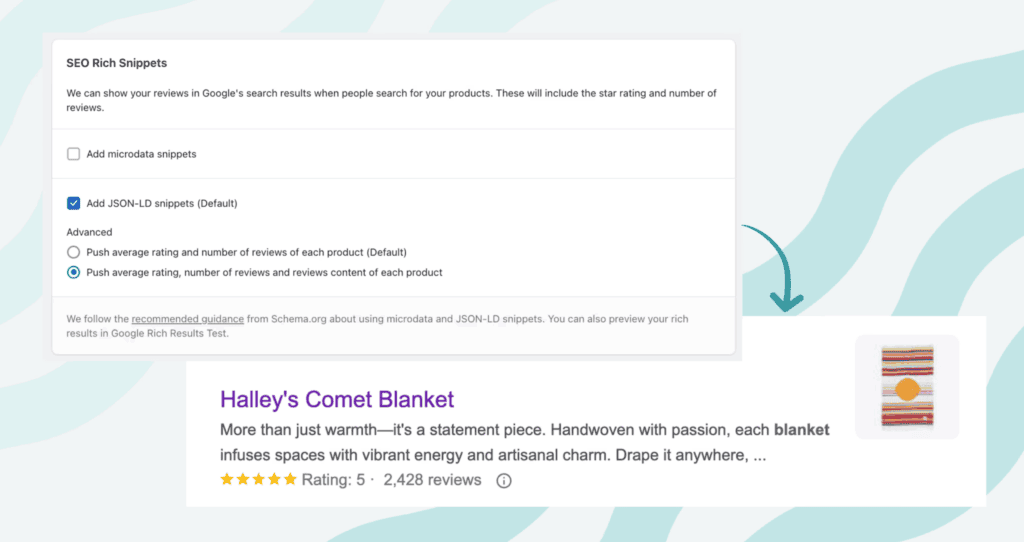
Review schema markup: Are your product reviews shown in search results (rich snippets)?
Schema markup is a small bit of code that tells Google what your content means. When you add review schema to your product pages, Google can show star ratings in your search listings.
This is called a “rich snippet,” and it makes your store stand out in search results, helping you get more clicks and more traffic.
You don't need to be a developer to do this. Most review apps (like Judge.me) include this feature automatically. Just make sure it's enabled and working properly.
3. Conversion boosters | Make more people buy
Free shipping or clear shipping info: Do visitors know upfront what shipping costs?
People hate surprises at checkout, especially with shipping. If your store hides shipping costs until the last step, many visitors will leave without buying.
You don't have to offer free shipping (though it helps), but you do need to be clear. Let customers know early about the shipping cost on the product page, in the announcement bar, or in the cart.
Multiple payment options: Can people use PayPal, Apple Pay, or credit cards easily?
Not everyone wants to use their credit card, and the more payment choices you offer, the more people you can convert.
- Credit/debit cards
- PayPal
- Apple Pay or Google Pay
- Shop Pay (for Shopify stores)
- Local payment options depending on your audience
Bonus tip: Show payment icons (Visa, PayPal, etc.) on your product and cart pages to reassure visitors before they even reach checkout.
Exit-intent offers or popups: Do you show a discount or message when users try to leave?
If someone's about to leave your store, that's your last chance to catch their attention, and exit-intent popups are great for this.
They work by detecting when someone moves their mouse to close the tab or hit the back button, then showing a popup like:
- “Wait! Here's 10% off your first order”
- “Don't go, take this before it's gone”
- “Want a better deal? Check this out”
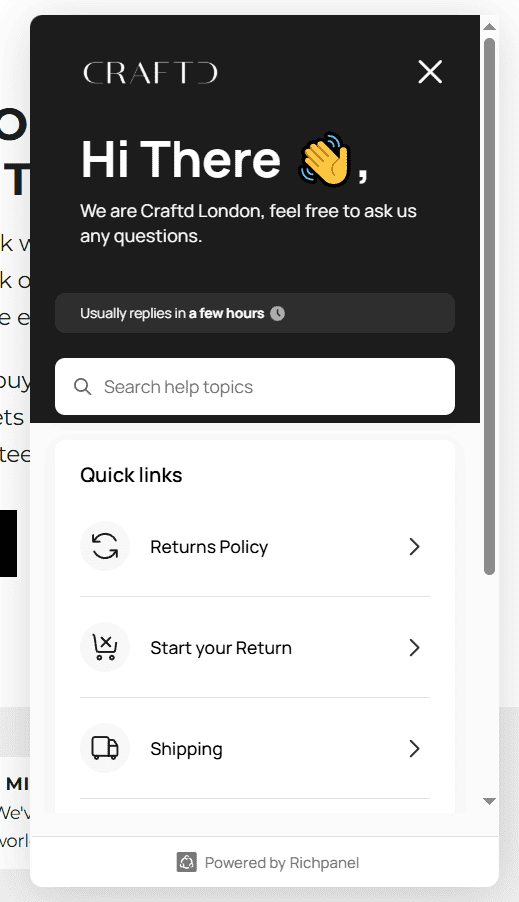
Live chat or quick support widget: Can people ask questions in real time?
When a visitor has a question and no one's there to help, they'll likely leave. But if they can get a fast answer, they're way more likely to buy.
That's where live chat or a support widget comes in. Even if it's just a simple chatbot or a message form with a fast reply promise, it shows that you're available and care about your customers:
SSL and secure checkout: Is your site fully secure and does it show a padlock in the URL?
Online shoppers need to feel safe before they buy. If your store isn't secure, they'll likely leave, no matter how good your product is.
A secure website:
- Uses HTTPS, not HTTP
- Shows a padlock icon in the browser address bar
- Has a working SSL certificate installed
Most platforms like Shopify and WooCommerce include SSL by default, but it's good to double-check.
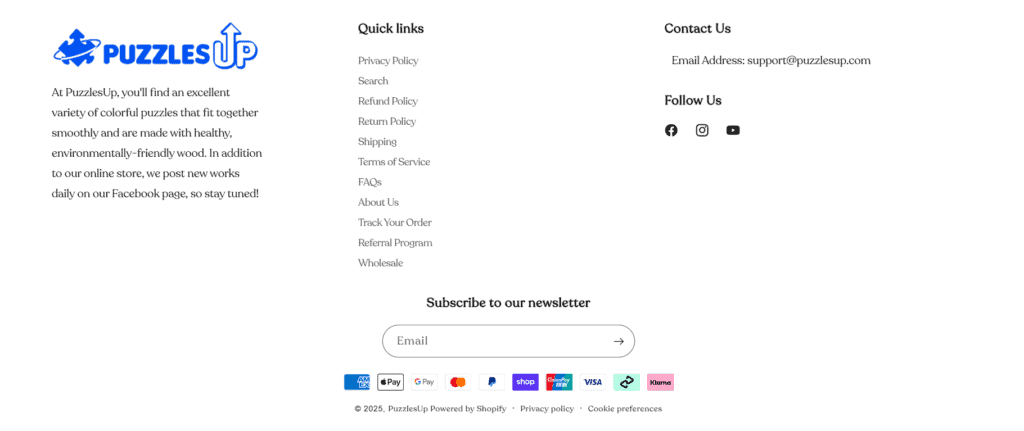
Trust-building footer: Do you link to About, Returns, Privacy, and Contact in the footer?
Your footer might seem like a small part of your store, but it can be a trust booster.
Make sure your footer includes links to standard pages like:
- About Us
- Contact
- Return Policy
- Privacy Policy
- Shipping Info
Gamified offers: Do you use spin-to-win wheels or mystery discounts to increase engagement?
Sometimes, a little fun can make a big difference. Gamified popups like spin-to-win wheels can be effective at turning visitors into buyers (or at least email subscribers).
Heatmaps or session replays: Are you tracking how people interact with your store (e.g., Hotjar)?
Ever wonder where visitors are clicking or why they don't buy? Tools like Hotjar or Microsoft Clarity can show you exactly that.
With heatmaps, you can see:
- What parts of a page get the most attention
- Where people scroll or stop reading
- If your buttons are getting clicked
With session replays, you can watch recordings of how people move through your site.
This data is gold. It helps you:
- Find where users get stuck
- Spot broken links or slow-loading pages
- Improve your design based on real behavior
It's one of the easiest ways to improve conversions, and most tools offer a free plan to get started.
4. AOV boosters | Increase how much people spend
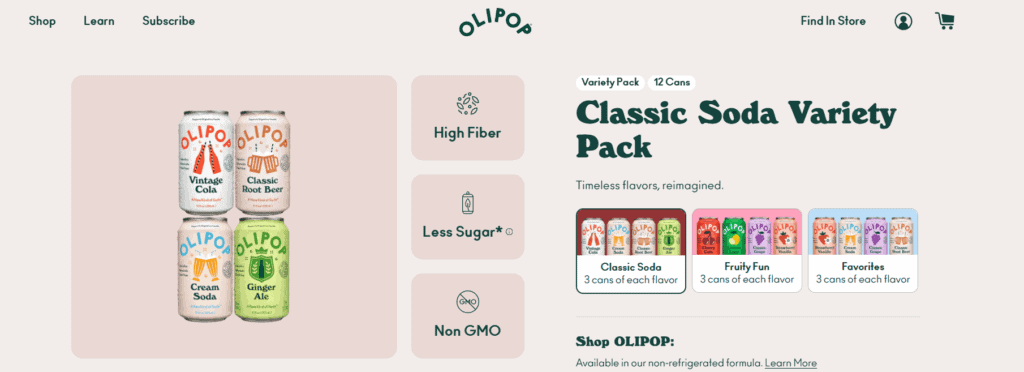
Bundles or product kits: Do you offer product sets that save money when bought together?
Bundles are a simple but powerful way to increase your average order value. Instead of selling one item, offer a set of products that go well together, and make the price feel like a deal.
For example:
- “Complete Skincare Kit” instead of just face cream
- “3-Pack Cable Bundle” instead of one charger
Quantity discounts: Do you give better pricing for buying more units?
People love getting more for less, so give them a reason to stock up. A quantity discount encourages shoppers to buy multiple units by offering a better price per item.
Example:
- 1 for $20
- 2 for $36 (10% off)
- 3 for $48 (20% off)
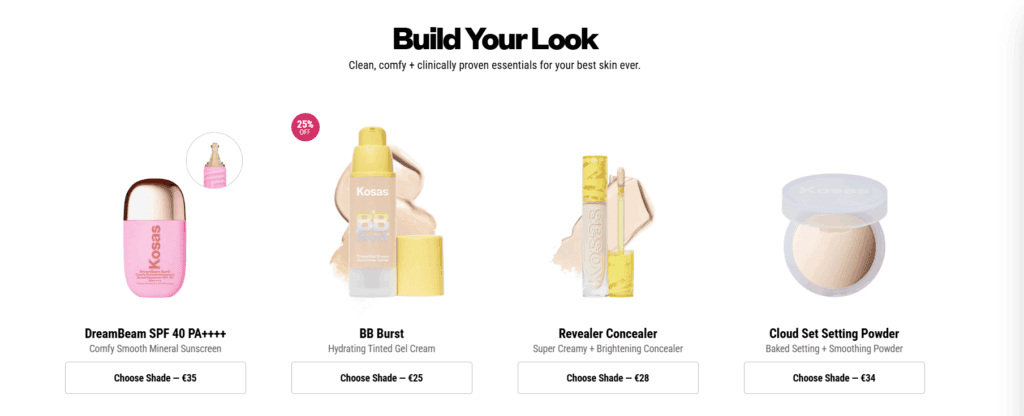
Cross-sells on product/cart page: Do you show “You may also like” suggestions that make sense?
Cross-selling is about recommending related items that go well with what someone is already viewing or buying:
Upsells during checkout: Are you offering add-ons or upgrades before or after the sale?
Upsells are offers that show up during or right after checkout, inviting the customer to add something extra to their order.
Examples:
- “Upgrade to the premium version for just $9 more”
- “Add a protective pouch for $5”
- “Get a second one at 30% off”
You can show these offers on:
- The product page (pre-purchase upsell)
- In the cart or before payment
- After purchase (post-purchase upsell)
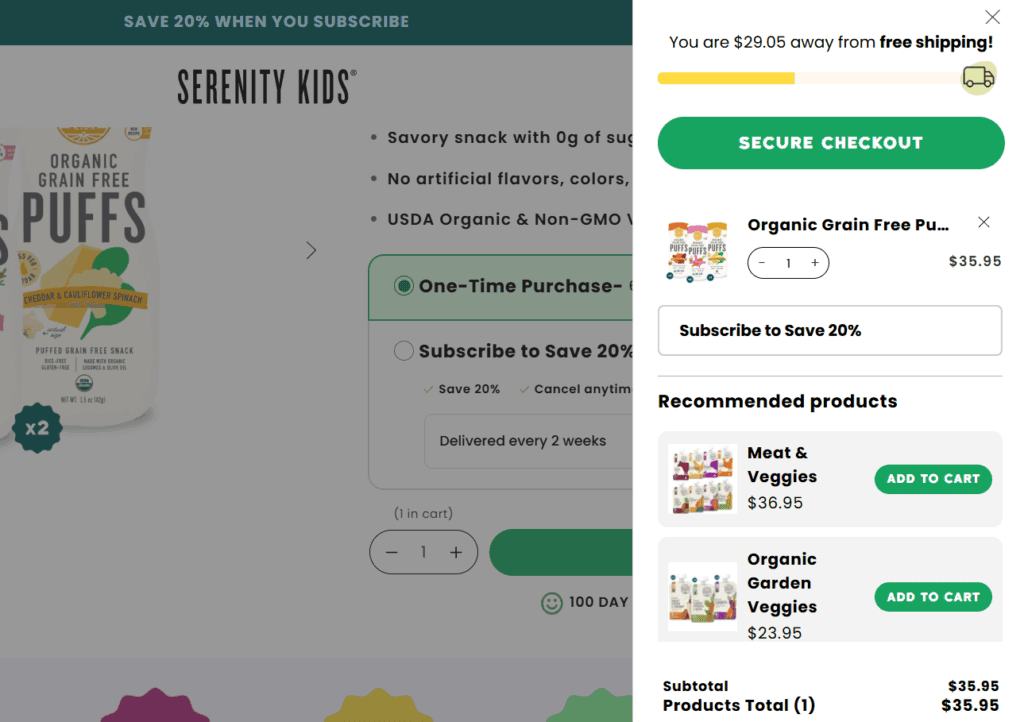
Free shipping threshold: Do you show progress (e.g., “You're $11 away from free shipping”)?
Free shipping is a strong incentive, but it works even better when you turn it into a goal.
Instead of just saying “Free shipping over $50,” show a progress bar in the cart or drawer like:
“You're only $11 away from free shipping!”
It motivates customers to add one more item to unlock the deal.
Buy X, Get Y Free offers: Do you use promotions that reward larger orders?
Everyone loves a good deal, and a Buy X, Get Y Free offer is one of the easiest ways to encourage bigger orders. It feels like a reward, not just a sale.
Examples:
- Buy 2, Get 1 Free
- Buy 3, Get the 4th at 50% Off
- Buy any 4 items, get the cheapest one free
Smart product recommendations: Are suggestions relevant and powered by apps or AI tools?
Recommending the right product at the right time can seriously increase your average order value, but only if it makes sense.
Instead of showing random products, use a tool that:
- Tracks what customers browse or buy
- Suggests items that are often bought together
- Updates automatically based on store behavior
Examples:
- “Customers who bought this also bought…”
- “You might also like these”
- “Complete the look” or “Build your bundle”
Gift option available: Can buyers choose to add gift notes or gift packaging?
Many customers buy for others. So if your store feels gift-friendly, people are more likely to spend more and trust you with important purchases.
Simple ways to make your store gift-ready:
- Add a checkbox: “Is this a gift?”
- Let customers write a personal gift note
- Offer gift wrapping for a small extra fee
- Show gift-related shipping options (e.g., hide prices in packing slip)
Even a small detail like a handwritten note or clean gift packaging can add value and encourage repeat purchases later.
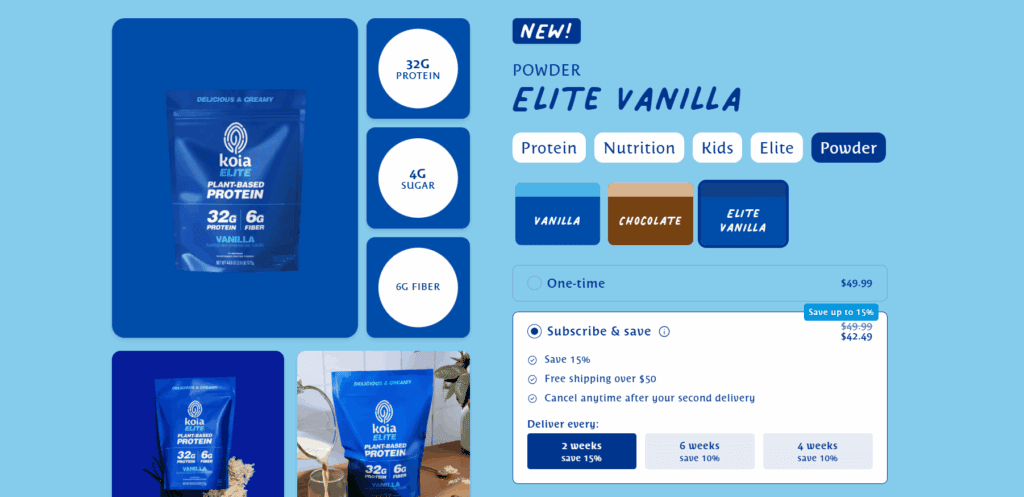
Subscription or re-order plans: Do you offer repeat delivery or subscribe-and-save options?
If your product is something people use regularly (like skincare, supplements, pet supplies, etc.), then a subscription option can increase AOV and long-term revenue.
Instead of selling once, you're making it easy for customers to:
- Re-order automatically every month
- Save a little money by subscribing
- Never run out of what they need
5. Mobile experience | Is it easy to shop on phones?
Mobile speed optimized: Does your store load fast on mobile devices?
Mobile users are impatient. If your store takes too long to load, they'll leave before they even see your product.
Ideally, your store should load in under 3 seconds on a mobile connection.
Thumb-friendly buttons: Are the buttons big enough and well-placed for tapping?
Your site should feel easy and natural to use with just a thumb. If your buttons are too small, too close together, or in awkward spots, users might tap the wrong thing.
Test it yourself: try shopping on your phone using just one hand. If it feels annoying, your customers probably feel the same.
Simple, clear mobile menu: Can users easily browse categories on small screens?
Your mobile menu (often called a “hamburger menu”) should be simple, clean, and easy to use, and not cluttered with too many options.
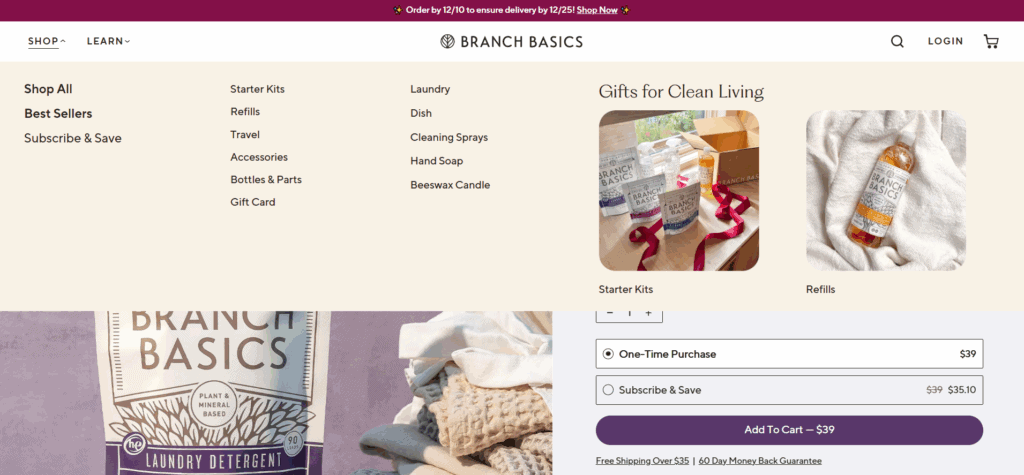
Bonus tip: Include a search bar at the top if you have a large product catalog. It helps mobile users find what they want fast.
Smooth mobile checkout: Is the entire checkout process easy to use on a phone?
If checking out on mobile feels slow or confusing, people will quit.
Make sure your mobile checkout:
- Has as few steps as possible
- Uses large, easy-to-fill form fields
- Supports mobile wallets like Apple Pay or Google Pay
- Doesn't force unnecessary account creation
Test it on your phone regularly and ask:
“Is there anything here that would make me leave?”
No intrusive mobile popups: Are your popups mobile-friendly and not blocking content?
Pop-ups can help collect emails or offer deals, but on mobile, they need to be handled very carefully.
If a pop-up covers the whole screen, is hard to close, or shows up too soon, it can frustrate visitors and hurt conversions.
To do popups right on mobile:
- Delay them for 5-10 seconds or after some scrolling
- Keep them small and easy to close
- Avoid showing them again if the user already closed one
Think of popups as helpful nudges. A polite offer works better than an aggressive one.
6. Shipping, returns & customer service
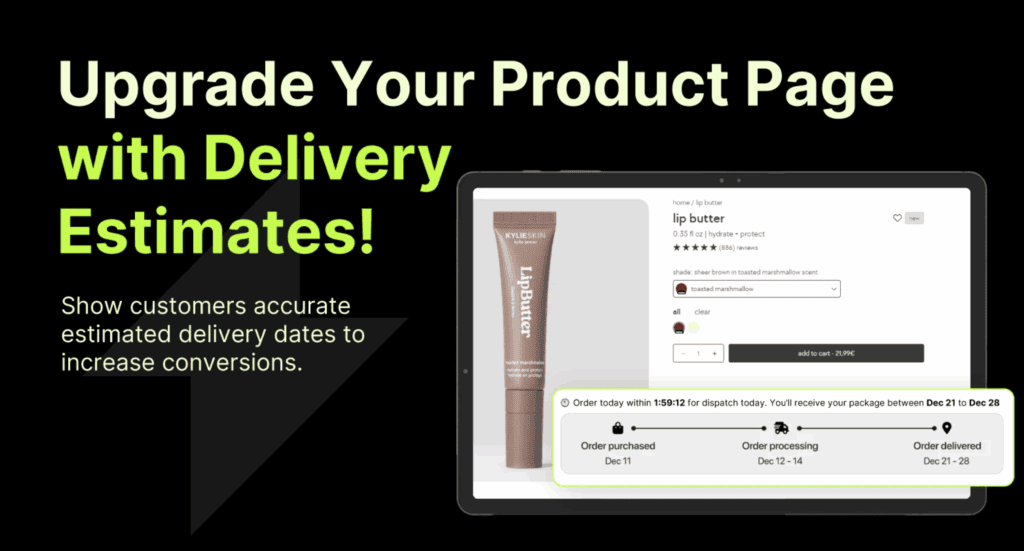
Clear shipping times on product pages: Do customers know when their item will arrive?
One of the top reasons people don't buy is that they're unsure when their order will arrive.
If your shipping information is missing or vague, it creates doubt, and doubt can kill conversions.
Instead of saying just “Standard shipping,” give people a clear estimate:
- “Estimated delivery: 5-8 business days”
- Or even better: “Arrives by Jan 12-15”
You can also add a note like:
“Shipped from our US warehouse” or
“Fast international shipping available”
Put this info right on the product page, not just at checkout:
Simple, visible return policy: Is your return policy easy to understand and access?
A clear return policy helps people feel safe buying from you.
Make sure your policy is:
- Easy to find (in the footer and/or product page)
- Written in plain language (no complicated legal terms)
- Short and clear about what's allowed and how it works
For example:
“Not happy with your order? Return it within 30 days for a full refund. No questions asked.”
Order tracking available: Can customers track their orders in real time?
Once someone buys from you, the next thing they want is updates, especially if shipping takes more than a few days.
Make sure every customer gets:
- A tracking number
- A working tracking link
- Updates when their order is shipped, out for delivery, and delivered
This helps reduce “Where's my order?” messages and improves the overall shopping experience. Bonus points if the tracking page matches your brand.
Fast response times: Do you reply to customer questions within 24 hours?
Quick replies = happy customers. If someone messages you and doesn't hear back for days, they'll lose trust and probably won't order again.
Try to respond to support emails or live chat messages within 24 hours, even if it's just:
“Thanks for your message! We're checking and will get back to you shortly.”
Custom email updates for shipping: Do you use branded emails instead of supplier notifications?
Shipping confirmation emails are often the most opened emails your store will ever send. So don't waste that space with boring, generic messages from your supplier.
Instead, set up branded email updates using your store's name, colors, and voice. Tools like Klaviyo make this easy.
Include:
- Order summary
- Tracking link
- Estimated delivery date
- A friendly tone (“We're packing your order now!”)
These emails are also a great spot to build trust, say thank you, and even show related products.
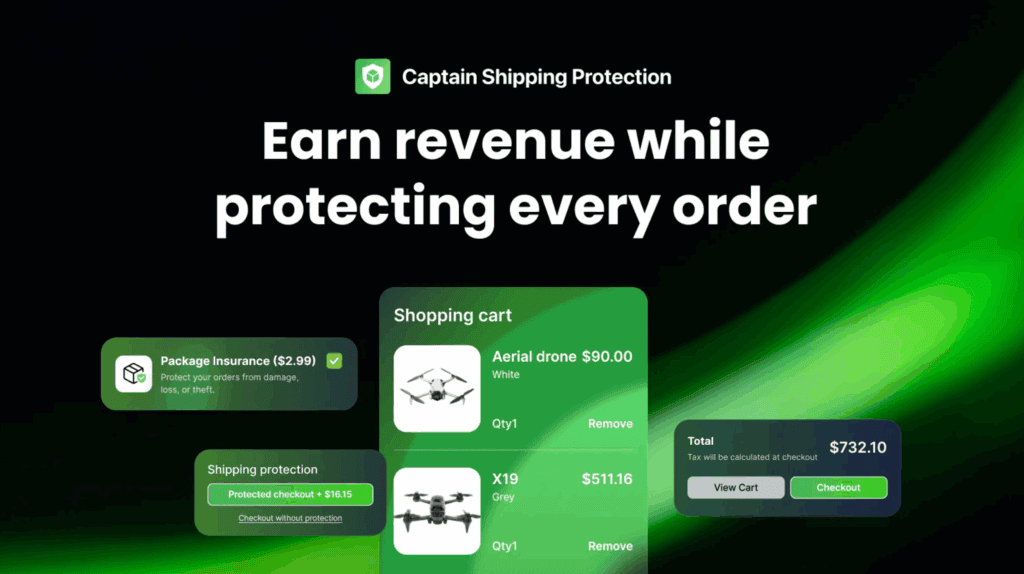
Offer shipping protection: Can customers add order insurance during checkout?
Shipping problems can happen (lost packages, damages, delays). Offering shipping protection gives customers peace of mind, and it can reduce refund requests and complaints.
It's usually shown as a small optional charge (like $1-$3), and you can set it up using an app like Captain Shipping Protection:
Let customers know:
“Add shipping protection at checkout - we'll cover any issues with lost or damaged items.”
It shows that you care about their experience, even after the order is placed.
7. Tracking and analytics | Do you know what's working?
Google Analytics + ad pixels installed: Are you tracking all major actions?
You can't improve what you're not tracking. Tools like Google Analytics, Meta Pixel, TikTok Pixel, and others help you understand where your traffic comes from, what people do on your site, and which ads are working.
At the very least, you should have:
- Google Analytics (GA4) connected
- Pixels for any ad platforms you use (Meta, TikTok, Google Ads)
- Conversion tracking turned on
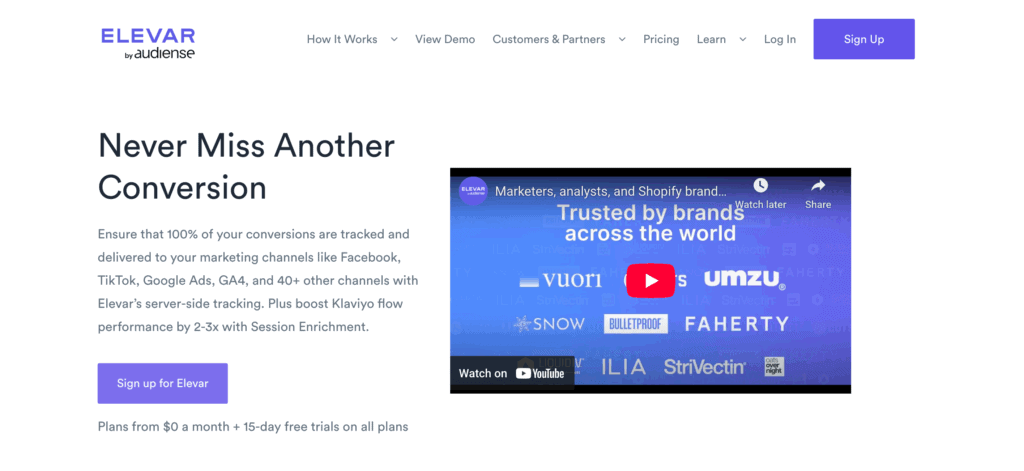
If you're more advanced, it's also recommended to install a dedicated tracking tool like Elevar:
A/B testing running: Are you testing different versions of pages or offers?
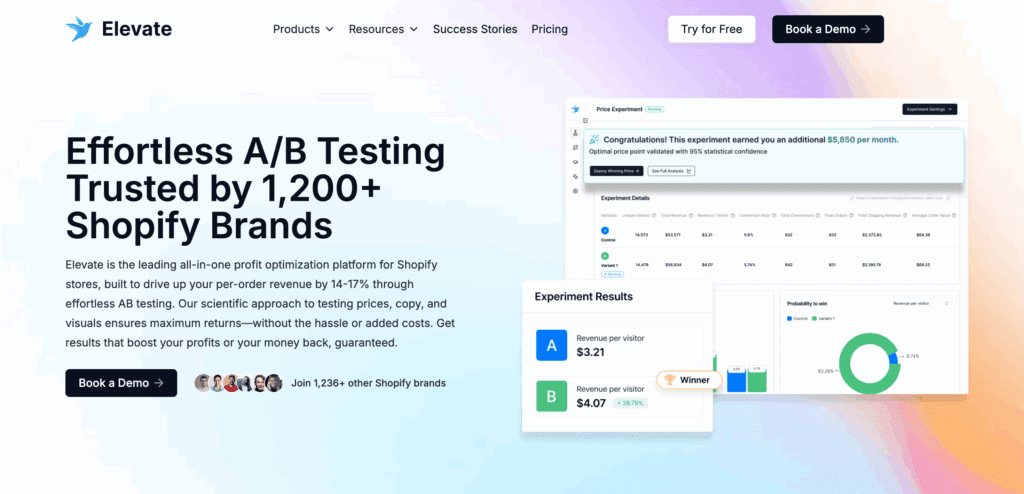
If you're not testing, you're assuming. A/B testing lets you compare two versions of something, like a headline, button color, or offer, to see what performs better.
You can test:
- Product titles or descriptions
- Homepage layouts
- Discount offers
- CTA button wording
Tools like Elevate can help with this:
Post-purchase attribution surveys: Do you ask where customers came from after buying?
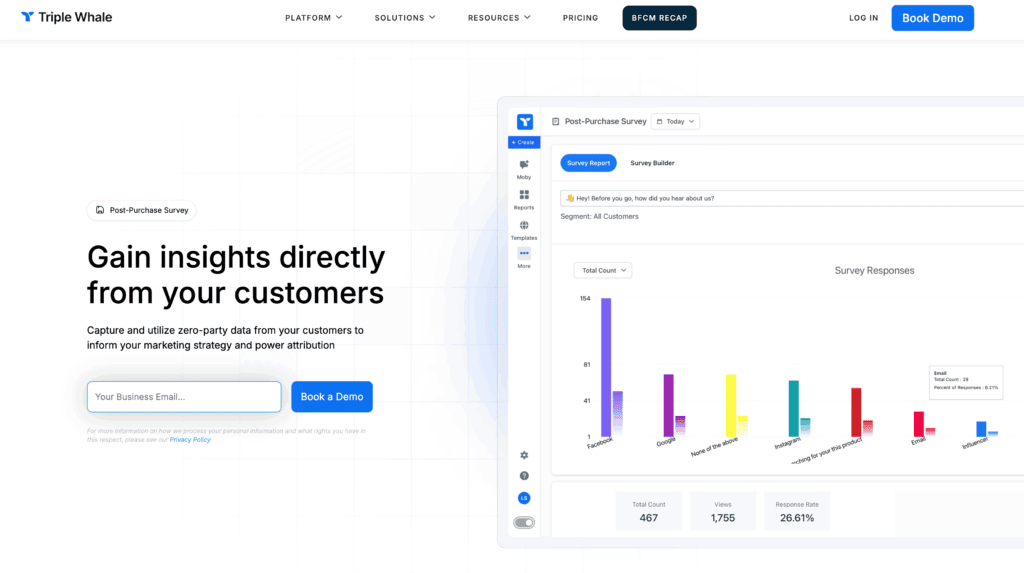
Not all sales can be tracked with pixels, especially with iOS tracking limits. A post-purchase survey is a simple way to ask buyers directly:
“How did you hear about us?”
This gives you better insight into:
- Which platforms are working (even if tracking is broken)
- Which influencers or campaigns drove real traffic
- Where to focus your marketing budget
Apps like Triple Whale can handle this automatically:
LTV vs CAC dashboards: Are you tracking profitability with tools like Lifetimely or Triple Whale?
Revenue is nice, but profit is what matters. You need to know:
- How much you're spending to get a customer (CAC = Customer Acquisition Cost)
- How much that customer spends over time (LTV = Lifetime Value)
Tools like Lifetimely or Triple Whale show you this clearly, especially if you're running ads or want to scale:
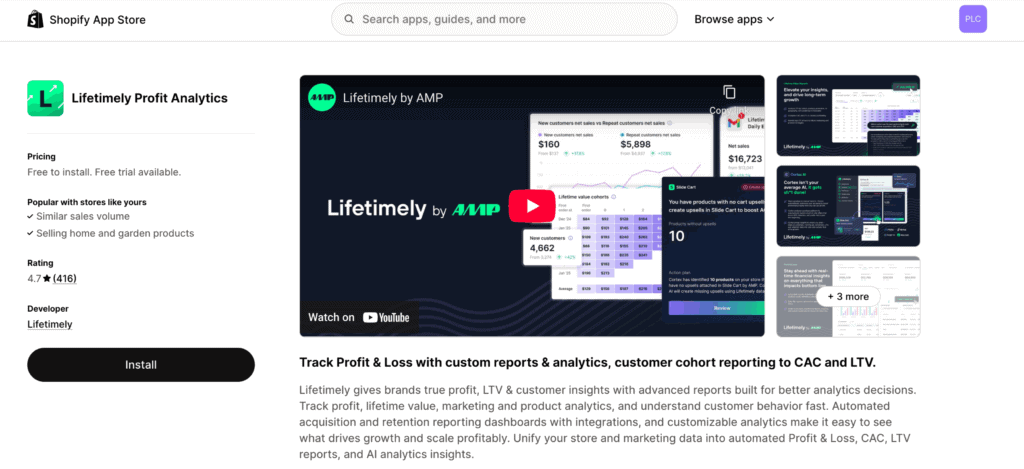
This helps you answer:
- Are your ads actually profitable?
- Which products or channels bring high-value customers?
- How long does it take to break even?
Even basic insights can help you avoid overspending and grow with confidence.
Key metrics reviewed weekly: Are you tracking AOV, conversion rate, ROAS, and MER consistently?
Checking your numbers once a month isn't enough. To stay profitable and spot problems early, review your key metrics every week (or even daily if you're running ads).
Important numbers to track:
- AOV (Average Order Value) - How much people spend per order
- CR (Conversion Rate) - How many visitors turn into customers
- ROAS (Return on Ad Spend) - Are your ads paying off?
- MER (Marketing Efficiency Ratio) - Total revenue ÷ total ad spend
8. Email marketing | Bringing customers back
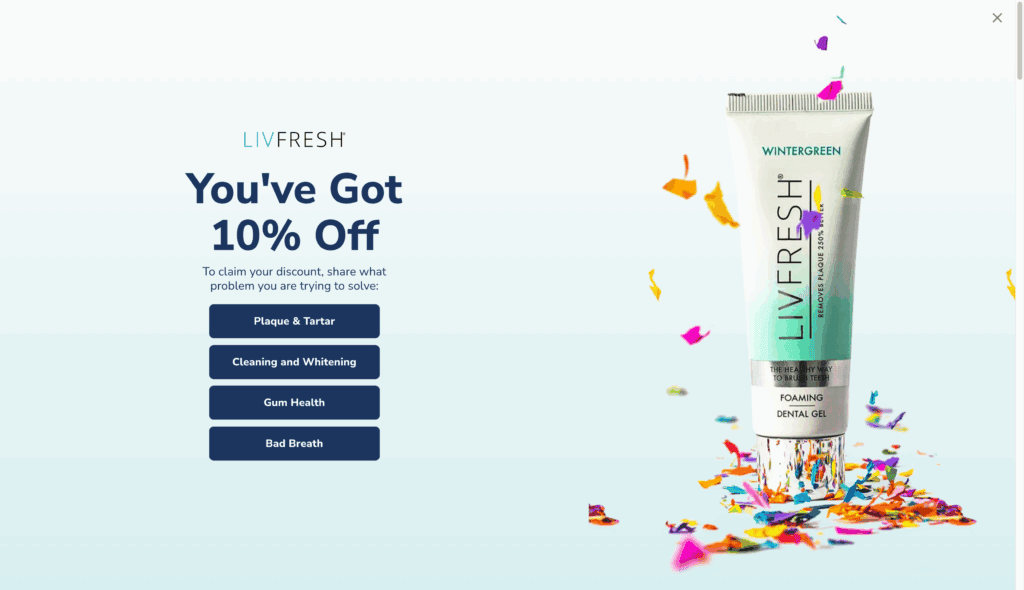
Email capture popup or offer: Are you collecting emails with an incentive (like a discount)?
If you're not collecting emails, you're leaving money on the table. A good email popup lets you stay in touch with visitors, even if they don't buy right away.
But most people won't just hand over their email unless there's something in it for them. Give them a reason:
- “Get 10% off your first order”
- “Join and get early access to deals”
- “Spin to win a surprise discount” (gamified popup)
Keep the popup clean, mobile-friendly, and timed well (don't show it the second someone lands). Once you have their email, you can guide them back later, for free:
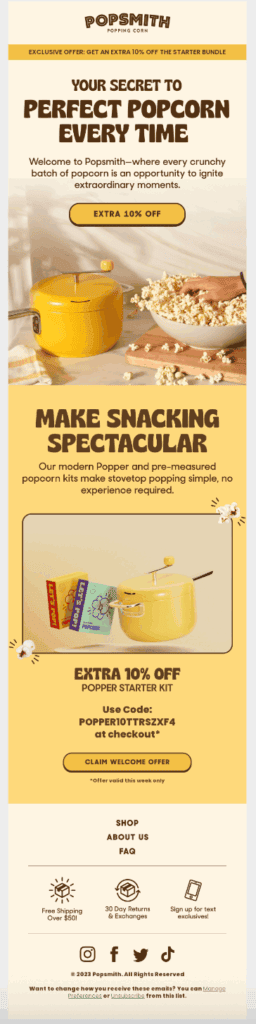
Welcome series for new subscribers: Do you warm up leads before pitching hard?
When someone joins your email list, don't hit them with a hard sell right away. A welcome series builds the relationship first.
Think of it like saying hello, showing them around, and then making an offer.
A good welcome flow might include:
- A warm intro + what to expect
- Your story or brand values
- Top product recommendations or reviews
- A discount or special offer
This builds trust and makes future emails more effective.
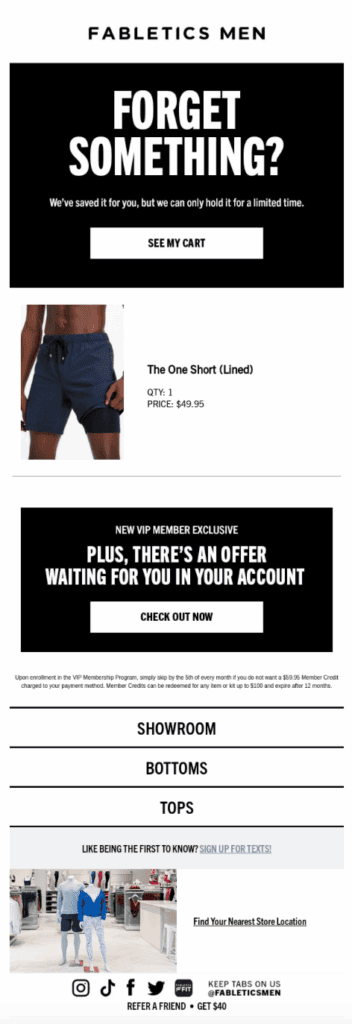
Browse abandonment emails: Are you reaching out when someone visits but doesn't buy?
Sometimes people look around your store, click on a product, and then disappear. Browse abandonment emails let you bring those visitors back automatically.
These emails say:
“Still thinking about this?”
“Here's a second look at what caught your eye”
“Get 10% off if you decide today”
It feels like a gentle reminder, not a pushy ad. You can personalize it with the product they viewed, and even add a review or FAQ to help them decide.
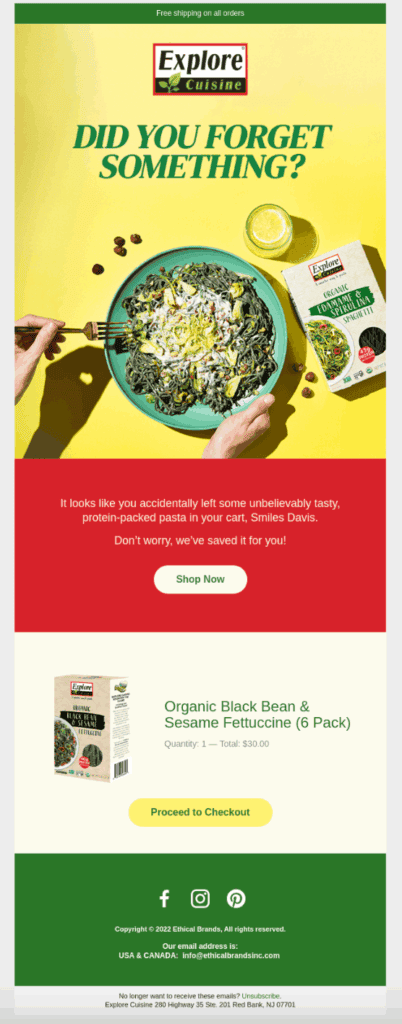
Abandoned cart email flow: Are you reminding people to come back and complete their purchase?
Not everyone who adds something to their cart will finish checkout. In fact, most won't.
That's why abandoned cart emails are so important.
These emails remind shoppers:
- What they left behind
- Why they wanted it in the first place
- And give them a gentle nudge to come back
A simple 2-3 email sequence can recover a lot of lost sales. You can include:
- A friendly reminder
- A product image
- A small discount (optional)
- A clear CTA like “Return to Your Cart”
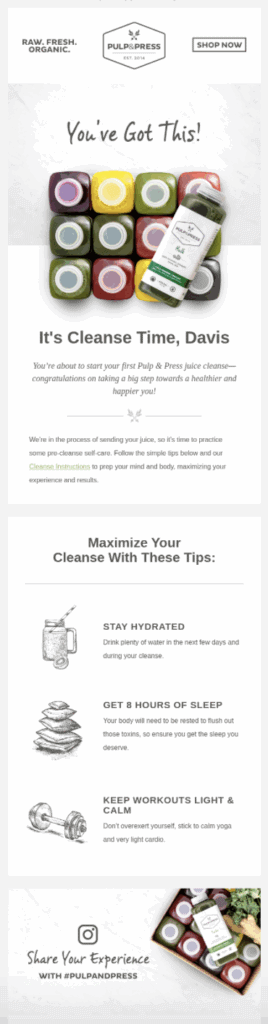
Post-purchase follow-up emails: Are you sending thank-yous, order info, and upsells?
The customer experience doesn't end at checkout. Post-purchase emails help you build trust and increase repeat sales.
Here's what to send:
- A thank-you email that feels warm and personal
- Order details and tracking info (make it clear and branded)
- A follow-up with product tips or usage guides
- Upsells like “You might also like…” or “Buy a second one at 20% off”
These emails show that you care and help turn one-time buyers into loyal fans.
9. Persuasion | Are you using buyer psychology?
Urgency or scarcity cues: Are you using countdowns or “Only X left” messages?
People act faster when they feel they might miss out. That's why urgency and scarcity work so well in ecommerce.
You've probably seen messages like:
- “Only 3 left in stock!”
- “Sale ends in 4 hours”
- “Order before midnight for next-day shipping”
These little cues nudge people to buy now instead of thinking about it and forgetting. Just make sure it's honest.
Money-back guarantee offered: Are you reducing risk for hesitant buyers?
One of the biggest reasons people don't buy? They're worried about regret; “What if I waste my money?”
A simple money-back guarantee removes that fear. Just by saying:
“30-day money-back guarantee. No hassle, no risk.”
You instantly make your product feel safer to try, especially for new customers.
Even if only a few people ever request a refund, the increased conversions from offering this promise usually make up for it.
Story-based product copy: Do you explain your product using relatable stories or problems?
People don't just buy products, they buy solutions to their problems. And the easiest way to connect is through storytelling.
Instead of just listing features like “Waterproof. Rechargeable. Lightweight.”
Try something like:
“You'll never worry about rain again. Just grab this on the go, and stay powered all day - no outlet needed.”
This kind of story helps people imagine owning the product and using it in their life. That emotional connection makes it easier for them to say yes.
Comparison to competitors: Do you show why your product/store is the better choice?
Customers are always comparing options - so why not help them do it right on your site?
Use a simple chart or section like:
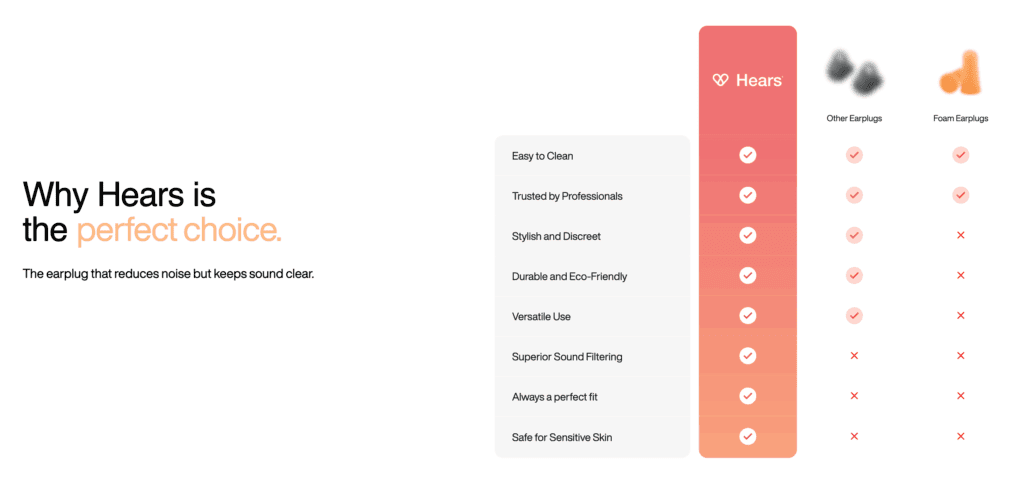
You don't need to talk badly about anyone else, just highlight your strengths clearly. This builds confidence and keeps them from leaving to research competitors.
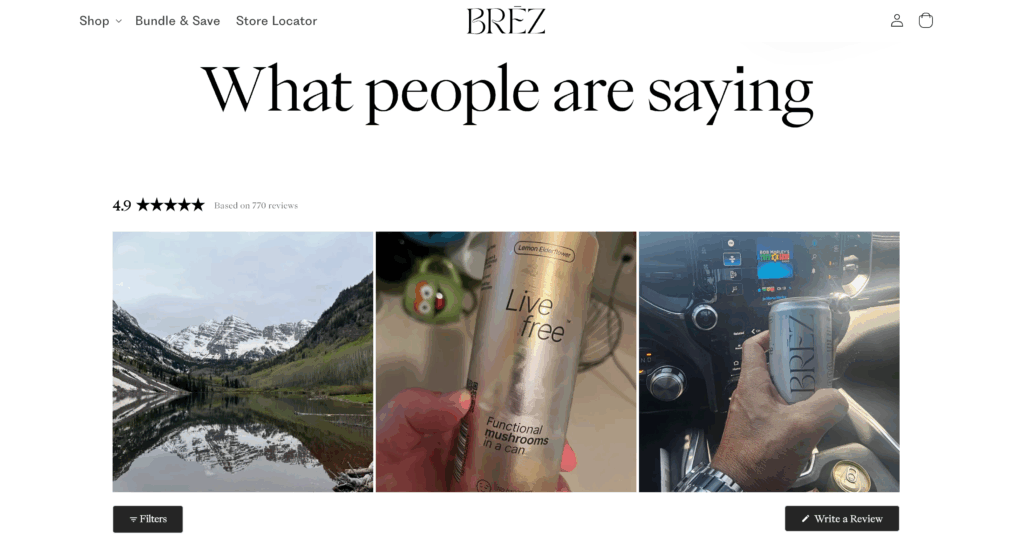
Customer stories and images: Are you sharing testimonials that feel real?
Social proof is powerful, but only if it feels authentic. Avoid overly polished reviews with no personality. Instead, show:
- Real customer photos
- Short quotes that sound natural
- Stories like “I bought this for my dad's birthday…” or “I've used this every day since it arrived!”
You can collect these with apps like Loox, Judge.me, or Yotpo, or even just ask past customers to reply to your emails with photos and feedback:
Price anchoring or discounts: Do you show savings clearly (e.g. ~$49~ → $29)?
People love a deal, but only if they see the value they're getting. Use price anchoring to show the “before and after”:
$49.99→ $29.99 (Save 40%)
This works even better if you explain why:
“Launch special price - valid this week only”
“Bundle and save”
“Normally $99, but today only $59”
The goal is to help the customer feel like they're getting more than they're paying for. That's what turns interest into action.
10. Brand & business foundations
Custom domain email address: Are you using yourname@yourstore.com instead of Gmail?
Using a branded email like support@yourstore.com or hello@yourstore.com makes your business look more professional and trustworthy.
If you're still using a free email like yourstore@gmail.com, it can make your store feel less legit, even if everything else looks great.
The fix is simple: most domain hosts or email tools (like Google Workspace) let you set up a custom domain email quickly. It also helps you:
- Build customer trust faster
- Get better email deliverability
- Avoid spam folders
Registered legal business: Is your business compliant in your country?
It's tempting to skip the boring legal stuff, but running a registered business protects you in the long run. It helps with:
- Setting up a business bank account
- Getting better payment processors
- Running paid ads with platforms like Facebook and TikTok
- Building a brand that people take seriously
Check the rules in your country. You might need to register as a sole proprietor, LLC, or another legal structure. It's usually easy, and important if you want to scale.
Key policies published: Are your shipping, return, privacy, and terms pages all live?
Before someone buys from you, they want to know what happens after the purchase. If your store is missing basic policy pages, it creates doubt.
At a minimum, you should have:
- Shipping Policy. How long does delivery take?
- Return & Refund Policy. Can people get their money back if there's a problem?
- Privacy Policy. How do you handle their data?
- Terms of Service. The legal agreement between you and the customer
You can start with a free policy generator, then tweak the wording to match your brand. Link these pages in the footer, so they're easy to find.
Backup supplier plan: Do you have a second supplier or fulfillment plan if one fails?
Even the best suppliers can run into delays, stock issues, or stop selling a product. That's why it's smart to have a backup plan.
Ask yourself:
- Can I find the same (or similar) product from another supplier?
- Do I have a saved supplier alternative?
- What will I do if shipping times double overnight?
A backup supplier ensures you can keep orders moving, even if something goes wrong. It's one of those things you'll wish you had before a problem hits.
Final thoughts
If you made it this far, nice work!
You have just completed a comprehensive self-review of your dropshipping store.
And now, you know exactly what to fix, what to improve, and what to test next.
That already puts you ahead of 90% of store owners who never take time to do this!
Remember: You don't need to be perfect. You just need to keep improving.
What's next?
- Come back to this checklist regularly. Your store will keep changing, and so will your traffic and customers.
- Need tools or examples? Scroll back through the list; many tips include app names and tool suggestions to help you move faster.
You've got this!
Let's make your store the one people love to buy from!
Want to learn more about dropshipping?
Ready to move your dropshipping store to the next level? Check out the articles below:
- Finding Your Ideal Dropshipping Target Audience (2026 Guide)
- 24 Most Common Shopify Store Mistakes to Avoid & Tips (2026)
- Why Is No One Buying From My Online Store? (14 Things To Check)
Plus, don't forget to check out our in-depth guide on how to start dropshipping here!


